New VoicePing features including offline transcription for English, automatic speaker identification, and the option to hide original text during translation.
With the latest update to VoicePing, we’re introducing new features and improvements designed to enhance user convenience. The new offline transcription feature allows you to easily transcribe English audio even in environments with unstable internet connections. Offline translation functionality will be available soon, making overseas business trips even more convenient.
Additionally, we have added speaker identification and an option to hide the original text, making meeting records and translation tasks smoother. Other enhancements include adjustable translation frequency, meeting recording permission settings, and improved email notification management.
New Features
1. Mobile: Offline Transcription
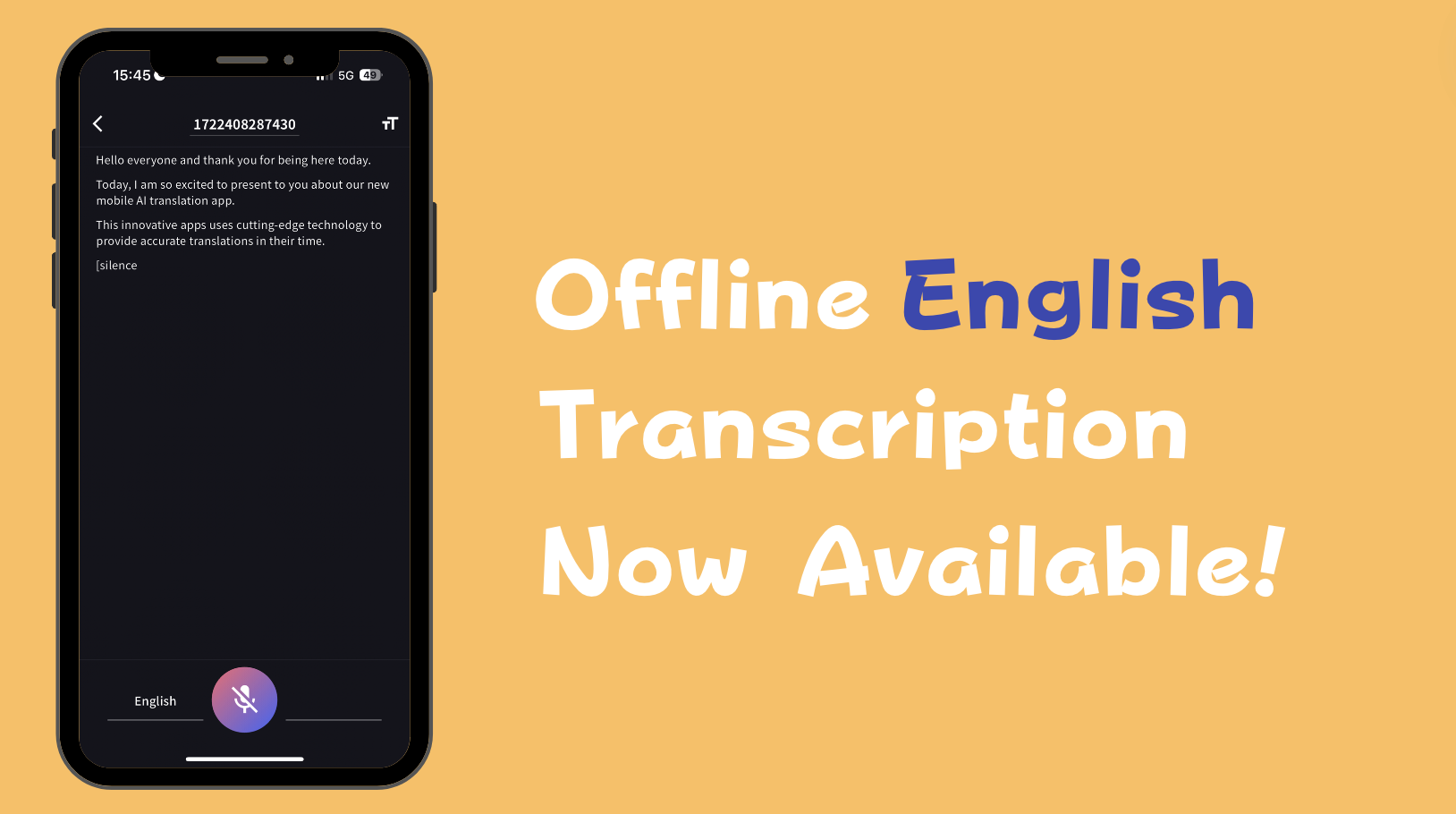
Have you ever experienced slow internet speeds or sudden disconnections while recording voice memos during overseas business trips or seminars? With the latest update, the VoicePing mobile app now allows you to transcribe English audio even when offline.
By simply downloading the English model beforehand, you can easily transcribe English speech without an internet connection. This ensures that you won’t miss any important moments during English meetings, lectures, interviews, or research, even in places without internet access.
In future updates, we plan to implement more accurate English AI models and offline translation from English to other languages, so please stay tuned.
Available Usage Time:
- Free users: 60 minutes/day
- Paid users: Unlimited
2. Speaker Identification Feature
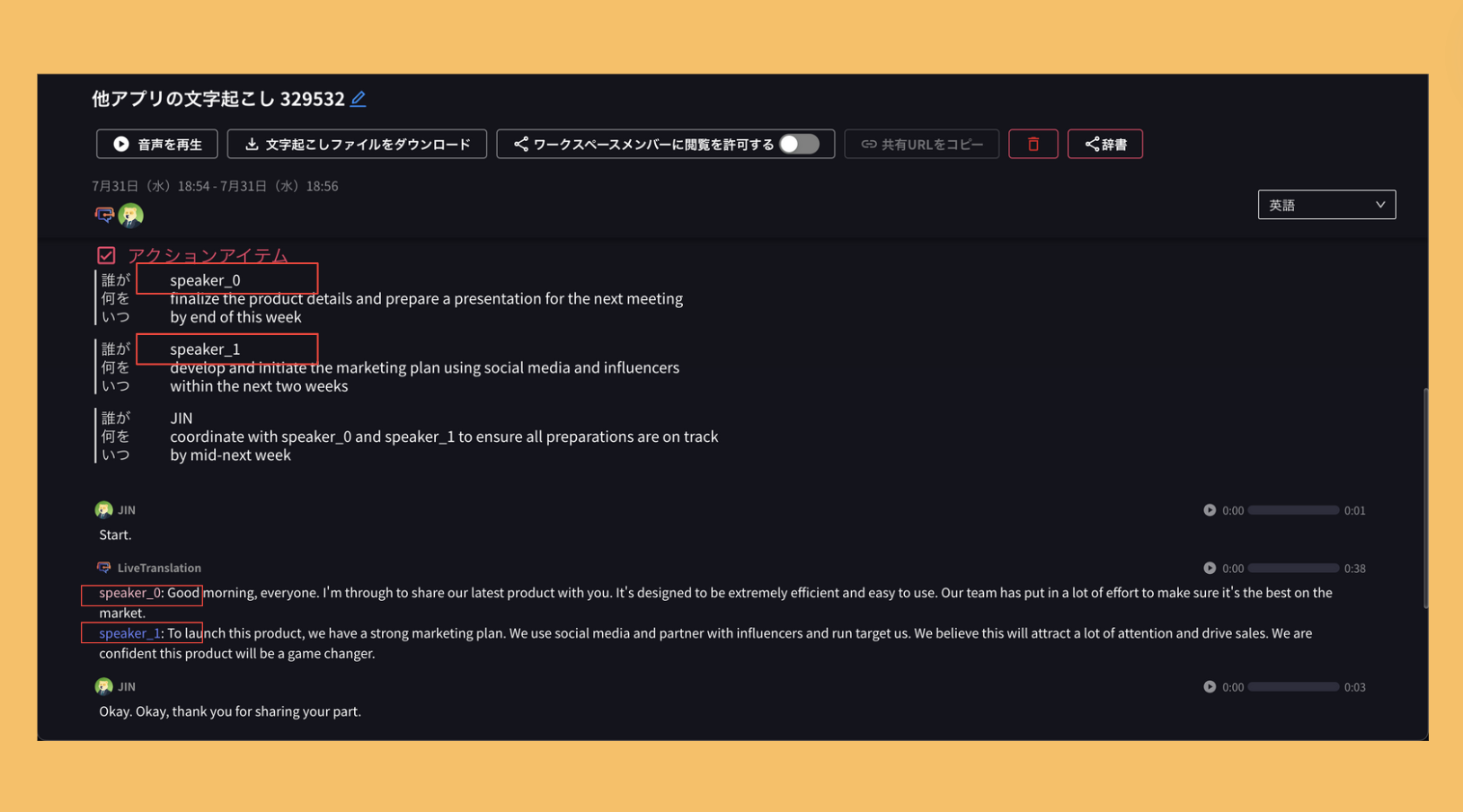
“Who said what? It’s impossible to guess just from the transcription!”
With this update, clicking on “AI Summary” in the “Meeting Minutes” section will automatically identify and display the speaker. For VoicePing users, this means you no longer need to replay recorded audio to identify speakers in transcriptions generated by Zoom, Teams, Google Meet, etc.
This speaker identification feature is incredibly useful for:
- Those using translation features in external meeting tools like Zoom, Teams, and Google Meet
- Those who want to transcribe multiple speakers’ audio with a single PC (or microphone) in VoicePing meeting rooms
3. Hide Original Text Option
Have you ever found it inconvenient to have both the original text and the translated text displayed simultaneously during meetings with foreign speakers? With this update, a new feature allows you to display only the translated text, both in external meeting tools and in VoicePing meeting rooms.
This functionality can also be utilized in seminars and events to enhance convenience.
Other Improvements
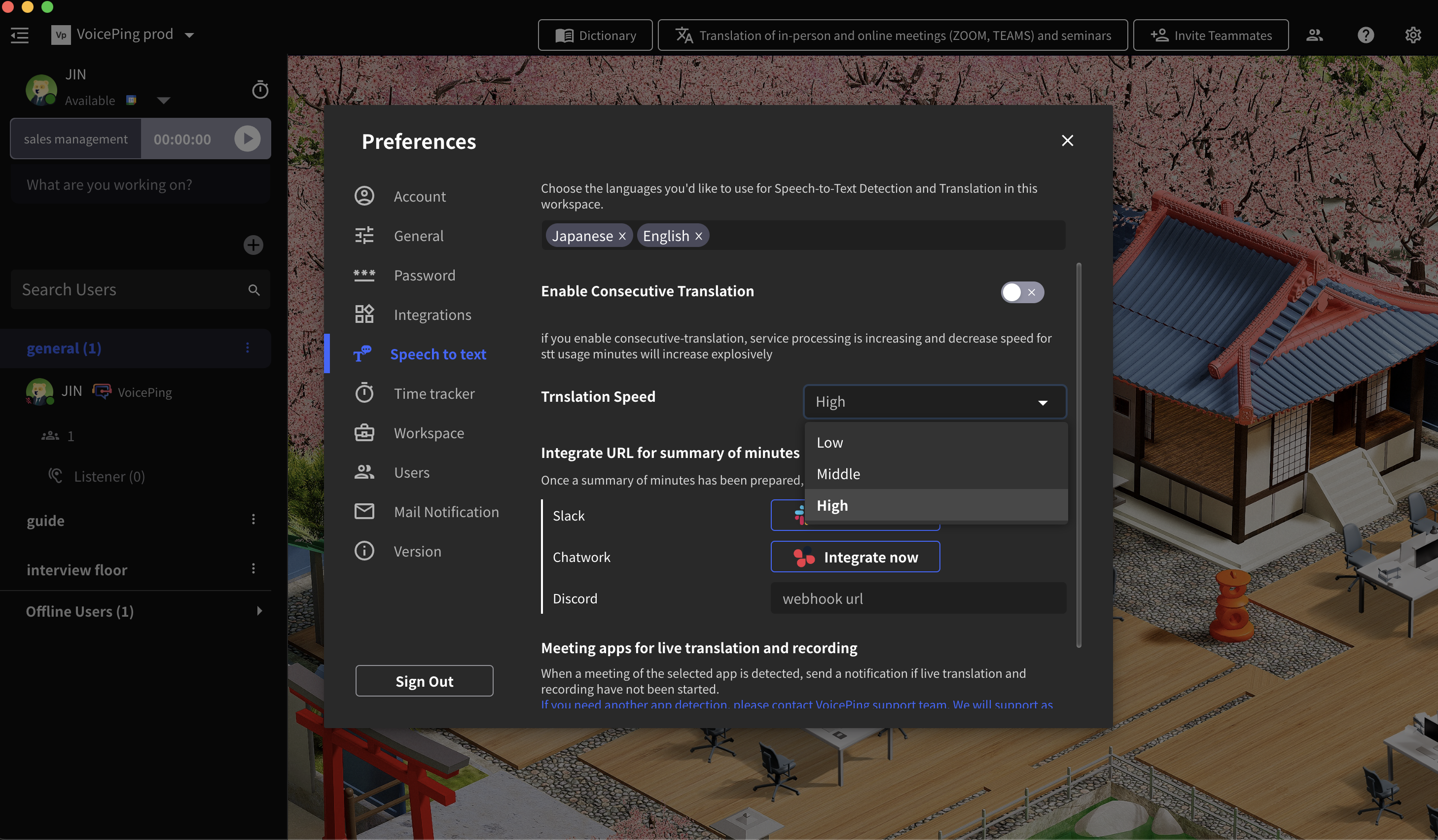
Adjust Translation Frequency
Premium and Enterprise plan users can now adjust the translation frequency.
This can be set to “Low,” “Medium,” or “High” from Settings → Speech to text → Translation Speed in the workspace.
Meeting Recording Permissions
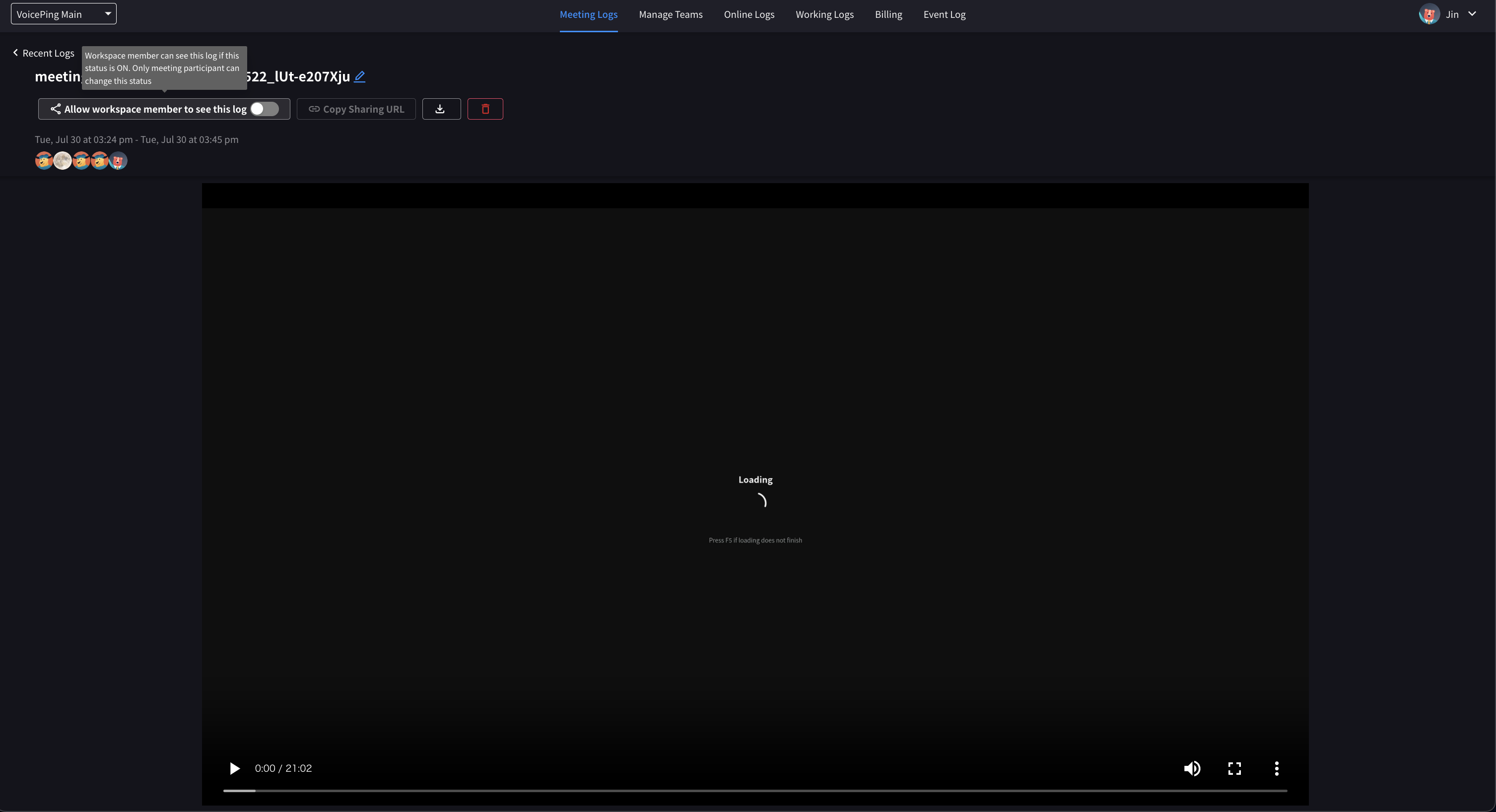
A new setting has been added to view permissions for recorded meetings. Only members who attended the recorded meeting can view it. To share the recording with all workspace members, turn on “Allow workspace members to see this log” in the recording settings.
Email Notification Management
Added options to select and unsubscribe from mailing options.
Navigate to Settings → Mail Notifications in the workspace.
Changes
MP3 Meeting Recording Download Button Removal Recordings can now only be downloaded in WebM format.
With this update, VoicePing has evolved further, offering tools like offline transcription, speaker identification, and hide original text options to make meetings and translation tasks more efficient. VoicePing will continue to provide better services based on valuable user feedback.
Achieve efficient communication and powerful teamwork with VoicePing!