Compare the best AI-powered video transcription and translation tools including VoicePing, Notta, Vrew, Amazon Transcribe, and more. Features, pricing, and use cases.
“I just want to see the key points from a meeting video as text—do I really have to watch the entire thing from start to finish?”
“Wouldn’t it be great if there was a tool that could automatically generate subtitles in Japanese or other languages just by uploading the video?”
These days, we often rely on videos for important information, whether it’s a recorded meeting, lecture material, or YouTube content. However, transcribing that information manually can be incredibly time-consuming and labor-intensive.
Luckily, with the latest AI technology, that hassle can be a thing of the past! By using apps and tools that automatically transcribe videos, you can streamline tasks like creating meeting minutes, generating subtitles, and even translating content.
In this article, we’ll introduce a range of free and paid tools for video transcription and translation. We’ll dive into their features, pros, cons, and the types of scenarios where each tool excels.
What is Video Transcription?
Video transcription is the process of converting the audio in a video into text data. Whether it’s a meeting, lecture, interview, or YouTube video, transcribing the audio into text allows for easier organization, sharing, and searching of content.
Benefits of Video Transcription Tools
1. Simplify Video Information Organization and Search
Manually transcribing audio by listening repeatedly or revisiting videos for specific details can be time-consuming and inefficient. With transcription, you can quickly search, organize, and extract the necessary information.
By leveraging transcription tools, you can save time and focus on what truly matters!
2. Multilingual Support for Versatile Applications
Some video transcription tools come equipped with translation features, allowing them to handle not only Japanese but multiple languages. This capability ensures smooth collaboration for global projects and international teams.
3. High Preservation Value as an Archive
Transcription data is easier to store, edit, and repurpose compared to video files. It’s an ideal solution for materials that need to be preserved for extended periods:
- Archive the content of lengthy lectures or interviews as text data
- Organize and analyze information extracted from multiple videos in a structured text format
The primary reason to transcribe videos is to maximize the usability of information.
Five Key Points for Choosing Video Transcription Tools
When selecting a tool for video transcription and translation, consider these factors:
1. Supported Languages and Translation Features
Check which languages the tool supports and whether it includes translation features. A tool with multilingual support can be used for content beyond just Japanese.
2. Accuracy and Speed of Transcription
The accuracy and processing speed of AI-powered tools vary between products. Choosing a tool with high accuracy can significantly reduce the time spent on manual corrections.
3. Usability and Ease of Operation
Consider whether the tool has an intuitive interface and whether it requires app installation. Ease of use is a crucial factor, especially for frequent users.
4. Supported File Formats and Video Length
Check the types of video file formats the tool supports and whether there are any limitations on video length.
5. Pricing Plans and Usage Limits
Compare free and paid plans, including usage time, storage capacity, and feature differences. Balancing cost and functionality is key to finding the right tool.
Top 8 Tools for Video Transcription and Translation
1. VoicePing (Free)

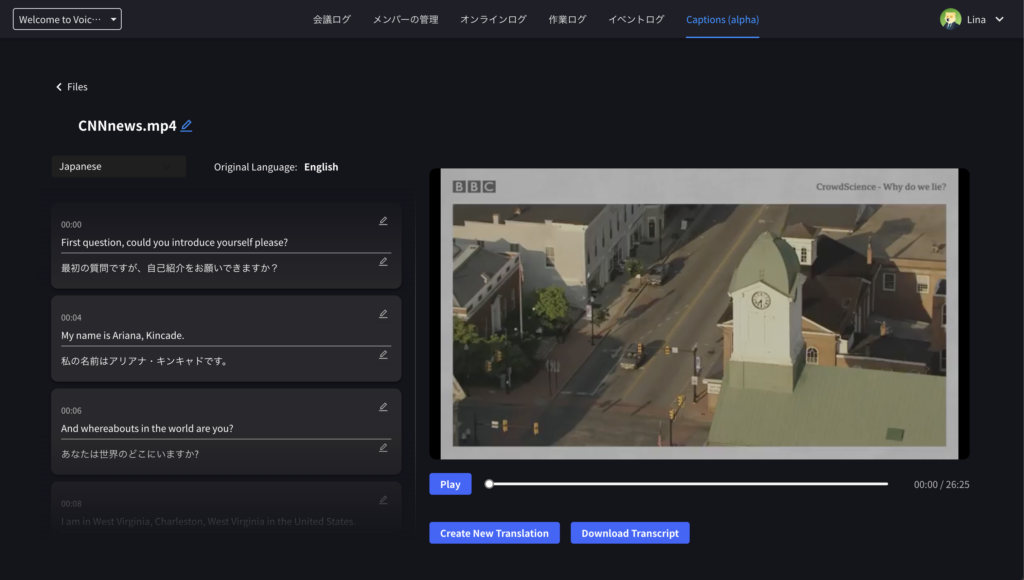
VoicePing is a multifunctional tool developed by VoicePing Inc., combining real-time translation and transcription. Originally designed to provide translation solutions and AI-powered meeting notes for platforms like Zoom, Teams, and Google Meet, it now includes video transcription and translation capabilities.
With its simple, intuitive interface, users can easily create transcription subtitles or AI summaries by simply uploading a video.
Benefits:
- Translation Features: Supports 5 languages (Japanese, English, Korean, Chinese, Vietnamese)
- High-Precision AI Summaries: Delivers highly accurate, concise results
- Specialized AI Model: Tailored for translating Asian languages
- Free to Use: No cost for basic functionalities
- No Installation Needed: Upload videos directly from your browser
Drawbacks:
- Currently in beta version
- No video editing features available
Recommended Use Cases:
- For those looking for a free, user-friendly transcription tool for daily tasks
- To quickly summarize internal training videos
- To create subtitle data for video production
Specifications:
- Supported formats: WebM, MP4, WAV, M4A
- Maximum upload size: 1GB
- Maximum video length: 1 hour
- Storage capacity: 1GB
- Transcription limit: 5 hours
- Translation limit: 5 hours
Pricing: Completely free (currently)
Website: VoicePing
2. Notta (Free Plan Available)
A simple audio and video transcription tool that supports 58 languages. It is versatile and can be used for a wide range of purposes, from recording meetings to transcribing interviews.
Benefits:
- Supports translation in 58 languages
- Accurate transcription for Japanese audio
- Syncs across smartphones and PCs
- User-friendly interface with a simple design
Drawbacks:
- The free plan has limitations on usage frequency and recording time
- AI summarization is limited to a specific number of uses
Recommended Use Cases:
- When you need to quickly transcribe and record meeting content
- For users looking for a straightforward and easy-to-use tool
Specifications:
- Supported formats: avi, rmvb, flv, mp4, mov, wmv
- Maximum upload size: 1GB
3. Vrew (Free Plan Available)
By slightly editing automatically generated subtitles from audio analysis, you can quickly complete subtitles even for long videos.
Benefits:
- Supports translation in over 100 languages
- Handles both text editing and subtitle creation in one tool
- Allows video creation from text or PDF files
- Simple and easy to use, even for beginners
Recommended Use Cases:
- YouTubers who want to easily create subtitles for their videos
- When transcription of meetings or interviews is needed
4. Amazon Transcribe (Paid Plan Recommended)
Amazon Transcribe is an AI-based transcription service provided by Amazon, ideal for large-scale projects. It automatically converts audio data from meetings, interviews, and videos into highly accurate text.
Benefits:
- High transcription accuracy, especially for English and Japanese
- Real-time transcription of audio data
- Integration with other AWS services (S3, Comprehend) for advanced data analysis
- Flexible implementation, well-suited for processing large volumes of data
Drawbacks:
- Pay-as-you-go pricing can lead to high costs for large data volumes
- Requires technical knowledge for initial setup
- May be excessive for individual users
Recommended Use Cases:
- Efficiently processing meeting recordings or audio data in large companies
- Data analysts who want to combine it with other AWS services
- Scenarios requiring highly accurate Japanese transcription
Specifications:
- Supported formats: MP4, M4A, MOV, AVI, FLV, WAV, and more
- Maximum video length: 4 hours (240 minutes) or 2GB file size
Pricing: Free for 12 months with 60 minutes per month, then pay-as-you-go
Website: Amazon Transcribe
5. Otter.ai (Free Plan Available)
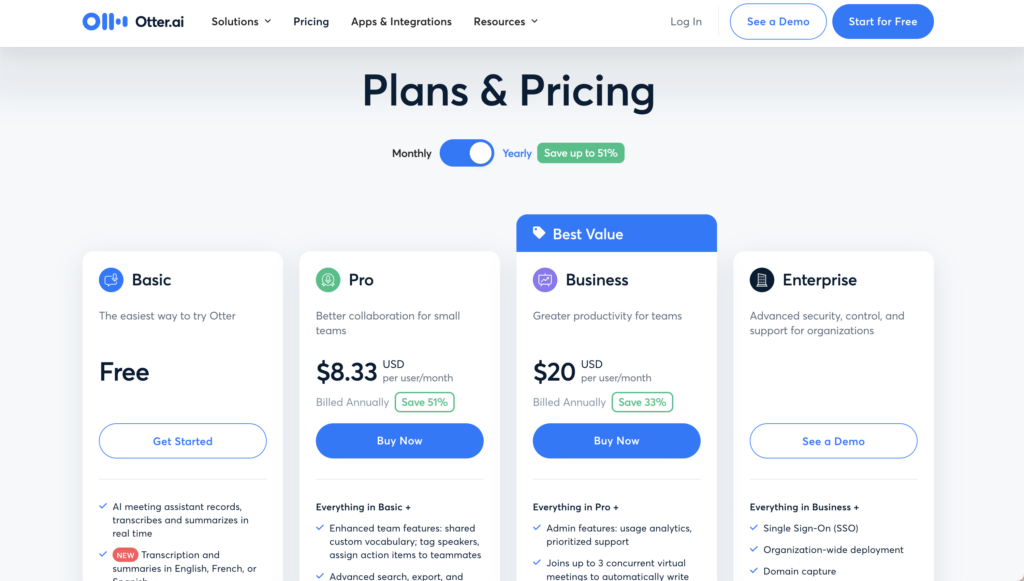
Otter.ai is a tool designed for high-accuracy transcription of English audio and video. It offers real-time transcription and integration with Zoom, making it an efficient solution for converting meetings and lectures into text.
Benefits:
- High-accuracy transcription with AI that learns speaker identification and technical terms
- Cloud-based access from any device with Google Calendar and Zoom integrations
- Real-time transcription for meetings and lectures with search and editing options
Drawbacks:
- Limited Japanese support—primarily focused on English
- No built-in translation capabilities
- Free plan limitations on transcription time and storage
Recommended Use Cases:
- Business meetings and seminars with real-time meeting notes
- Video subtitle generation for multilingual content
- Customer support analysis and call center transcription
Specifications:
- Supported formats: MP3, MP4, WAV, M4A
- Maximum video length: Free plan 30 minutes, Pro/Business 4 hours
- Transcription limit: Free 300 minutes, Pro 1,200 minutes per month
Website: Otter.ai
6. Google Cloud Speech-to-Text
Google Cloud Speech-to-Text utilizes Google’s advanced AI technology to deliver highly accurate transcriptions. It supports both real-time and batch processing and recognizes over 125 languages and dialects.
Benefits:
- High accuracy even for audio with background noise
- Supports over 125 languages and dialects
- Flexible API integration for automation
Drawbacks:
- Technical barrier: API usage requires development knowledge
- Charges based on data volume can be costly
- No built-in translation (requires Google Translate integration)
Recommended Use Cases:
- Companies handling international conference recordings
- Google Cloud users seeking seamless integration
- Transcribing English content for subtitles or analysis
Specifications:
- Supported formats: MP4, WAV, FLAC, AMR, Ogg, and more
- No time limit for batch processing
Pricing: Free 60 minutes per month, then pay-as-you-go
Website: Google Cloud Speech-to-Text
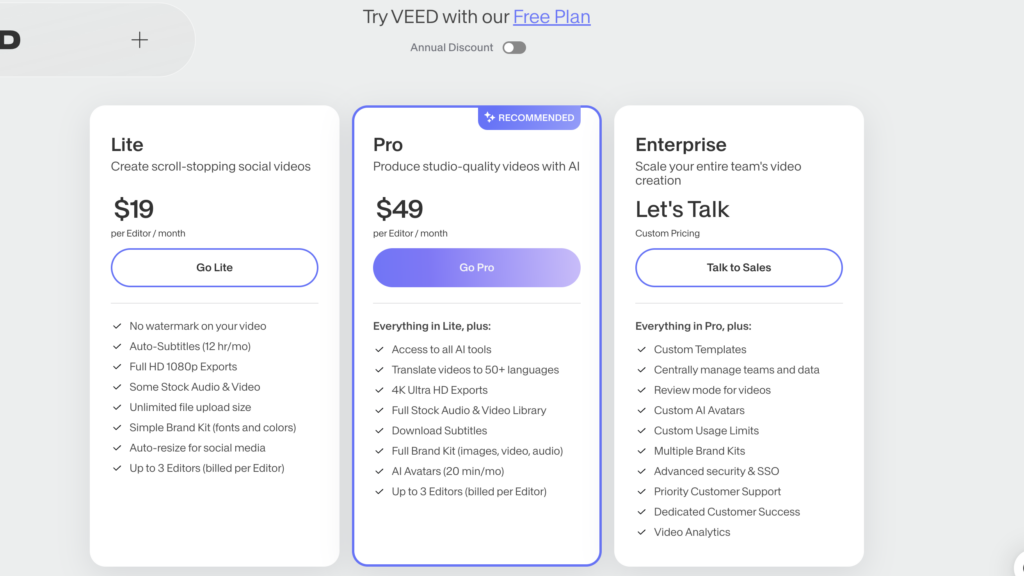
7. VEED.io

VEED.io is an all-in-one online tool for video editing, transcription, and translation. It operates entirely in your browser, requiring no software installation.
Benefits:
- All-in-one functionality: video editing, transcription, subtitles, and translation
- No installation required—browser-based
- Social media-focused features with templates for TikTok and YouTube
Drawbacks:
- Free version adds watermarks to exported videos
- Limited advanced editing features compared to professional tools
- Processing time for long videos can be lengthy
Recommended Use Cases:
- Social media content creation (TikTok, YouTube Shorts)
- Marketing videos with multilingual subtitles
- Business presentation videos with automatic subtitles
Specifications:
- Supported formats: MP4, MOV, AVI, MKV, WEBM, and more
- Maximum video length: 60 minutes
- Transcription limit: Free 30 minutes/month, paid 5+ hours/month
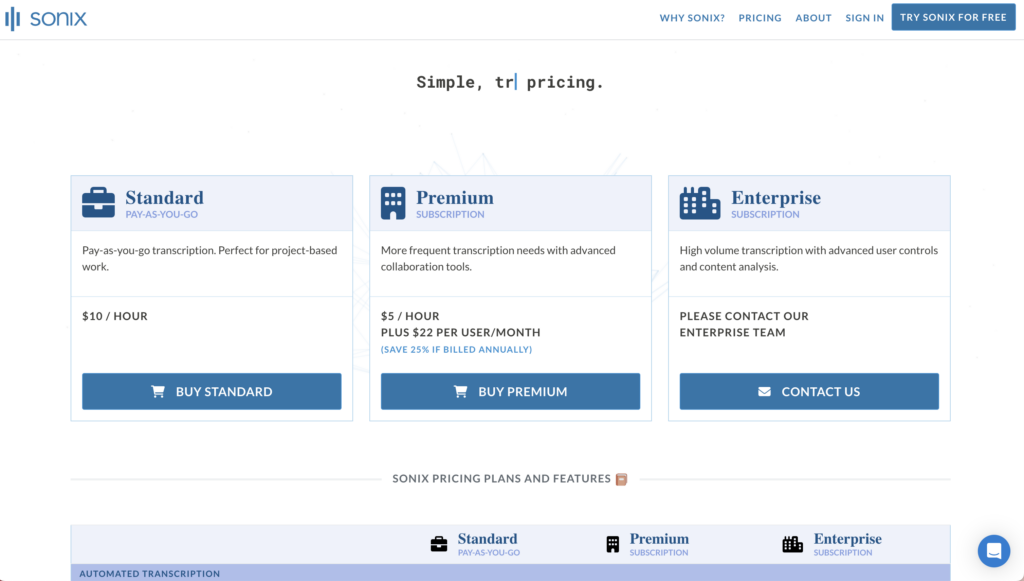
8. Sonix

Sonix is an online tool offering high-accuracy automatic transcription and multilingual translation. Supporting over 40 languages, it quickly converts audio and video into transcripts or subtitles.
Benefits:
- Supports over 40 languages, including Japanese
- No installation required—browser-based
- Built-in editor for text editing and direct subtitle file export
Drawbacks:
- Free plan limited to 30 minutes
- Pay-as-you-go pricing can be expensive for large volumes
- Long videos may take considerable processing time
Recommended Use Cases:
- Interview transcription for articles or reports
- YouTube or marketing videos with multilingual subtitles
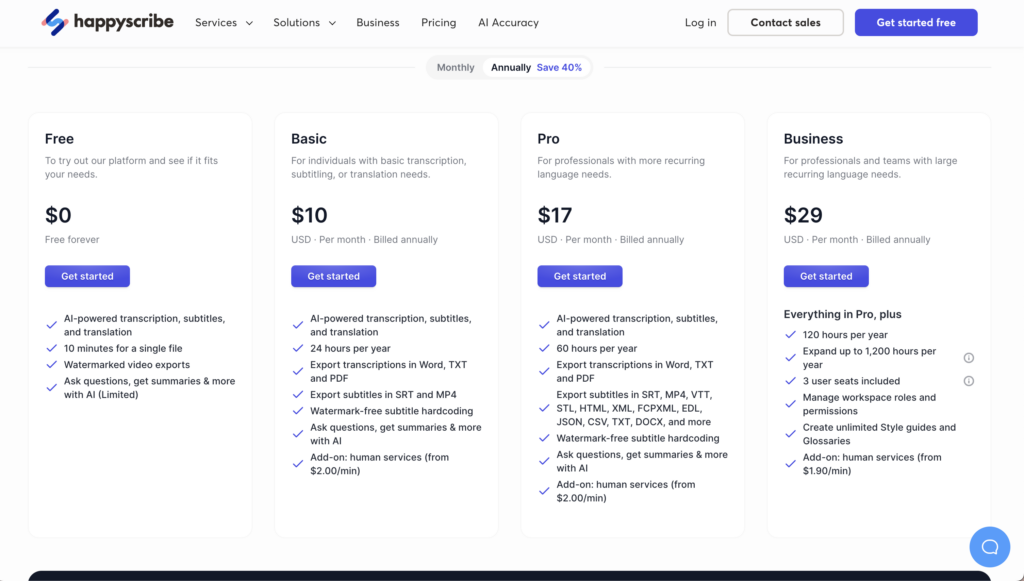
Bonus: Happy Scribe

Happy Scribe is a multilingual automatic transcription and subtitle creation tool supporting over 120 languages. It’s ideal for global content production with robust editing tools.
Benefits:
- Supports over 120 languages with subtitle translation
- Interactive editor for adjusting subtitle timing and text
- Team collaboration features for editing and sharing
Drawbacks:
- Free plan allows only 10 minutes
- Manual corrections may be needed for low-quality audio
Recommended Use Cases:
- Global YouTube or social media content
- Adding subtitles to lecture videos or online seminars
- Creating meeting minutes for business conferences
Website: Happy Scribe
Summary
Video transcription and translation tools are invaluable for a wide range of uses—meeting notes, lectures, and YouTube content. Tasks that require significant time and effort when done manually can be streamlined with AI-powered tools.
Whether it’s creating meeting minutes, summarizing training videos, or generating YouTube subtitles, transcription and translation are essential to maximizing the value of video content.
With VoicePing, simply upload your video to enjoy:
- Subtitle generation in 5 languages
- Highly accurate AI-powered summaries
- Browser-based access, no app installation required
- All these features, completely free!
Powered by an in-house AI model specialized in English and Asian language translations, VoicePing is perfect for businesses and global team collaborations.
Start for Free and transform your videos into valuable information assets!
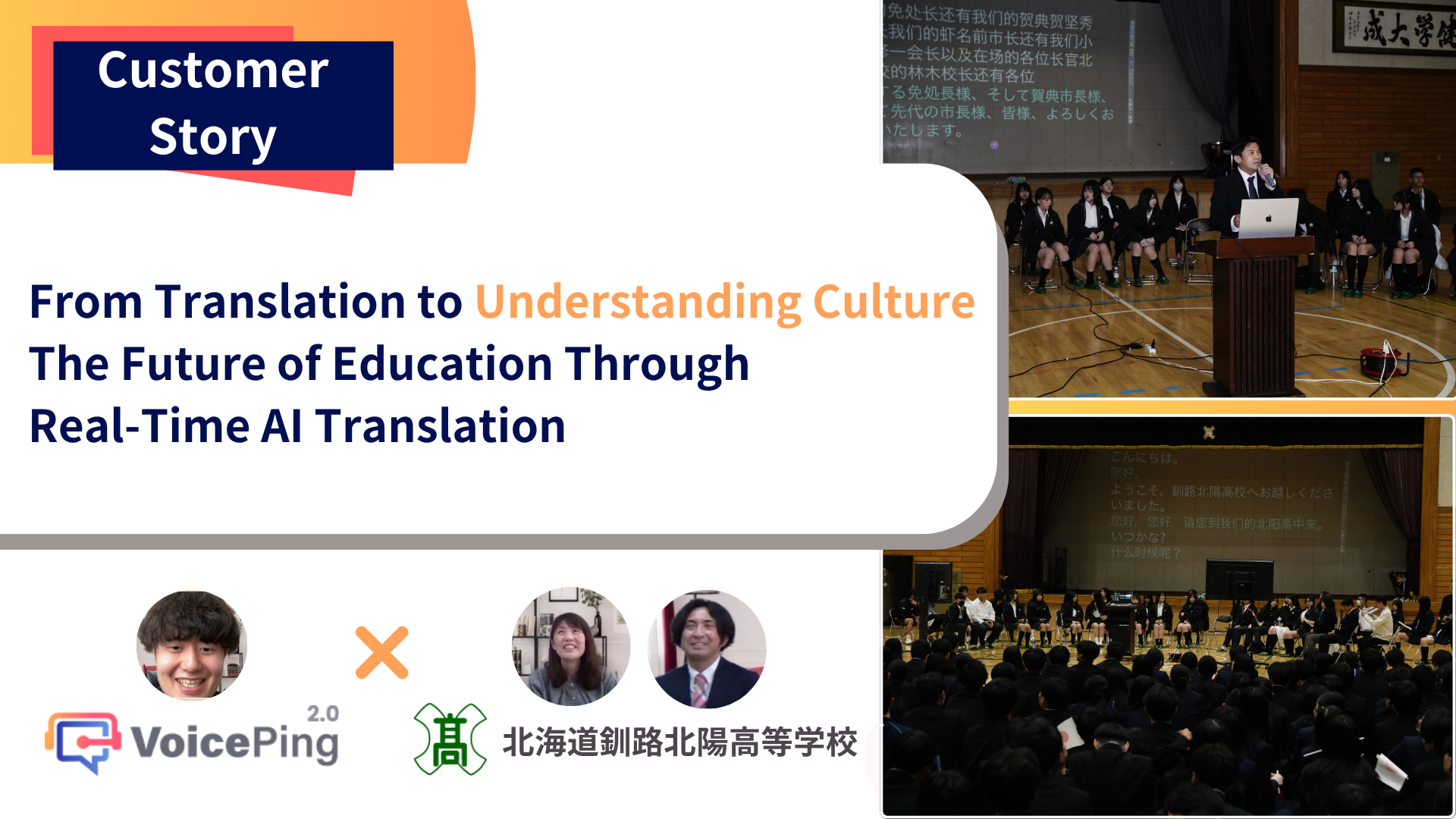
![Top 10 AI Real-Time Translation Tools for Events and Webinars [2025]](/images/blog/en/event-translation-featured.png)