In this article
Start with the conversation your team is missing. VoicePing suits multilingual discussions and records; Gather, Kumospace and Teamflow suit everyday presence and quick collaboration. Remo belongs on the shortlist when people are attending a hosted event. The ten profiles below separate these jobs and show the contract behind each price.
This guide covers remote-team collaboration software. For a registered business address, mailbox or receptionist, you need a different kind of virtual-office service.
Choose by the work you need to do
| Service | Useful when | Main constraint |
|---|---|---|
| 1. VoicePing | A shared office with translated conversations and meeting records. | The translation allowance is shared across members and guests. |
| 2. Gather | Walk-up conversations, calendar status and team chat. | Recording, transcription and guest allowances have limits. |
| 3. Kumospace | Custom rooms with spatial audio and shared screens. | Private access controls require a paid plan. |
| 4. Teamflow | Keep shared screens and apps beside a conversation. | Free meetings end at 45 minutes. |
| 5. SoWork | Office presence, chat and AI meeting records together. | Free excludes recording, AI and analytics. |
| 6. SpatialChat | Move between small conversation groups in a browser. | Office and event subscriptions have different terms. |
| 7. WorkAdventure | Build a map around your rooms, links and activities. | Custom design and hosting need an owner and budget. |
| 8. Virbela Go | Browser access to a 3D meeting and collaboration space. | Starter includes 2 environments and up to 2 admins. |
| 9. Remo | Participants choose tables during a hosted event. | Event pricing is not a per-employee office license. |
| 10. ovice | A visible floor for approaching colleagues and quick calls. | Space capacity and registered-seat plans are different. |
Prices: compare the whole contract
Annual figures are monthly equivalents unless explicitly shown per year. They are not monthly-cancellable offers. VoicePing includes tax; ovice’s displayed rates exclude it. For the other vendors, confirm applicable tax and your billing region in the quote. WorkAdventure’s current billing terms need confirmation, so no numeric rate is assumed here.
| Service / plan | Published price | Billing and limits |
|---|---|---|
| 1. VoicePing Voice Translation Small Official pricing | US$63 / month US$41.25 / month annually | 15 accounts; 450 shared minutes. Tax included. Free / trial: 1 account; 90 minutes/month. Premium trial: 1 week. |
| 2. Gather Essential (2.0) Official pricing | US$15 / member/month US$12 / member/month annually | Member billing; not concurrent attendance. Free / trial: 30-day trial; no continuing free tier. |
| 3. Kumospace Business Official pricing | US$20 / member/month US$16 / member/month annually | Minimum 5 members: US$100 monthly or US$80/month annually. Free / trial: Free: 5 members, public space. Business trial: 14 days. |
| 4. Teamflow Seed Official pricing | US$20 / employee/month US$15 / employee/month annually | Employee seats; up to 15 simultaneous guests. Free / trial: Free: 5 employees, 45-minute meetings. Trial: 7 days. |
| 5. SoWork Premium Official pricing | US$15 / member/month US$12 / member/month annually | Premium includes AI summaries and transcripts. Free / trial: Free: 10 members, 30-minute meetings. Trial: 7 days. |
| 6. SpatialChat Virtual Office Business Official pricing | US$8 / user/month US$76 / user/year | 5 rooms; storage for 7 meeting recordings. Free / trial: Free: 12 participants, 2 hours/day, 4 rooms. |
| 7. WorkAdventure Hosted Business Official pricing | Confirm current quote Confirm currency and billing term | Check simultaneous-user capacity and customization fees. Free / trial: Free version available; confirm current capacity. |
| 8. Virbela Go Starter Official pricing | US$10 / user/month US$8 / user/month annually | Minimum 5 registered users: US$50 monthly or US$40/month annually. Free / trial: Trial available; confirm its duration. |
| 9. Remo STARTER Official pricing | From US$299 / month Quarterly or annual subscription | Starts at 200 attendees/event; final scope by quote. Free / trial: 14-day trial. |
| 10. ovice Entry-S (English offer) Official pricing | US$78 / space/month US$65 / space/month annually | One S space; maximum 50 concurrent users. Before tax. Free / trial: Free: 5 concurrent users after a 14-day trial. |
A five-person team illustrates the difference: Kumospace Business starts at US$100/month on monthly billing, while Virbela Go Starter starts at US$50/month. VoicePing Small covers up to 15 accounts for US$63/month, but its 450 translation minutes are shared. These are different bundles, not a ranking by price alone.
Ten services, one at a time
1. VoicePing: Multilingual conversations
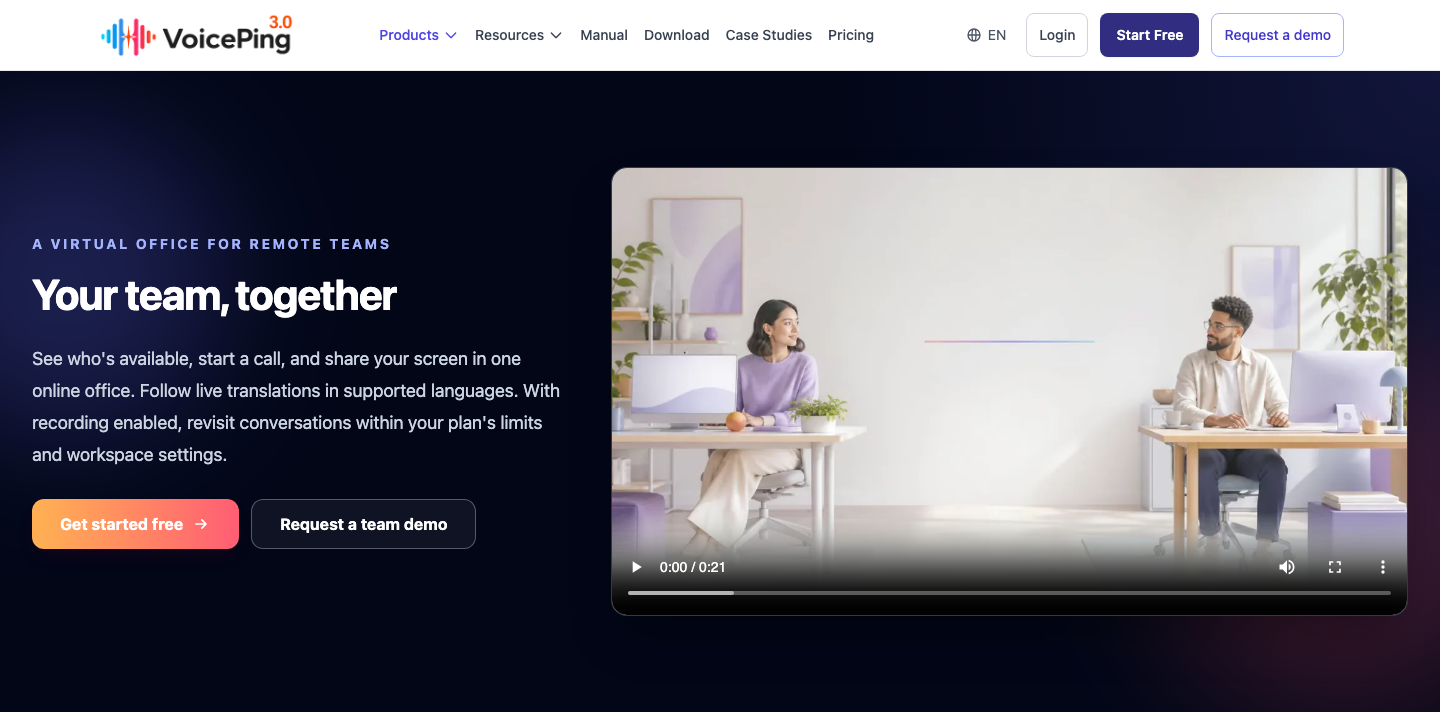
VoicePing Virtual Office combines visible availability, calls and screen sharing with translated conversations. Use it when a short discussion between overseas colleagues needs to become a written decision.
Strength: Translation and meeting records can accompany the same conversation. Coverage differs by speech recognition, captions and translated audio; check the languages supported by each feature .
Trade-off: The table uses Voice Translation Small, which includes virtual-office features. Do not add the separate Virtual Office & Time Tracking subscription to that price. The 450 minutes are pooled across members and guests; paid Small retains minutes for one year, audio for three months and video for one month. Confirm recording settings and export what you need before expiry. Plan details
2. Gather: Everyday presence
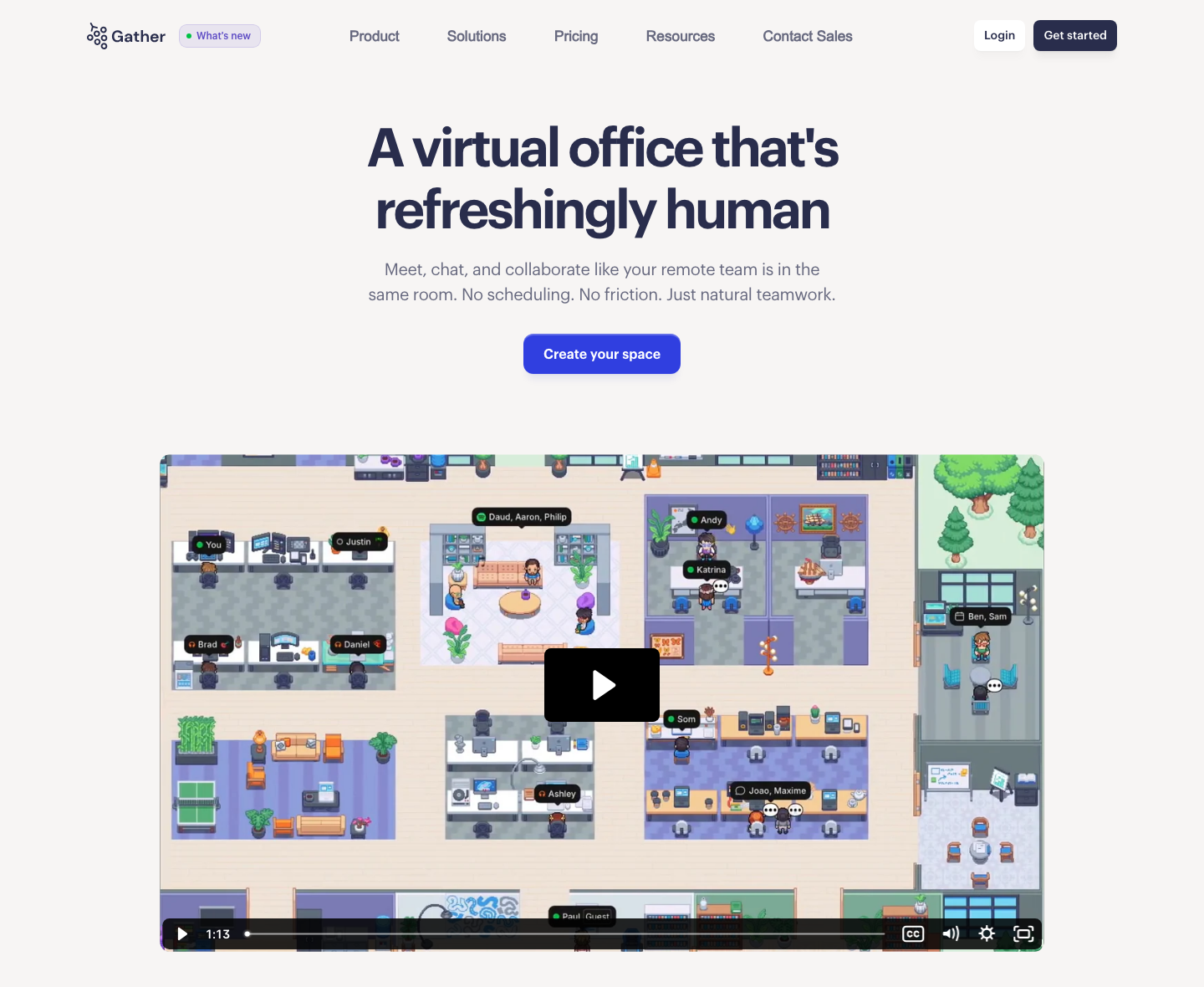
Gather gives a remote team a shared map, nearby conversations, chat and calendar-linked availability. It is a candidate when people work overlapping hours and need quick answers between scheduled meetings.
Strength: Members can approach a colleague, join a conversation and share screens without creating a new meeting invitation each time.
Trade-off: The free tier ended; the current offer is a 30-day trial. Gather 2.0 bills members, while 1.0 uses concurrent capacity. Unlimited meetings also do not mean unlimited recording, transcription or guest usage—those allowances start at specific hourly limits. Pricing · Version and billing changes
3. Kumospace: Rooms and floors
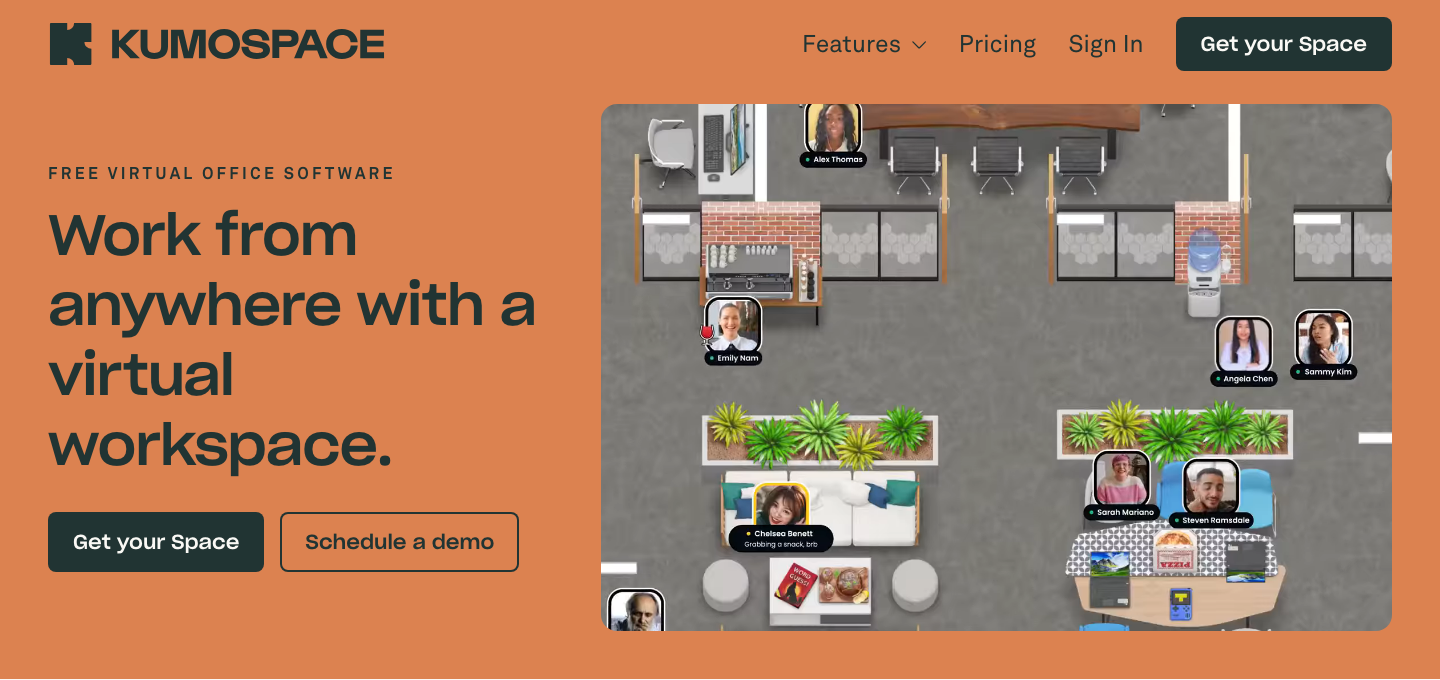
Kumospace lets teams arrange rooms and floors around departments, quiet work and informal conversations. Spatial audio makes where people stand part of the conversation.
Strength: Business combines multiple floors, recordings, chat history and access controls. It can suit a team that wants distinct spaces for different kinds of work.
Trade-off: The five-member Free plan is a public space. Business requires at least five paid members, and guests are limited to four hours per week. Guest access therefore cannot replace employee seats for daily use. Plan limits
4. Teamflow: Shared-screen collaboration
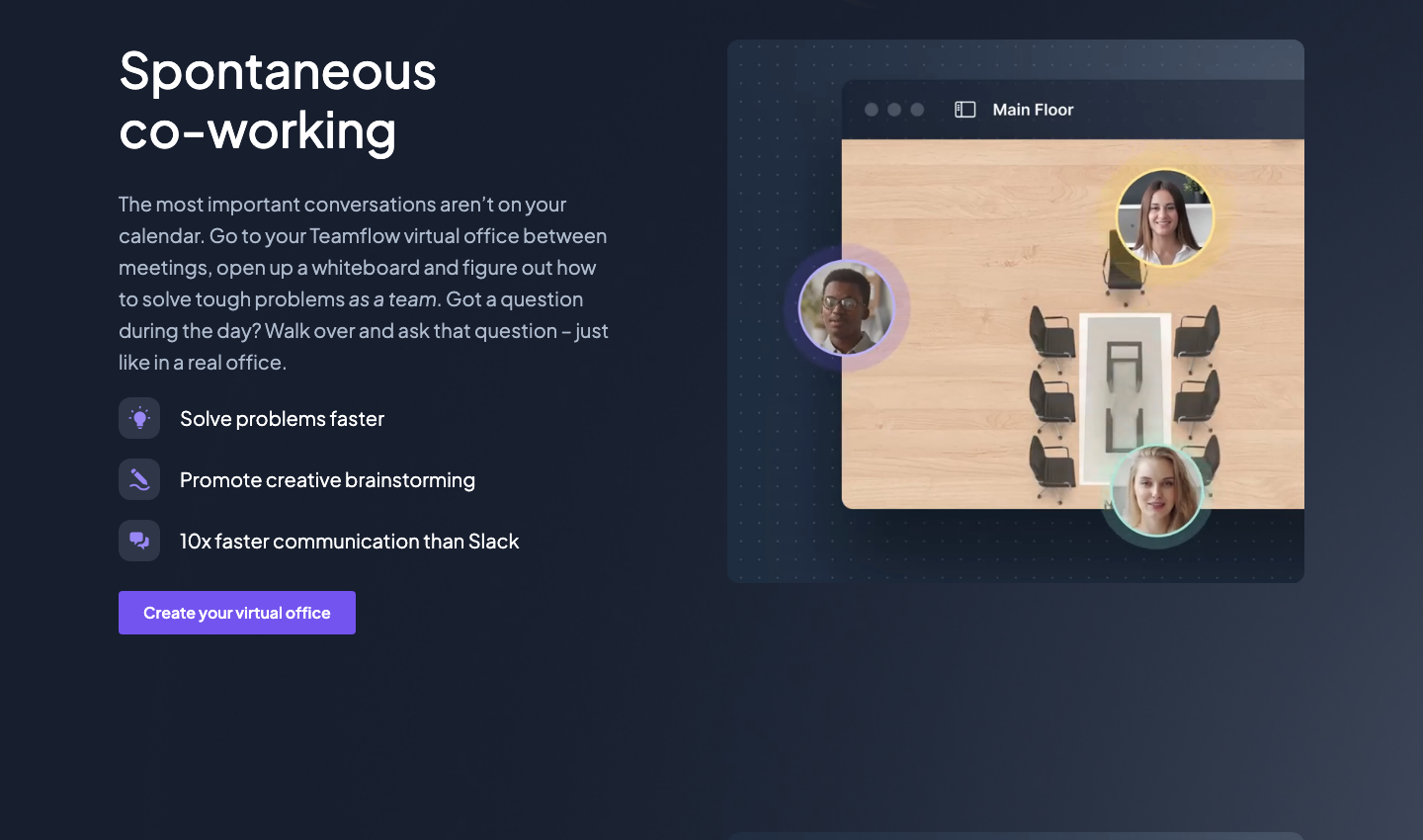
Teamflow places shared screens and apps alongside people in a common workspace. A design review or joint troubleshooting session is a useful pilot: can everyone keep the relevant material open while talking?
Strength: Seed removes the meeting-time limit and permits eight open apps per person, with up to 15 simultaneous guests.
Trade-off: Free supports five employees and ten simultaneous guests, but meetings stop at 45 minutes. Check the employee bill and guest capacity separately before using it for recurring customer workshops. Pricing and trial
5. SoWork: Chat and AI meeting notes
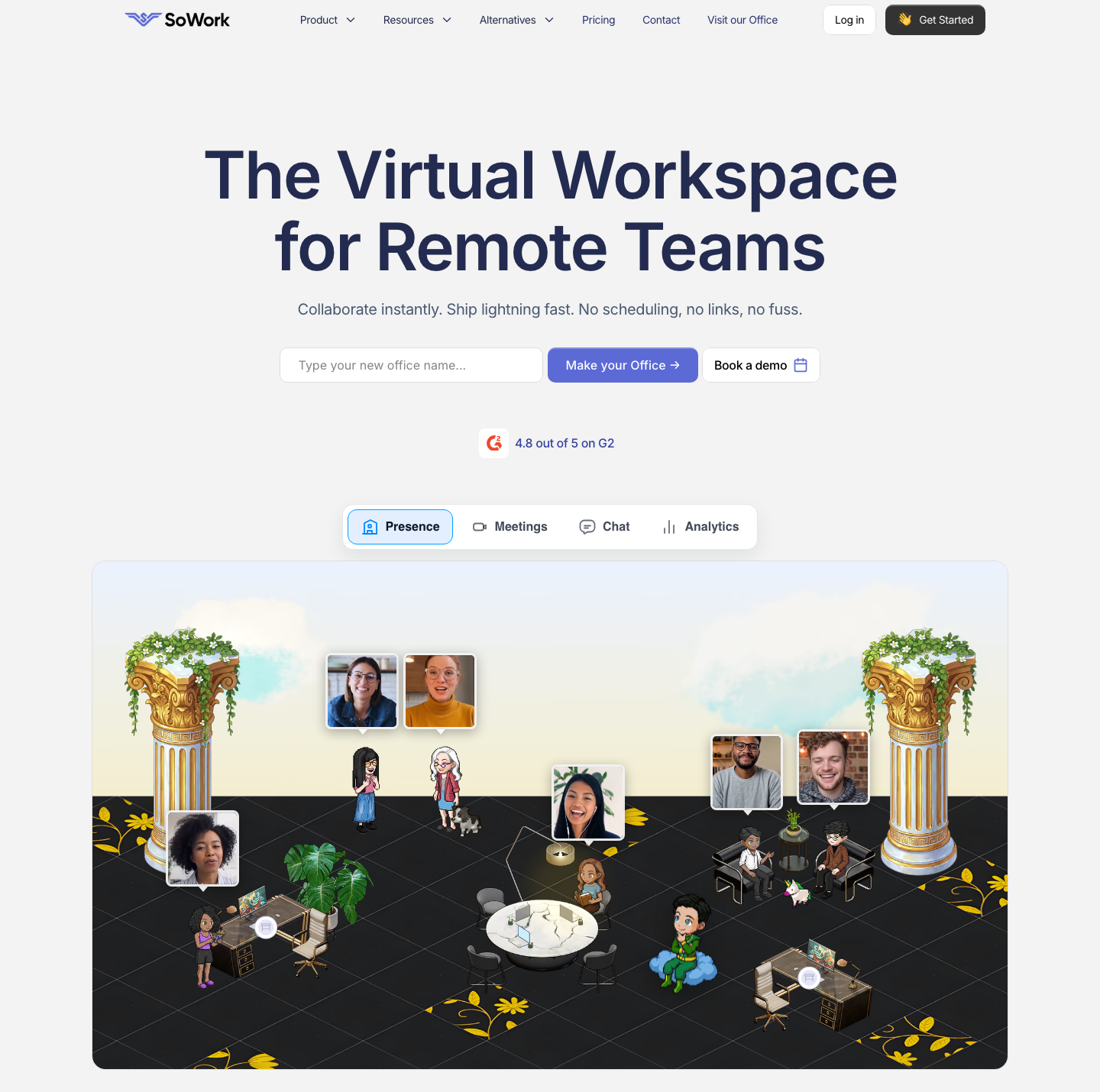
SoWork brings a customizable office, team chat and meeting records into one workspace. It suits a team that wants both spontaneous calls and a place to continue the discussion afterward.
Strength: Premium includes recordings, AI summaries, transcripts and action items, plus multiple screen sharing and analytics.
Trade-off: Basic costs US$6/member/month monthly or US$5.40 annually, but the AI workflow described here requires Premium. Free has ten members and a 30-minute meeting limit, without recording, AI or analytics. Agree on who can access analytics and meeting records during the pilot. Plans · Monthly rates
6. SpatialChat: Conversation groups
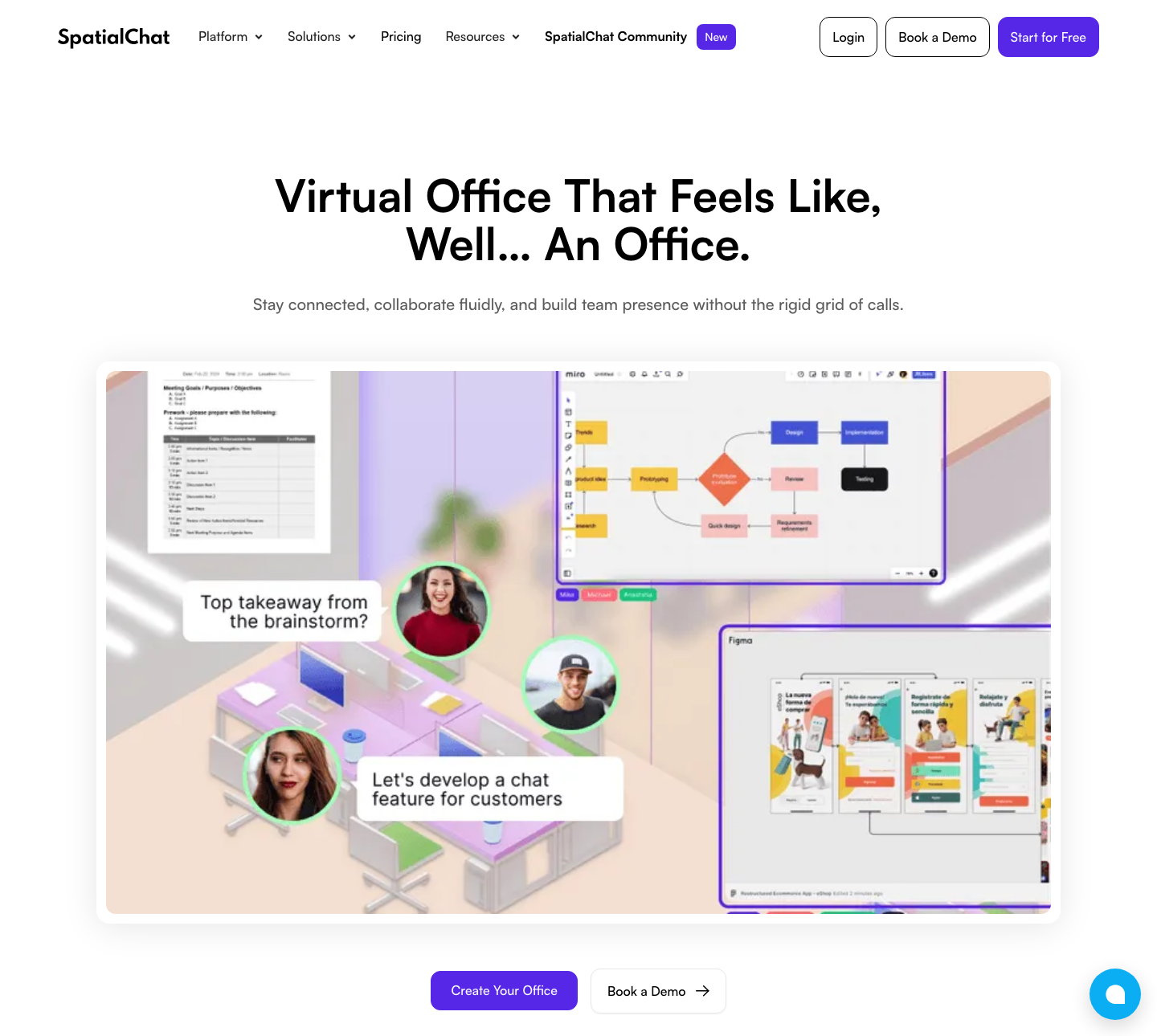
SpatialChat Virtual Office lets people move between conversation groups in a browser. It is useful for a team workshop where participants should choose whom to approach instead of staying in one video grid.
Strength: Business provides continuous workspace access, five rooms and password/user-authentication controls. Several screens and files can be shared in the space.
Trade-off: Its stored-recording allowance is seven meetings. Free is limited to 12 participants and two hours per day. Select Virtual Office on the pricing page; event, education and community offers are separate contracts. Official pricing
7. WorkAdventure: Custom 2D spaces
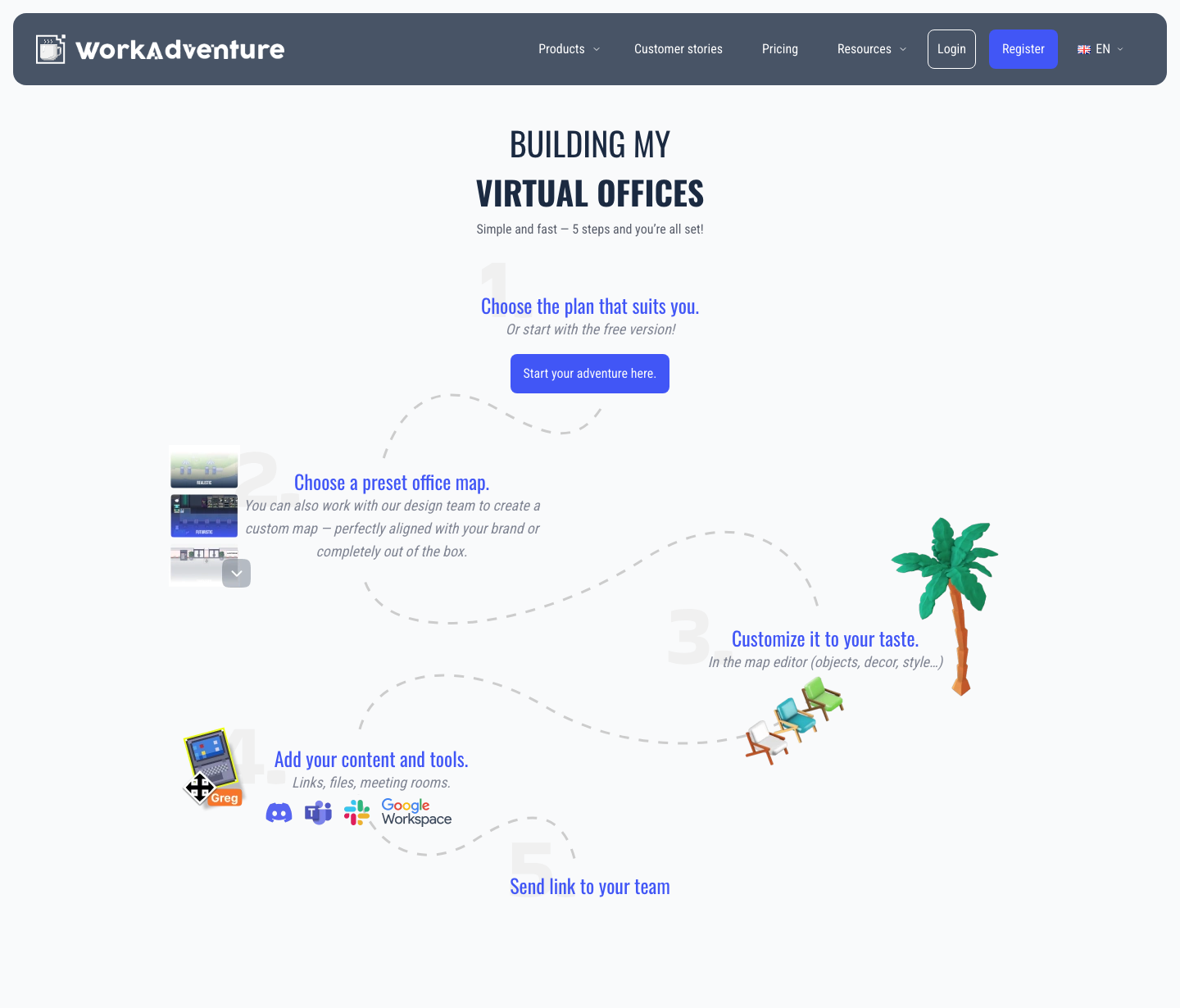
WorkAdventure makes the map itself part of the workflow. Teams can choose a preset layout, customize objects and add links, files and meeting rooms before sharing an entry link.
Strength: Proximity conversations and editable spaces can support a distinctive office, onboarding route or training activity. It also publishes a self-hosted deployment option.
Trade-off: Someone needs to own the map and its upkeep. Before committing, confirm the current hosted price, simultaneous-user capacity, private-access features and any custom-design fees. Self-hosting has its own infrastructure and operating costs. Hosted plans · Self-hosting
8. Virbela Go: 3D spaces in a browser
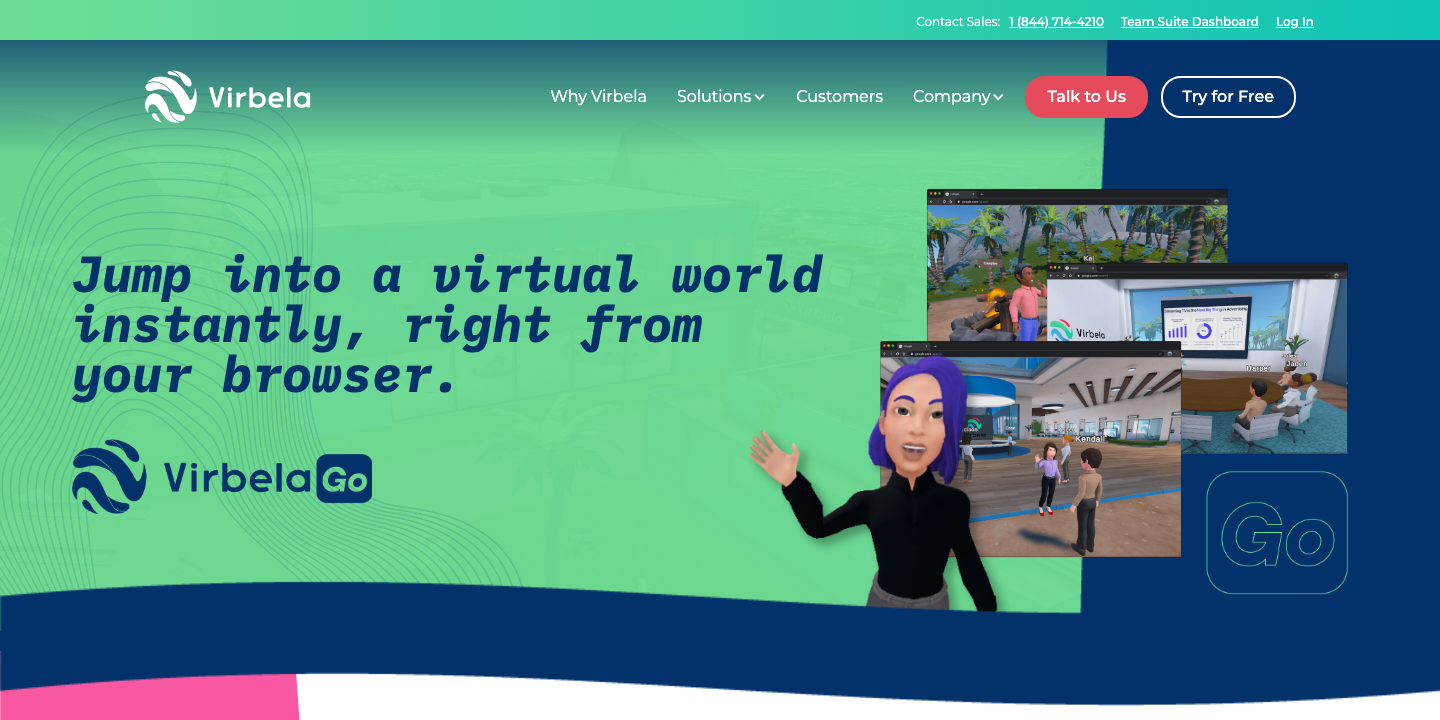
Virbela Go offers a browser-based 3D workspace for meetings, workshops and social interaction. This comparison covers Go, not the separate downloadable Campus product.
Strength: A team can enter a 3D environment from a browser and use voice, chat and screen sharing. Starter includes two environments and up to two administrators.
Trade-off: The five-user minimum applies even if fewer people join. Pilot movement, audio, screen sharing and device performance with the actual participants before committing to a 3D workflow. A free trial is offered; confirm its duration when arranging access. Go features and pricing
9. Remo: Hosted networking
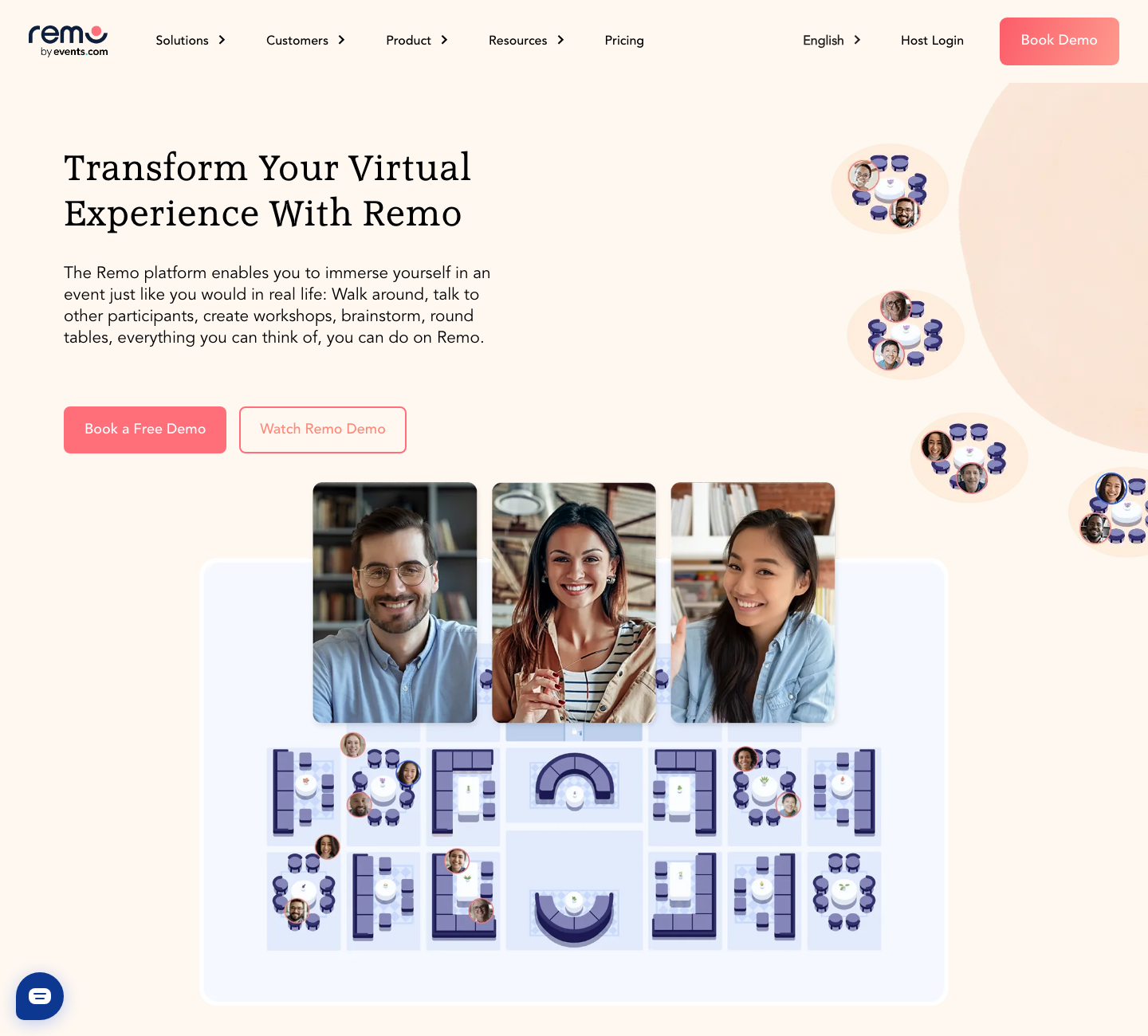
Remo is a useful adjacent option for hosted networking, workshops and recurring online events. Participants move among tables, while organizers manage the larger event.
Strength: Table-based conversations give attendees a clear way to choose a discussion group, with presentation and event-management features around it.
Trade-off: STARTER begins at US$299/month on a quarterly or annual subscription, with a quoted event scope starting at 200 attendees. It is not a US$299 monthly-cancellable office plan. A one-time event starts at US$699 with a different starting attendee capacity; ask for the quote that matches your event. Subscription and event pricing
10. ovice: Presence across locations
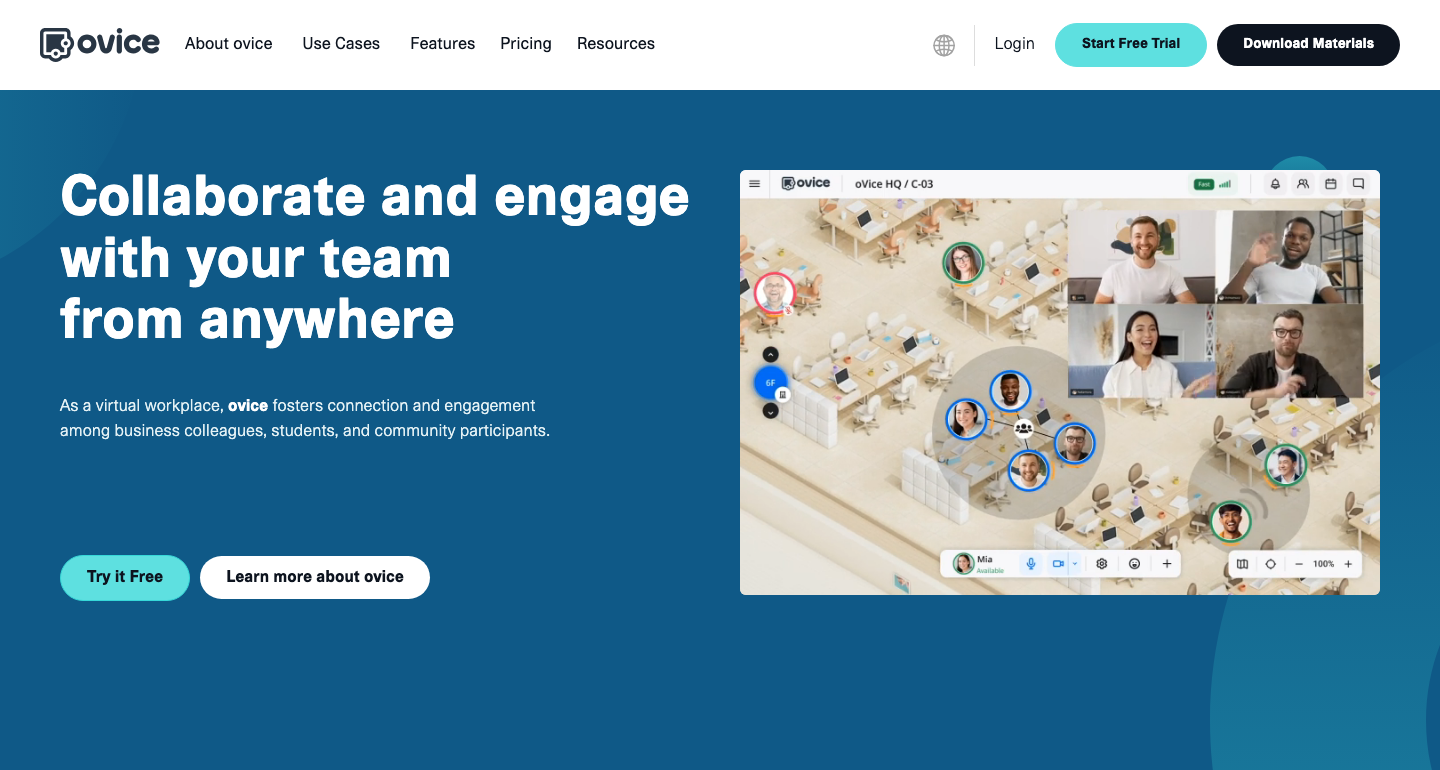
ovice uses a shared floor to show where colleagues are and make short conversations easier. It can suit distributed offices that want visible presence without scheduling every interaction.
Strength: English-market Entry-S is space-based, with one S space and a maximum of 50 concurrent users. A shared capacity can be useful when attendance varies across shifts.
Trade-off: Capacity is not a guarantee that 50 people will be comfortable in every floor layout; try your peak attendance and meeting pattern. Do not confuse this English Entry-S offer with Japanese registered-user Business plans or assume their translation and recording options are included. English plans
Run a pilot around real work
Decide between daily work and events
A daily office needs a reason to stay open: quick questions, visible availability or shared work. An event needs clear arrival instructions, hosts and movement between groups. Write down which one you are buying before comparing capacity.
Test the conversation model
Ask two colleagues to find each other, share a screen and invite a newcomer. Then ask them to leave the conversation and focus. Note any confusing navigation or unwanted interruptions; a good-looking map alone does not answer these questions.
Check languages and records
For multilingual work, use the participants’ actual accents and terminology. Compare the original speech with the translated text and check names, numbers and decisions. Try finding the decision afterward, and verify who can access the record.
Agree on privacy and availability
Define focus time, camera expectations, recording permission and after-hours behavior. Explain what presence and analytics reveal. Being shown as online should not create an expectation of instant responses throughout the day.
Decide what would justify rollout
Use a one-week pilot with a stand-up, an unplanned question, collaborative work and an external guest. Record time to join, failed calls, interruptions and whether people return voluntarily. Then price the real employee count, peak attendance, guest time and translation or recording usage.
Read adoption claims carefully
Cumulative signups, paid seats, customer companies and recently active users measure different things. They cannot establish a fair popularity ranking when mixed together. Ask for a customer example resembling your team and evaluate the workflow yourself. The shortlist here reflects product fit, not measured market share or hands-on performance rankings.
Make a focused shortlist
For multilingual daily collaboration, begin with VoicePing and test the translation allowance against actual use. For shared presence, compare the navigation and guest rules in Gather, Kumospace or Teamflow. Add SoWork when integrated chat and AI records matter. Evaluate SpatialChat, WorkAdventure, Virbela Go and ovice according to the space and administration you need; use Remo for an event-led requirement.
Choose two candidates and run the same pilot in both. A clear answer about team behavior and the full bill is more useful than comparing every decorative feature.
Frequently asked questions
What is a virtual office tool for remote teams?
Can a small team use a virtual office for free?
Is Gather still free for small teams?
Which tool should a multilingual team start with?
Can an event plan replace a daily office subscription?
Further reading
- VoicePing virtual-office workflow — presence, short conversations and translation.
- VoicePing plan details — account limits, shared minutes and storage.
- Gather’s pricing-model changes — concurrent capacity versus members.
- Kumospace plan definitions — members, guests and public spaces.