In this article
To translate a spoken conversation without internet access, a tool must recognize speech and translate it on the device. An offline dictionary or downloaded text pack does not necessarily cover the microphone, conversation mode or spoken playback.
That distinction matters inside a factory, at a construction site with poor coverage, or during an overseas visit where guest Wi-Fi is unavailable. The useful question is whether your exact phone, language pair and conversation mode work after you disconnect.
VoicePing is a candidate for following speech as text and keeping a local record. Apple Translate can help two people take turns around an iPhone. Compatible Galaxy and Pixel devices, phone-connected earbuds and standalone translators offer other ways to communicate.
This guide compares ten products or features, including different devices from the same manufacturer. The order is not an accuracy ranking, and these are not ten independent translation engines. Specifications, public pages and displayed prices were checked on September 20, 2026. We have not performed a controlled hardware test of translation accuracy, latency or battery life. VoicePing publishes this guide and appears first; its requirements and limits are included alongside the alternatives.
Start with the conversation you need to support
Here, offline means translating nearby speech with both Wi-Fi and mobile data disabled. A device with a built-in SIM can work without Wi-Fi while still requiring the internet. Bluetooth between earbuds and a phone is a local connection and can remain enabled during an offline test.
Three workflows deserve separate attention: following a longer explanation as subtitles, taking short conversational turns, and hearing translated speech through earbuds. A push-to-talk device may be easier at a reception desk; subtitles may be more useful when checking a part number during a factory tour.
| Tool | Offline requirements | Best-fit workflow or main limit |
|---|---|---|
| 1. VoicePing | iOS or Android app; download local models first | Subtitles and local records. Check speech input and translation output separately. |
| 2. Apple Translate | Download both languages on a compatible iPhone | Face-to-face conversation and audio playback for supported languages. |
| 3. Samsung Interpreter | Supported Galaxy, Samsung account and language packs | In-person interpreting; device and software eligibility matter. |
| 4. Google Translate offline Live Translate | Pixel 9, 10 or 11 and Live Translate packs | Specific pairs involving English; ordinary text packs are different. |
| 5. AirPods Pro 3 Live Translation | Apple Intelligence-enabled iPhone plus both languages | Processing runs on the iPhone; earbuds are not standalone translators. |
| 6. Timekettle W4 Pro | Phone, app and entitled offline packs | One-on-One and Listen & Play support offline use; media mode needs internet. |
| 7. Timekettle M3 | Phone, app and the offline-capable edition | Check the selected edition and redeem/download the included packs. |
| 8. Timekettle NEW T1 | Standalone device with required packs installed | Check NEW T1 firmware and its pair list; do not use the old T1 specification. |
| 9. iFLYTEK Dual Screen AI Translator | Standalone device set to an available offline pair | Two screens; confirm regional firmware and avoid online language-count claims. |
| 10. Fluentalk T1 mini | Standalone device with offline packs | 13 published pairs; the checked US listing is out of stock. |
The list includes four app features, three earbud options used with a phone, and three dedicated translators. Every category still needs preparation: downloads, account setup, battery charging and, where applicable, license activation.
1. VoicePing: follow speech as subtitles and keep a record
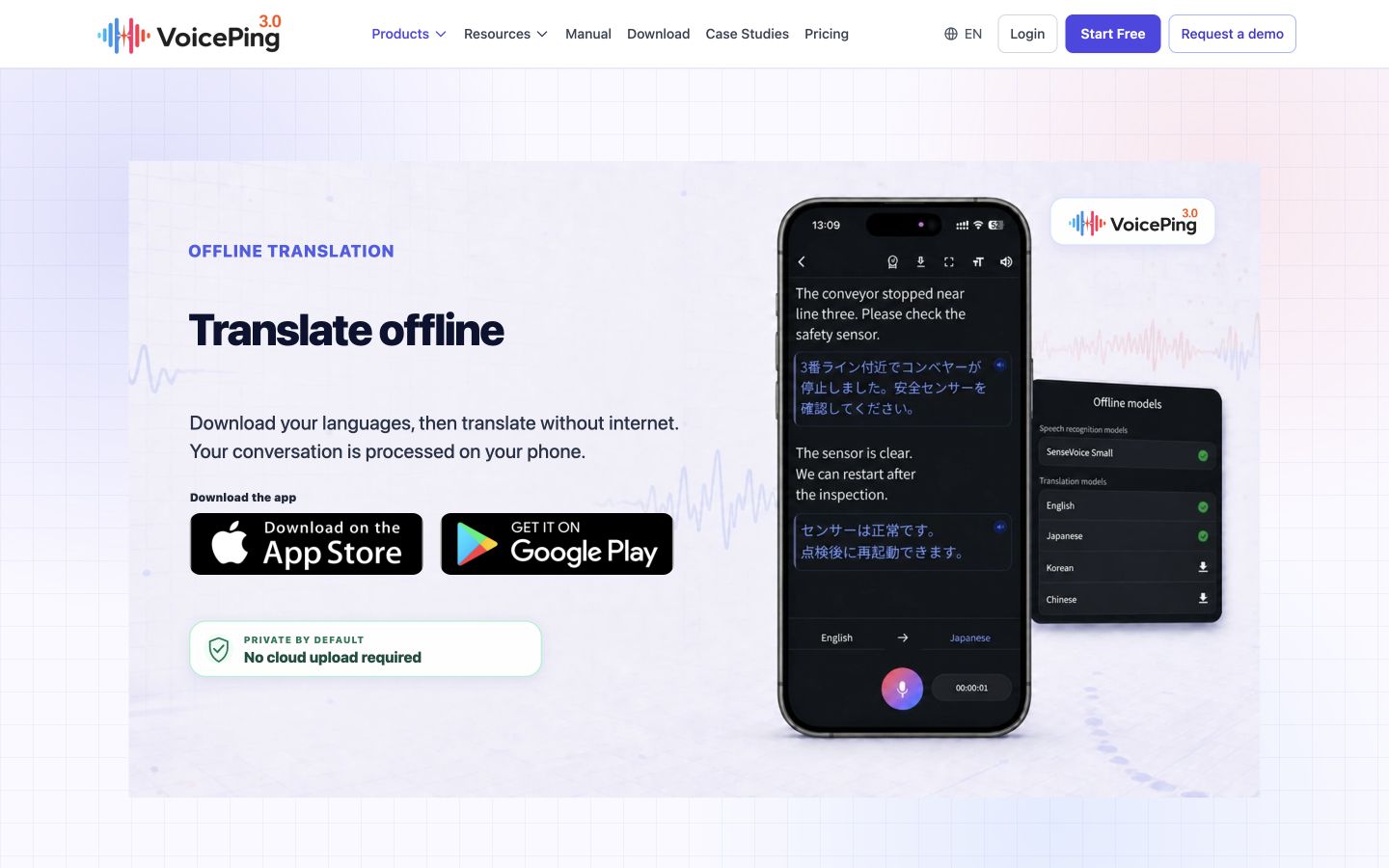
VoicePing’s mobile offline mode processes speech recognition and translation on the phone. The app keeps recognized text, translations and original recordings locally. That makes it a useful candidate when a colleague explains a process and you want to check what was heard, rather than rely only on a spoken translation. Offline translation guide
Before the visit, sign in, open offline translation and download the required models. The guide lists English, Japanese, Korean, Chinese and Cantonese; the product page has a broader speech-recognition list. Check both the input and output selectors on your device. Cantonese is described as input-only, so its presence does not establish translation output in Cantonese.
Why choose it: seeing the recognized words beside the translation helps you catch a misheard number or name. Local records also let you revisit an explanation. What to check: original audio replay is different from reading the translated text aloud. This comparison treats VoicePing primarily as a subtitle and recording workflow; confirm any spoken-output requirement before relying on it. Long sessions also need adequate power and storage.
The free plan includes 60 minutes of mobile offline translation per day; paid plans include unlimited offline translation. This is separate from the free plan’s 90 online minutes per month. License renewal can require reconnection. Current English pricing
2. Apple Translate: take turns around an iPhone
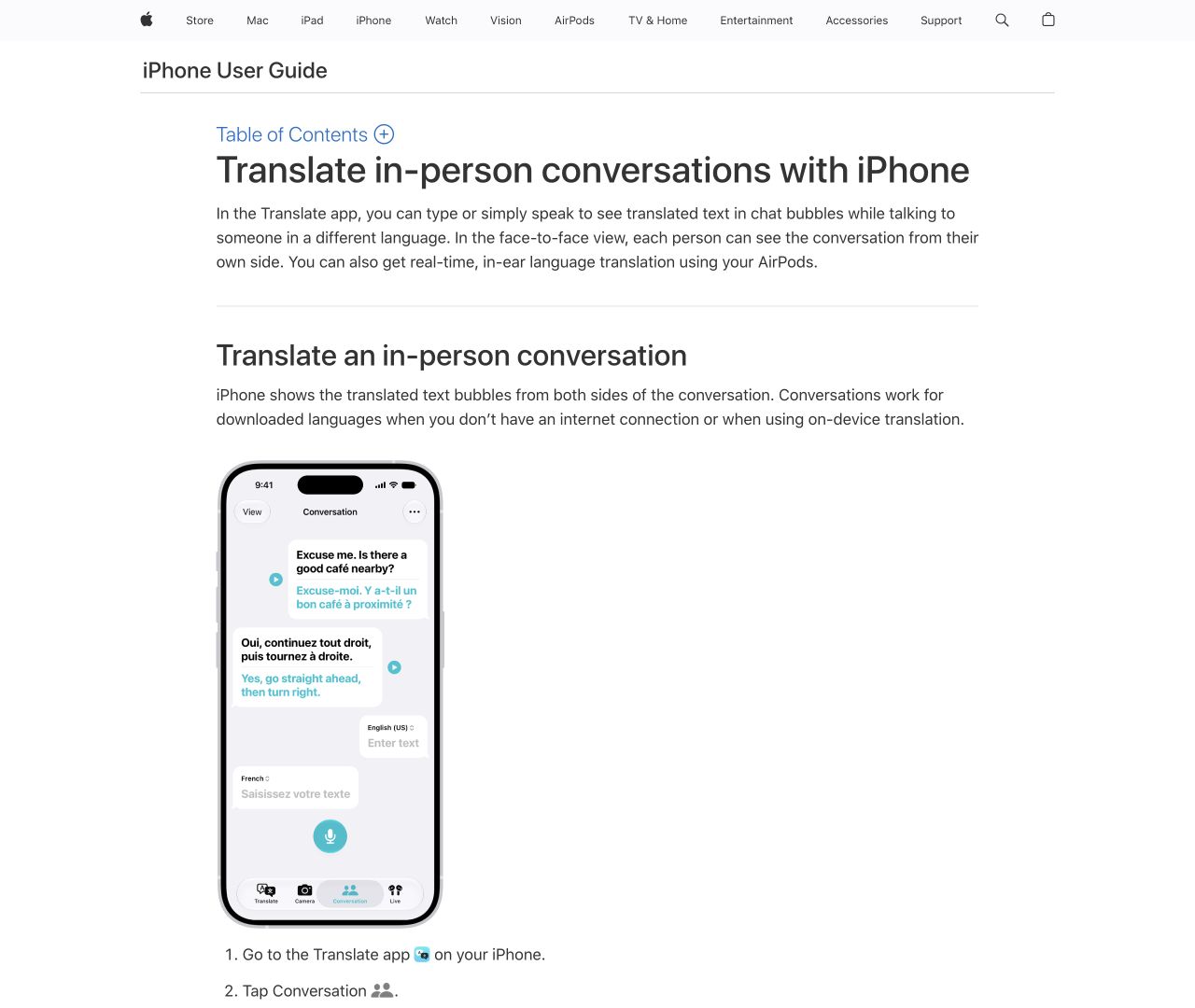
Apple Translate is a practical starting point if you already have an iPhone. Download both languages, open Conversation, choose the pair and use the microphone. Apple’s guide confirms that conversations work with downloaded languages when disconnected or using on-device translation. You can play a translation aloud and switch to a face-to-face view so each person reads from their side. Apple conversation guide
Auto Translate detects the beginning and end of a turn, reducing repeated microphone taps. It suits short exchanges such as confirming an appointment, asking which entrance to use or clarifying a delivery time. The advantage is a shared screen with little extra equipment. The limitation is that you still need an available downloaded pair and a microphone position that works for both speakers.
Check the languages in your installed app and try a complete exchange with connectivity disabled. The built-in conversation feature and AirPods Live Translation have different hardware requirements; owning an iPhone that runs Translate does not automatically make it eligible for the AirPods feature. On-device translation settings
3. Samsung Interpreter: use a supported Galaxy for in-person conversations
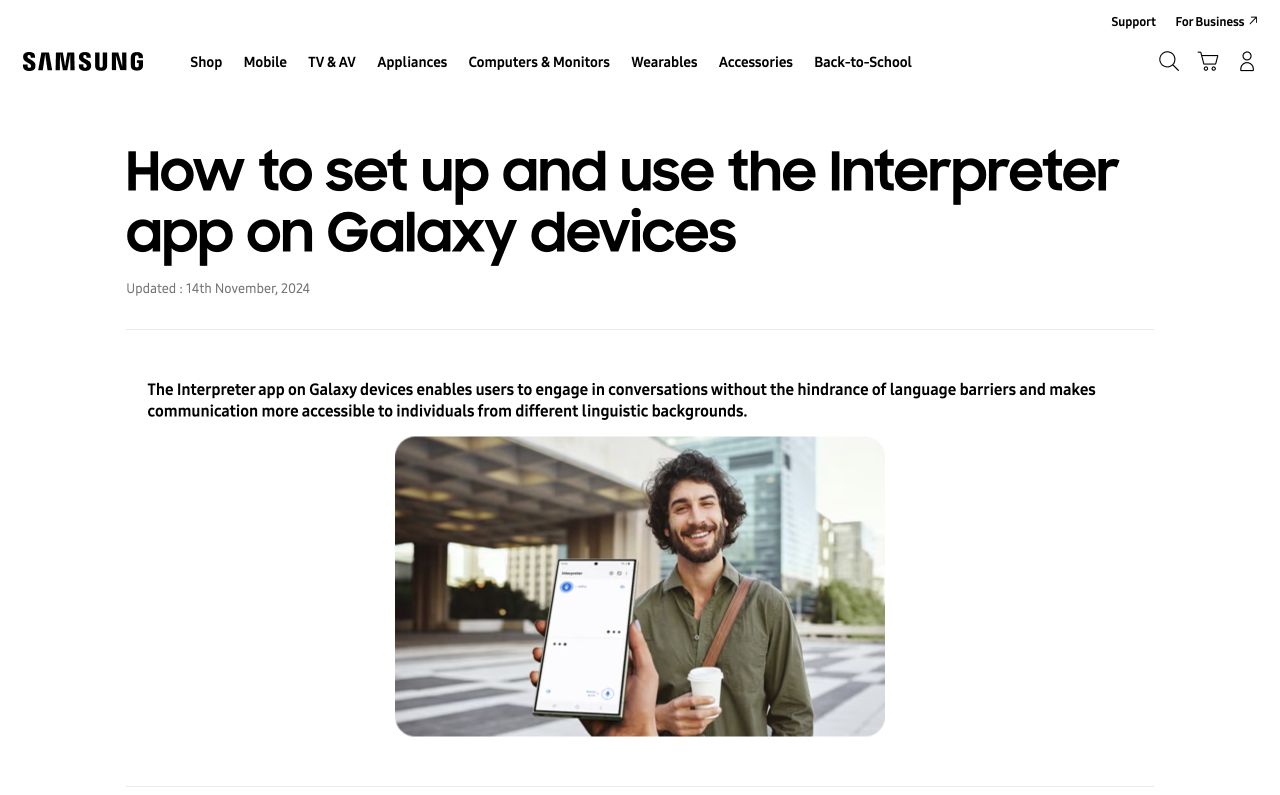
On a compatible Galaxy, open Interpreter from Quick settings, choose each person’s language and download missing packs while connected. Tap the microphone for the person speaking. The split-screen format helps each participant follow the exchange without installing a separate service. Samsung’s instructions include account and language-download requirements. Interpreter setup guide
Why choose it: it can turn a phone your team already carries into an in-person translation tool. The main limit is eligibility: Samsung lists selected phones and tablets, with software and regional differences. English, Japanese, Korean and several other languages appear in its support list, but the list is not a promise of equal recognition quality for every accent. Supported Galaxy AI features
Keep the use case clear. Interpreter is the face-to-face feature; Live Translate for calls has a different workflow, and the call itself still needs a connection. Samsung describes Interpreter use without Wi-Fi or mobile data after the required preparation. Verify that behavior with your installed packs before the site visit. Samsung offline Interpreter explanation
4. Google Translate: check the Pixel-specific offline Live Translate requirements
Google’s current help page lists Pixel 9, 10 and 11 for offline Live Translate. It supports English paired with Italian, Spanish, French, German, Portuguese, Hindi, Russian, Swedish, Japanese or Indonesian. Download the packs offered inside the Live Translate workflow before disconnecting. Offline Live Translate requirements
The benefit is avoiding another device if you already own an eligible Pixel. The restriction is specific: downloading ordinary text-translation languages does not enable offline voice conversations on every Android phone or iPhone. Likewise, English-Japanese support does not establish direct Japanese-Korean support.
Start with one supported pair and rehearse both directions. If the microphone stops working after disconnecting, check the phone model and the kind of pack you downloaded. Repeatedly downloading the normal text pack will not resolve a device-eligibility limitation. Keep a text-based fallback available until the full voice exchange has worked on your own phone.
5. AirPods Pro 3: hear translations processed by your iPhone
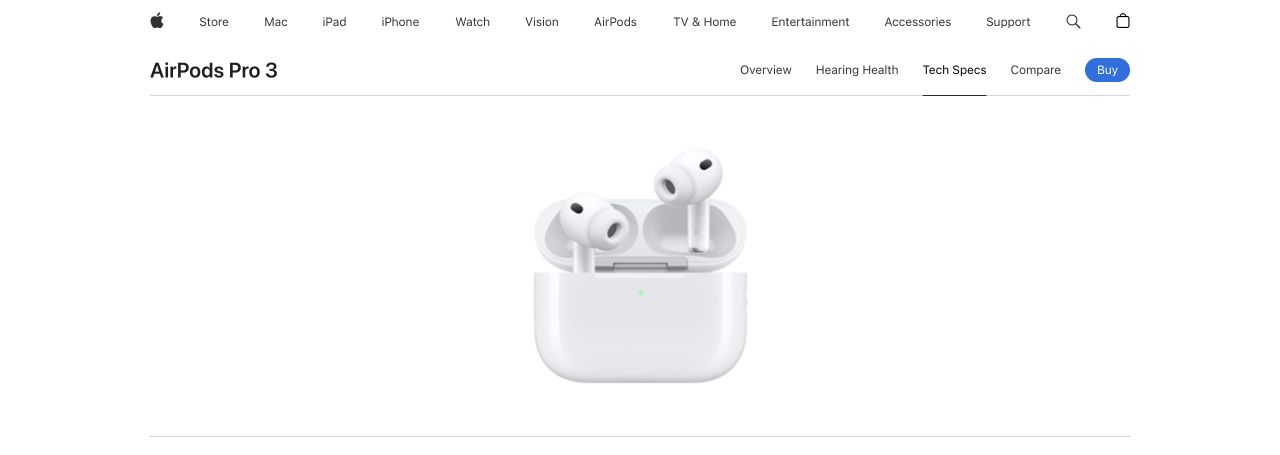
AirPods Pro 3 Live Translation lets you hear another person’s speech in your preferred language while the translated dialogue also appears on the iPhone. Download both languages first; Apple says all processing then takes place on the iPhone. An Apple Intelligence-enabled iPhone 15 Pro, 15 Pro Max, or iPhone 16 model or later is required, along with current software and firmware. AirPods translation guide
Why choose it: listening through earbuds can be useful when you want to keep looking at the person or object being discussed. The tradeoff is the complete Apple hardware requirement. The earbuds do not translate independently. If the other person lacks compatible equipment, show your reply on the iPhone or play it through its speaker.
Apple lists English, Japanese, Korean, Mandarin Chinese and several European languages for this feature, with regional restrictions. Check the exact locale and availability rather than treating the broader Apple Intelligence language list as a translation list. The US store shows US$249 for AirPods Pro 3; an eligible iPhone is an additional requirement. Apple price and language list
6. Timekettle W4 Pro: earbud conversations with selected offline modes
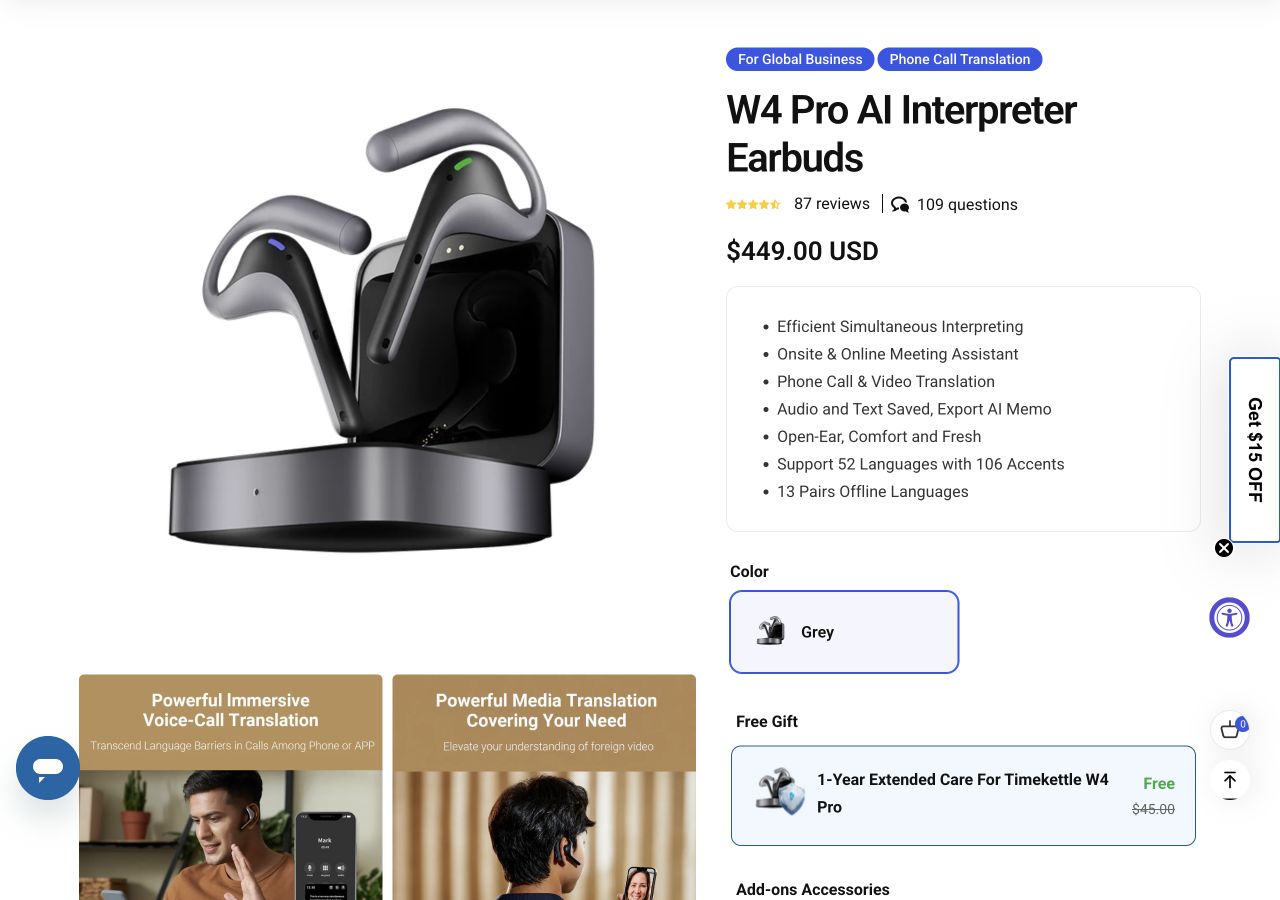
W4 Pro connects to a smartphone running the Timekettle app. Its FAQ supports offline use in One-on-One and Listen & Play modes; Media Translation needs internet access. The product lists 13 offline pairs. Japanese pairs with English or Chinese, so do not infer direct Japanese-Korean translation from the separate online language list. W4 Pro specifications and FAQ
The open-ear design is worth considering for a planned conversation where participants are comfortable using earbuds. It still adds a phone, app, Bluetooth pairing and charging case to the workflow. Those dependencies matter when a visitor expects to start talking immediately.
Before disconnecting, check the packs included in the exact bundle you are buying, redeem any entitlement and complete the downloads. Regional offers and pack allowances can differ. Then select a documented offline mode and test both directions. The checked English store shows US$449 for the device; avoid treating every advertised call, meeting or media feature as available offline.
7. Timekettle M3: select the offline-capable edition
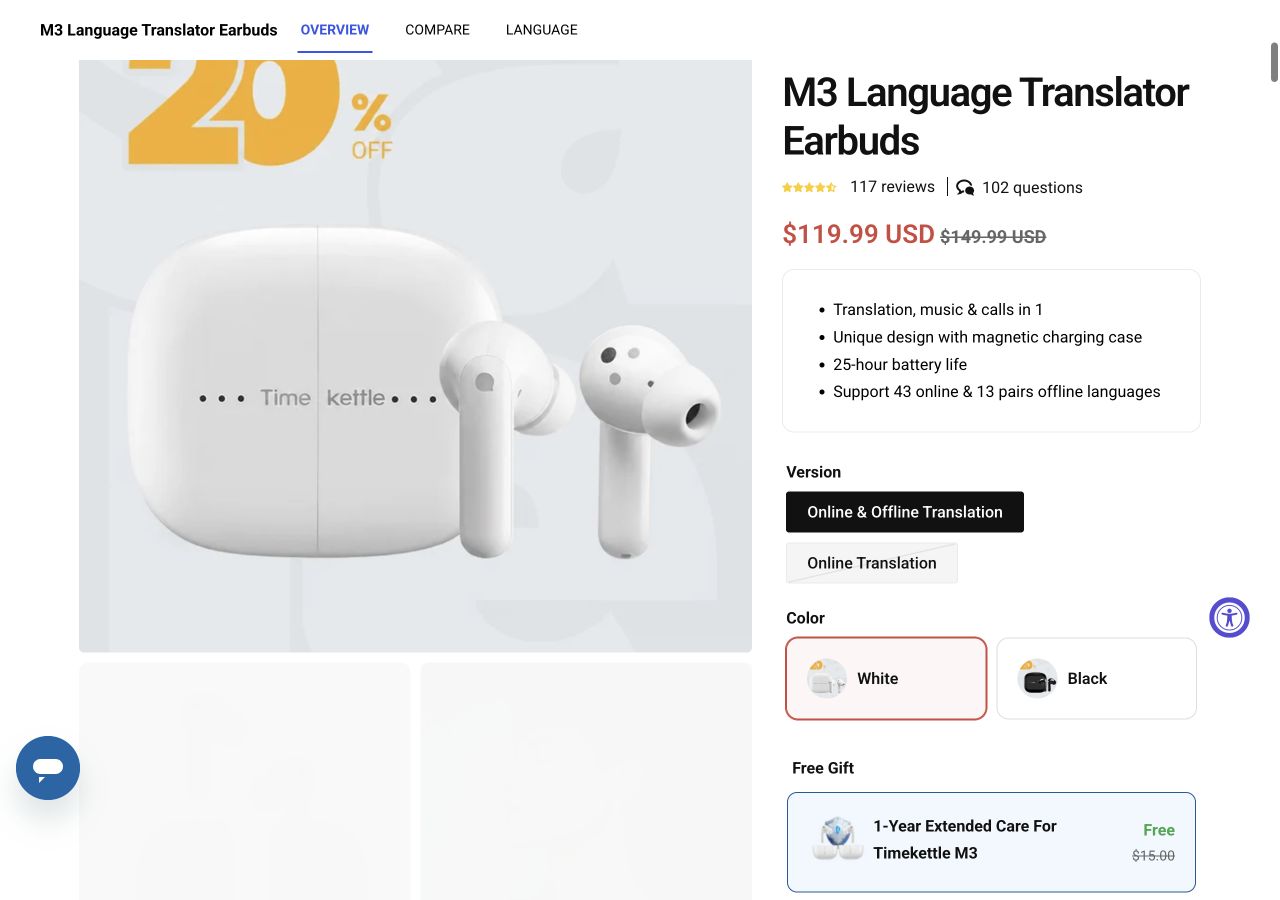
M3 combines translation earbuds with music and call functions, but its purchase options are crucial. The store distinguishes Online & Offline Translation from Online Translation. The FAQ says the offline package includes a Fish Card for six offline-pack downloads; the edition without it cannot use offline translation. M3 editions and FAQ
The checked offline-capable selection costs US$119.99 on sale, against a displayed regular price of US$149.99. Confirm the selected version at checkout; a low headline price alone is not proof that offline packs are included.
Why choose it: it may suit someone seeking a lower-cost earbud option who is willing to prepare the app and packs. What to accept: a phone is still required, and the published offline pairs are limited. Japanese pairs with English or Chinese, not every language advertised for online translation. Redeem the included allowance while connected, download your pair and rehearse how you will alternate speakers before handing an earbud to a visitor.
8. Timekettle NEW T1: a dedicated device with its own screen
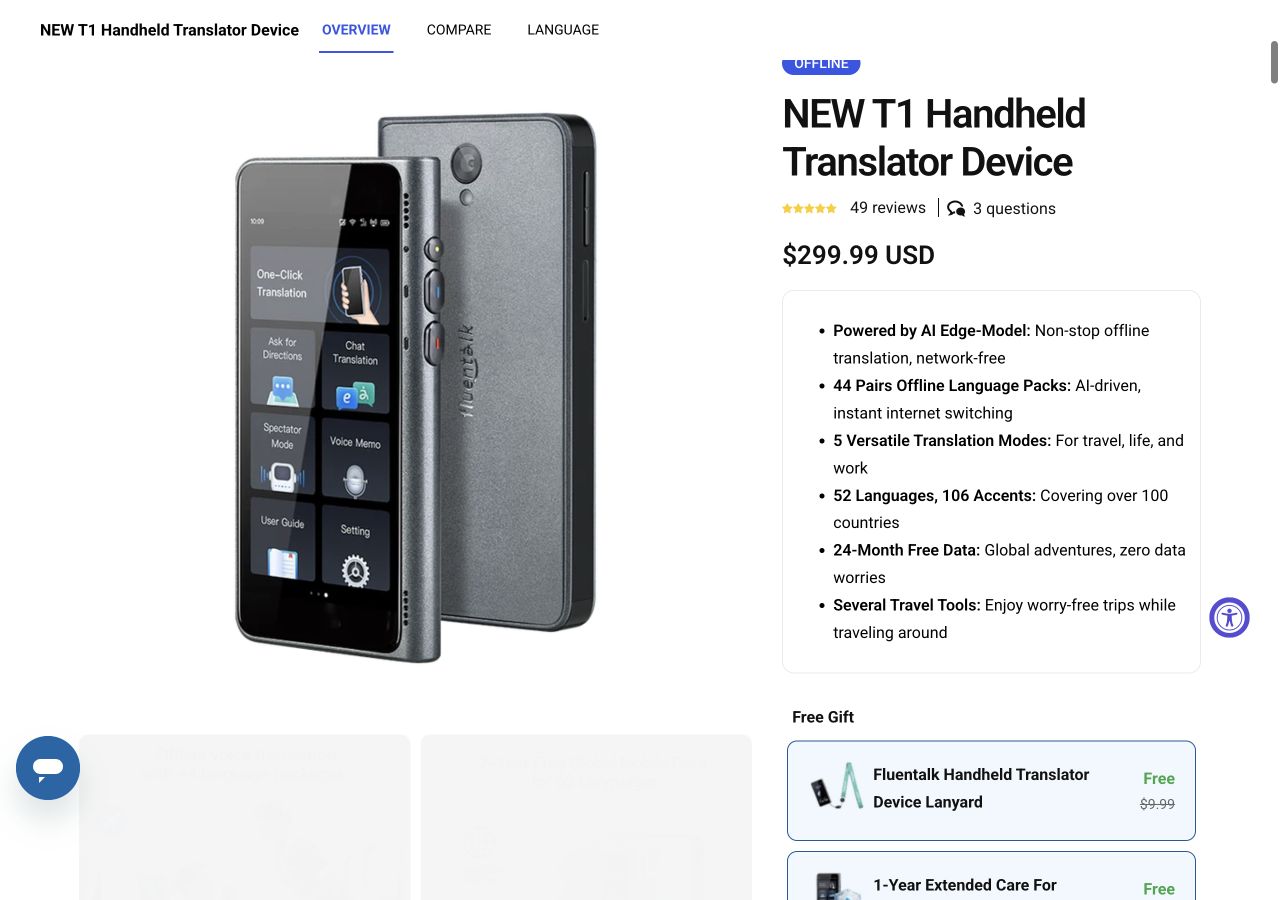
NEW T1 is a standalone translator, so the conversation does not depend on a visitor installing an app or lending you their phone. Download the required offline packs to the device before departure. The checked store lists US$299.99 and advertises 44 offline pairs in its main specification. Other page sections and regional material use different totals; confirm the pair on the current device rather than choosing by the largest number. NEW T1 product page
The published pair information includes Japanese with English, Chinese, Korean, Spanish, Thai, German and Arabic. That makes NEW T1 worth checking when a pair falls outside the more limited Japanese pairs on M3 or T1 mini.
The advantage is a device dedicated to the exchange. The cost is another purchase, charger and update process. Distinguish NEW T1 from the older T1 when buying through a reseller. Included global mobile data serves online functions; it does not prove that all modes work with no signal. Turn the data connection off when testing the downloaded pair.
9. iFLYTEK Dual Screen: let each speaker read their own display
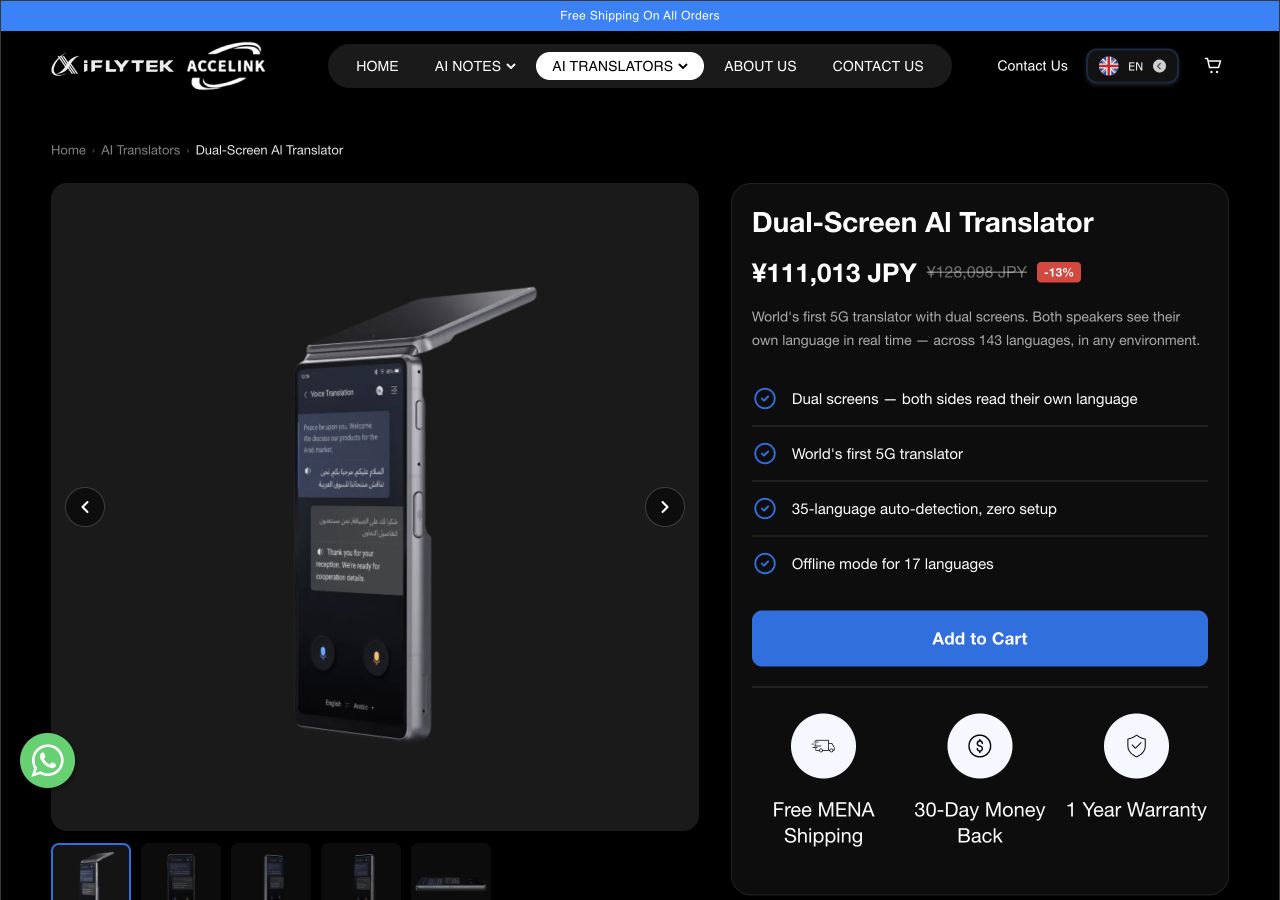
The Dual Screen AI Translator gives each participant a separate view, which can help at a desk or service counter. Its English manual describes selecting the languages, holding the voice button to speak and releasing it to translate; opening the guest screen lets the other person see the result. English manual downloads
For an explicit pair list, the Japanese product FAQ specifies 17 offline pairs, including Japanese-English and Chinese-Japanese. Its 143-language figure applies to online translation. The English regional storefront uses different language-count wording, so confirm the pair, firmware and sales region before purchase. Do not infer that every pair between 17 languages works offline. Manufacturer’s Japanese specifications and FAQ
The two displays are the practical advantage; regional specifications and the higher purchase cost need attention. The Japan listing is JPY99,800, including Japanese consumption tax. This is a Japan-market reference, not a converted US price. Automatic language detection and PC-connected simultaneous subtitles have online requirements in that FAQ; use the documented offline setting for the in-person test.
10. Fluentalk T1 mini: a compact standalone option, subject to stock
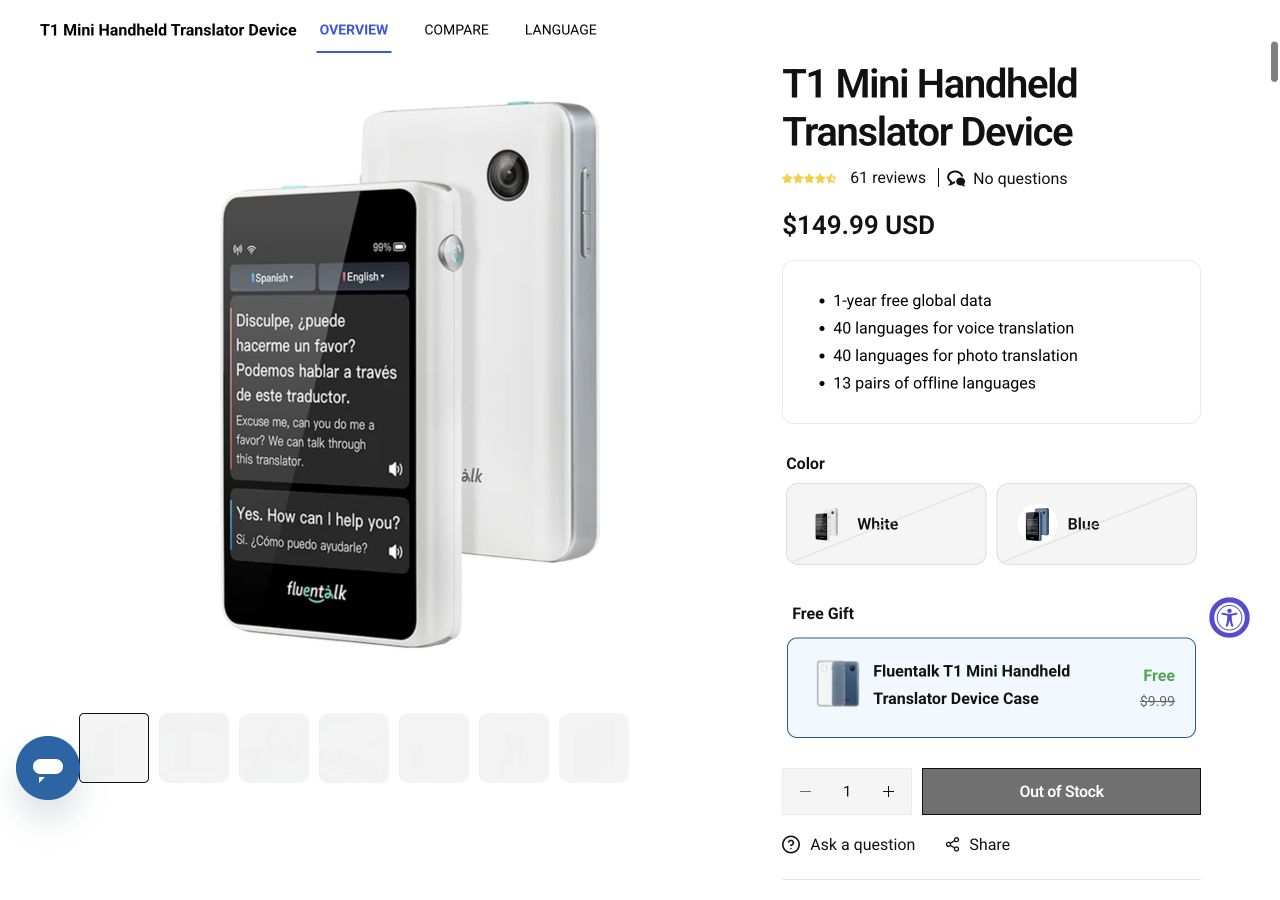
T1 mini provides a smaller standalone alternative to using a phone and earbuds. Its published offline set contains 13 language pairs, including Japanese-English and Japanese-Chinese. Prepare the packs before travel and check the selected pair on the device. Do not substitute NEW T1’s wider pair list. T1 mini product page
The benefit is a dedicated, compact device for short exchanges. The immediate limitation is availability: the checked English store lists US$149.99, marks it out of stock, and says shipping is currently limited to the United States. It belongs in this comparison for existing owners or buyers checking a restock, not as an assured purchase for an imminent trip.
The included mobile-data offer supports connected use. It is separate from offline translation and will not help inside a building with no usable signal. Existing owners should test voice input and playback with the data connection disabled, especially after changing languages or updating the device.
Compare the total cost, including the hardware you need
Prices below are the displayed offers checked on September 20, 2026. USD entries refer to the linked English or US listing; applicable taxes and shipping depend on checkout. The iFLYTEK amount is a separately identified Japan-market price. Sale prices, regional stock and bundle contents can change. No currency conversion is implied.
| Tool or plan | Price and billing | Additional condition |
|---|---|---|
| 1. VoicePing | Free: 60 offline minutes/day Individual: US$31.50/month, monthly billing | One user; paid offline use is unlimited. Phone required. Pricing |
| 2. Apple Translate | Included app; no separate Translate subscription | Compatible iPhone and language downloads required. Requirements |
| 3. Samsung Interpreter | Included on supported devices; free language downloads | Galaxy hardware and eligibility matter. Requirements |
| 4. Google offline Live Translate | No separate app charge | Eligible Pixel and Live Translate packs required. Requirements |
| 5. AirPods Pro 3 | US$249 once | Compatible iPhone costs extra if needed. US store |
| 6. W4 Pro | US$449 once | Phone required; confirm offline-pack entitlement for the selected bundle. Store |
| 7. M3, Online & Offline edition | US$119.99 sale; US$149.99 regular | Phone required; redeem included packs. Selected edition |
| 8. NEW T1 | US$299.99 once | Standalone device; download the required packs. Store |
| 9. iFLYTEK Dual Screen | JPY99,800 once, Japanese tax included | Japan-market reference; check local model, warranty and price. Japan store |
| 10. T1 mini | US$149.99 listed; out of stock | Checked listing specifies US-only shipping. Stock and price |
A built-in feature can be the least expensive starting point when you already own an eligible phone. Buying a new phone solely to unlock a feature changes that calculation. For earbuds, budget for the complete phone-and-earbud setup; for a standalone device, check warranty coverage in the country where you will use it.
Check accuracy with your own numbers, names and instructions
A published language count tells you little about whether a translator will preserve the meaning of your particular conversation. Speech recognition can lose a word before the translation stage begins. Background machinery, distance from the microphone, overlapping speech and unfamiliar terminology deserve separate checks.
Use the following original practice sentences with a bilingual colleague. They are test prompts, not measured results from the products above:
- Numbers and units: “Please bring fifteen replacement filters, each measuring 30 millimeters.” Check fifteen versus fifty, the quantity and the unit.
- Negation and timing: “Do not restart the machine until the supervisor confirms the inspection is complete.” Check that the prohibition and the condition survive translation.
- Names and identifiers: “The delivery for Building B is booked for Tuesday under reference AX-205.” Check the building, day and reference separately.
Read the recognized source text before judging the translation. If the source is already wrong, move closer, reduce background noise where practical, or say the identifier separately. If the source is correct but the meaning changes, shorten the sentence and ask the listener to repeat the meaning back. For operational or safety-critical instructions, use your site’s established confirmation process and a qualified interpreter when needed.
A fluent-sounding result can still omit a restriction. Confirm that the other person understood the action, quantity and timing; do not use a smooth voice or a short delay as a substitute for that check.
Prepare and test before leaving the connection behind
- Choose the exact pair and direction. Confirm that it is available in the offline voice mode, including the return conversation.
- Finish setup while connected. Sign in, activate the purchase or license, update the app and download speech, translation and voice-output resources that the selected mode requires.
- Check storage and power. Leave room for models and recordings. Charge the phone, earbuds or device and bring the appropriate power supply.
- Disconnect internet access. Turn off Wi-Fi and mobile data. If airplane mode is used, re-enable Bluetooth only when the earbuds require it.
- Complete a two-way conversation. Speak a short sentence, inspect the recognized words, check the translation and test spoken output if you need it. Repeat in the other direction.
- Close and reopen the app while offline. Confirm that the downloaded pair still works and that any account or license prompt will not interrupt the visit.
- Carry a fallback. Save key names, addresses, part numbers and agreed phrases locally. A small written glossary can resolve an identifier more reliably than repeated speech attempts.
If typed translation works but microphone input fails, the missing capability may be offline speech recognition. If translated text appears but nothing is spoken, check the output voice or whether that mode supports playback. If a license prompt blocks the session, reconnect and resolve it before departure. Treat each failure as a separate step in the workflow.
Why some familiar translators are outside this ten-tool list
Papago distinguishes offline voice input from its conversation and pronunciation features. Its help page says the latter are unavailable offline, so downloaded languages should not be treated as a complete spoken two-way workflow. It can still serve as a text fallback. Papago offline help
Microsoft Translator lists offline text, camera and phrasebook capabilities in its Android help, while voice and conversation modes need internet access. That is useful coverage for a different task, but it does not meet this guide’s spoken-conversation requirement. Microsoft Translator help
POCKETALK uses mobile connectivity through its built-in SIM, so “no Wi-Fi needed” does not mean “no internet needed.” Its device FAQ states that offline use is unsupported. Check coverage and connectivity if that model otherwise suits your trip. POCKETALK device FAQ, in Japanese
Offline voice translation: common questions
Can a translator work with no internet at all?
Does downloading Google Translate languages enable offline conversations on every phone?
Which options can I use for free?
Can AirPods translate without an iPhone?
Do two supported languages always form an offline pair?
Does real-time translation handle two people speaking over each other?
For subtitles and local records, explore VoicePing offline translation . For connected meetings and a wider range of workflows, see the voice translation app and device guide . Start with the phone you have, choose one language pair and verify a complete conversation with the internet switched off.