In this article
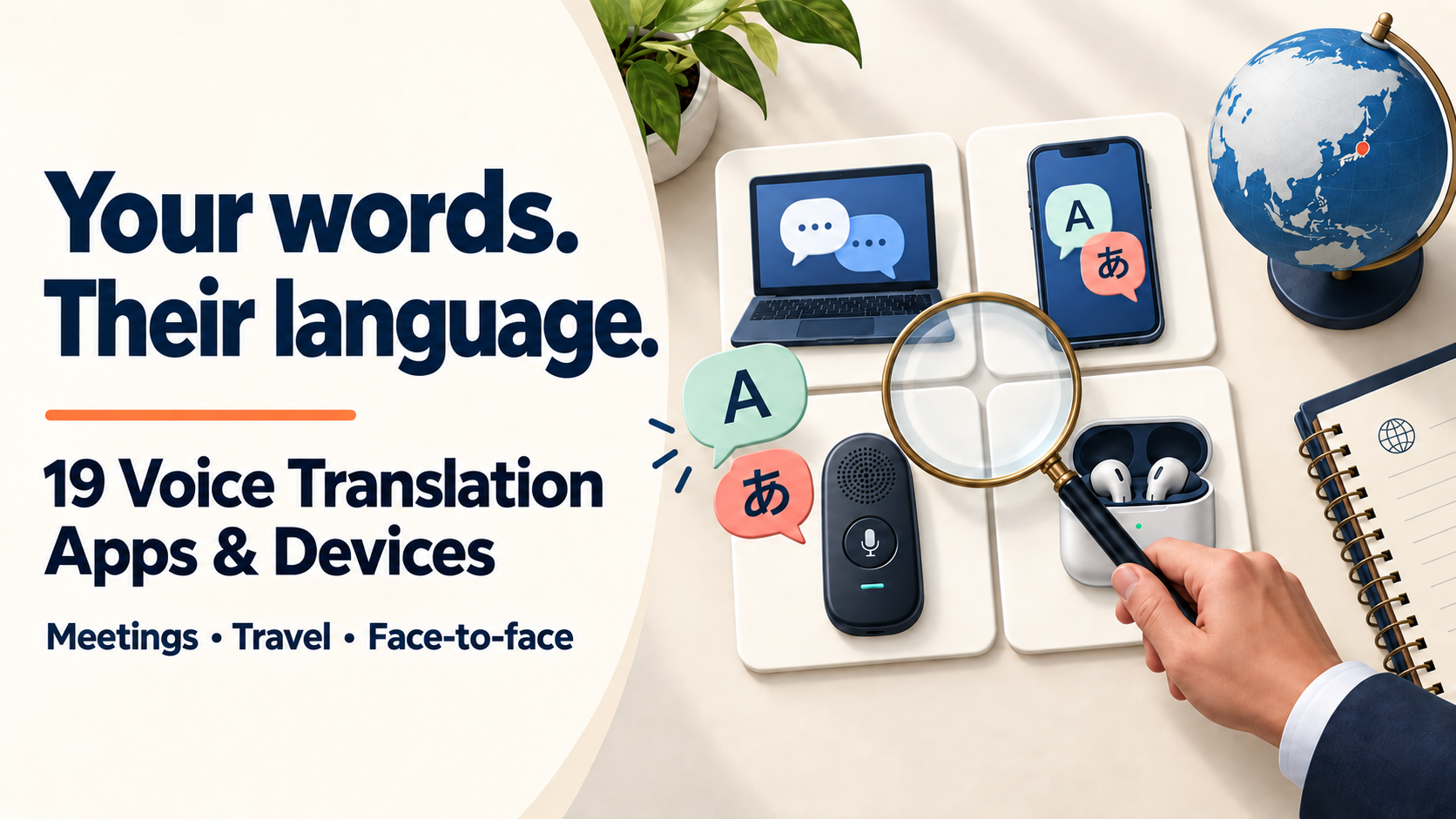
Compare fourteen software tools and five translation devices for meetings, visits and travel involving Japan. Translation hardware includes dedicated handhelds and phone-connected earbuds.
Our top pick is VoicePing for multilingual meetings and follow-up records. Teams and Zoom may suit existing subscribers, while phone apps and devices fit shorter in-person exchanges.
Additional research: September 19, 2026. Google Translate and iFLYTEK were rechecked. Existing software prices and demos retain their September 9–10 checks; the original four devices retain their September 17 check. Published by VoicePing. This is a comparison of documented uses, not a controlled hands-on ranking.
Additional software checked September 20, 2026. The profiles below distinguish CoeFont, Kotoba, TransGull, On-yaku, Erudite and VoiceTra by workflow and usage conditions.
Software and hardware at a glance
Start with where the conversation happens and whether you need to read a translation, hear it, or send a translated reply. “Voice translation” can describe any of these, and the setup is not always the same.
The software table covers services and built-in features, not device purchases. Apple Live Translation is software; AirPods 5 is compatible hardware listed separately below. They use the same Apple translation system, not two independent translation engines.
14 software options: meeting services and phone features
| Tool | Good fit | Translation output | Published price example | Free tier / trial limits |
|---|---|---|---|---|
| VoicePing — our top pick Software | Recurring multilingual meetings and follow-up | Captions and spoken readout | Paid: ¥3,163/month | 90 minutes/month; one account |
| Microsoft Teams Interpreter Software | Recurring meetings between licensed Teams users | Translated speech | Copilot: ¥3,148/user/month annually; base plan extra | No ongoing free Interpreter tier |
| Zoom Voice Translator Software | Calls that already take place in Zoom | Translated speech | ZoomMate: US$16.67 per user/month annually; US$20 monthly | Free voice allowance not specified |
| DeepL Voice Software | Business teams using several meeting platforms | Translated captions and speech | Voice Starter: ¥1,900 per user/month annually; ¥2,200 monthly | 14-day Starter trial; trial minutes unspecified |
| Palabra Software | Dedicated two-way translation across meeting apps | Translated speech and captions | US$45/month annually; US$60 monthly | 7-day trial with limited credits; exact minutes unspecified |
| JotMe Software | Individuals working across Zoom, Teams and Meet | Captions and translated speech | Pro: US$10/user/month annually; US$20 monthly | 20 metered translation minutes/month; Fast Audio uses 5× |
| Google Translate Phone software | Short in-person business exchanges | Spoken translation and text | Free app | No published monthly minute cap; device and language support apply |
| Apple Live Translation Built-in software | Calls and visits using compatible Apple devices | Phone voice translation; in-person audio | Included with compatible hardware | No published monthly minute cap; compatible devices required |
| CoeFont Interpreter | Business meetings, online or in person | Translated speech, text and history | Plus: ¥55,000/month incl. tax in Japan | Basic mobile features free; check in-app time limits |
| Kotoba: interpreter app and Meeting Bot | Phone conversations and organizational meetings | Subtitles and speech; Bot on a separate plan | Unlimited: US$99/month | Free: 5 hours/month; excludes Bot |
| TransGull | Lectures, conversations, video and calls | Subtitles and translated audio | Live: 720 / 900 credits per hour | 30,000 characters/day shared across conversation/image/selection; live separate |
| On-yaku (Rozetta) | Corporate translated captions and records | Transcription and translated text | Example: ¥75,000/month on a 12-month contract | Trial offered; duration, users and hours require confirmation |
| Instant Translate (Erudite) | Travel and short face-to-face exchanges | Voice, text and image translation | Free to start; ads and in-app purchases | Voice allowance and paid prices: check app |
| VoiceTra (NICT): travel and business trials | Travel and experimental workplace use | Text and audio in supported languages | Free; data charges extra | Direct profit-making use prohibited; no ongoing business guarantee |
5 translation devices: handhelds and phone-connected earbuds
POCKETALK S2, Vasco Q1 and iFLYTEK are dedicated handhelds; W4 Pro and AirPods 5 work with a phone. Phone-free and internet-free are separate conditions. Hardware prices below are Japanese official-store listings in JPY.
| Hardware / type | Phone and network requirements | Best use and distinguishing feature | Purchase price / ongoing cost |
|---|---|---|---|
| POCKETALK S2 Standalone handheld | No paired phone; cloud translation needs SIM or Wi-Fi | Shared device for visits; 75 g and 2.8-inch screen | ¥36,300 incl. tax; 2 years of SIM service included, renewal extra |
| Timekettle W4 Pro Phone-connected earbuds | Compatible phone + app; online calls need internet | In-person and supported calls; 52 online languages, 13 offline pairs | Japan store: ¥68,999; phone/data extra; confirm checkout terms |
| AirPods 5 iPhone-connected earbuds | Apple Intelligence–enabled iPhone, iOS 26+; download language models | Listening during visits; Japanese supported; both models support translation | ¥23,800 / ¥27,800 with wireless case; iPhone extra; release September 18 |
| Vasco Translator Q1 Standalone handheld | Built-in SIM or Wi-Fi; verify destination coverage | 86 voice languages; hands-free auto mode; lifetime translation data | Japan store: ¥79,500; calls: first 10 min free, then ¥900/10 min |
| iFLYTEK Dual-Screen AI Translator Dedicated handheld | Built-in data or Wi-Fi online; offline limited to 17 language pairs | Two screens for face-to-face use. 143 online voice entries including dialects; 21 in Conversation | ¥99,800. Two years of global data; check renewal terms |
Published price examples use the billing basis shown; hardware prices are one-time purchases. Free plans and short trials are listed separately. See the detailed price comparison for included usage, annual commitments and extra costs.
14 software tools for meetings, conversations and travel
Our top pick for multilingual business meetings
1. VoicePing 3.0
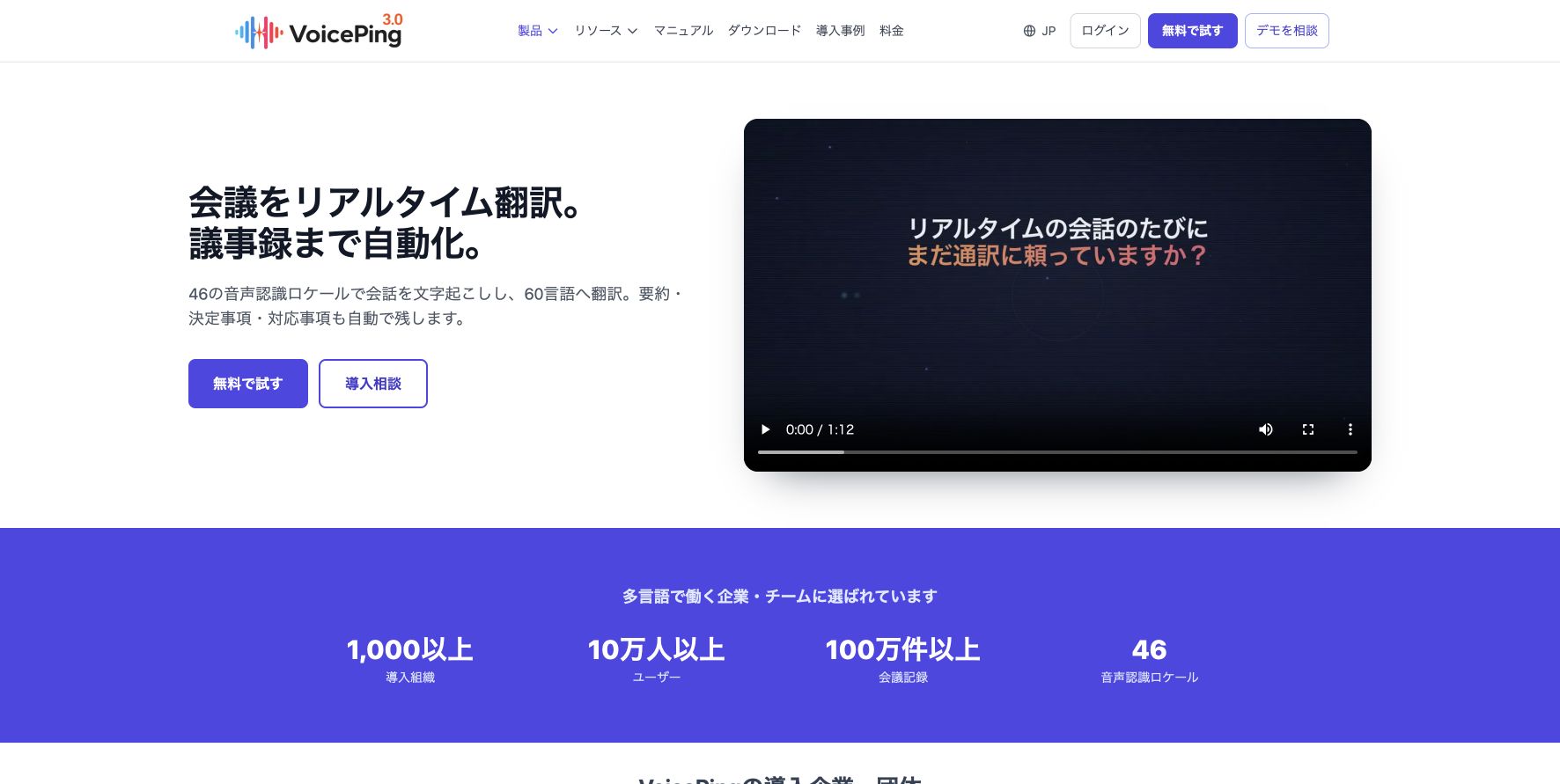
live translation and meeting records in one place
VoicePing is our top pick for recurring multilingual business meetings because it combines live translation with the records teams need afterward. It can capture supported Zoom, Teams and Google Meet audio, show translated captions and read finalized translations aloud. Paid plans add searchable Meeting Logs and AI summaries, so a discussion can become a record of decisions and next steps.
In supported PC and mobile sharing sessions, guests join through a browser link or QR code, with no account or app to install. They choose their language and can hear translated readout. When the host enables guest microphones, they can speak back and have their replies transcribed and translated in the shared session. This gives both sides a browser conversation channel alongside their meeting app.
Our take: Choose VoicePing when your team wants to understand the conversation now and review it later. Its combination of meeting-app compatibility, shared translation and paid follow-up records makes it our recommended starting point for this workflow.
Pricing: Japan Free includes 90 minutes/month for one user. Individual starts at ¥3,163/month for 450 minutes. Small is ¥6,325/month, or ¥4,125/month equivalent with annual billing, for up to 15 accounts sharing 450 minutes/month. Tax is included. The pricing guide still distinguishes internal listeners from external-event use; confirm the applicable terms for your session. Use a paid plan when saved records are required. Plan details.
Product overview: See how VoicePing translates a multilingual conversation, then turns it into searchable transcripts, summaries, decisions, and action items.

Pros
- Guests can join by QR code or browser link without an account or installation, choose a language, hear translations and reply through a host-enabled microphone.
- Capture supported meeting-app audio now and use paid Meeting Logs, translations and AI summaries for follow-up.
Cons
- Free and entry paid plans have monthly transcription limits. Choose enough shared minutes for your team’s active use.
- Web Meeting Bot listener links are listen-only. For guest spoken replies, use a sharing session with guest microphones enabled.
Meeting translation · Browser listener controls · Guest speech and translation · Meeting Bot sharing · Meeting Logs and summaries · Explore VoicePing
Translation inside your meeting app
2. Microsoft Teams Interpreter
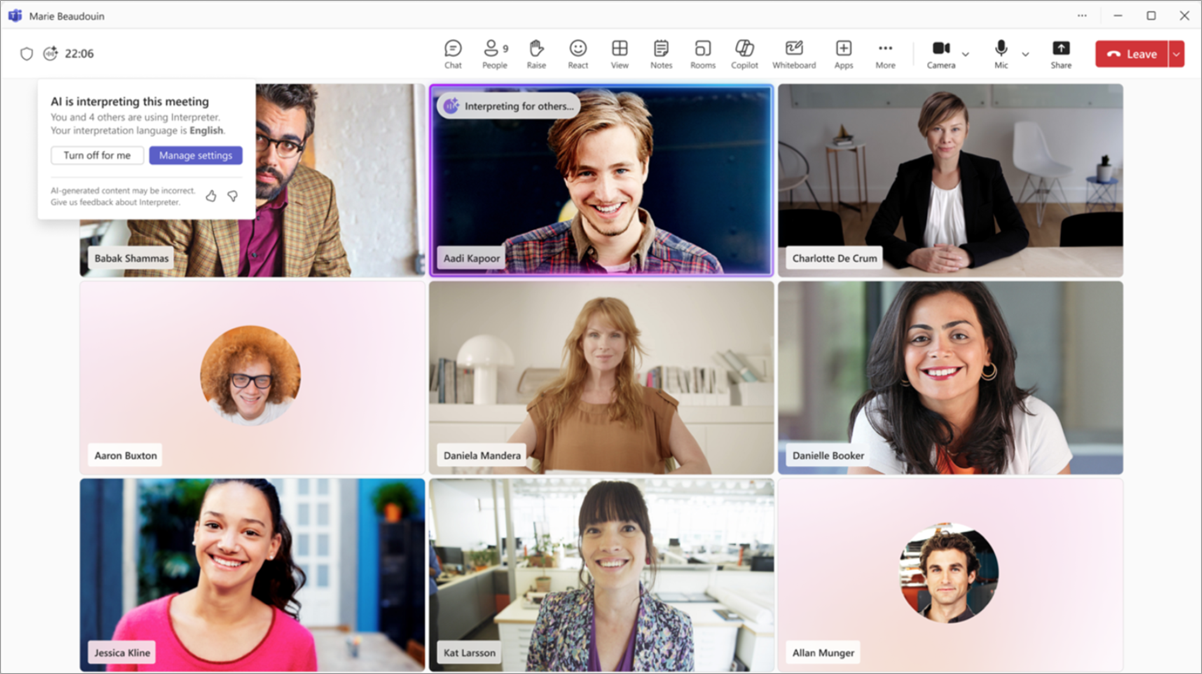
for teams already using Copilot
Teams Interpreter lets participants hear translated speech, including Japanese. It is a practical candidate for recurring meetings between overseas offices when the necessary Microsoft licenses are already in place.
Our take: Start here for recurring collaboration between offices that already have the required licenses. For new customers, check their eligibility before sending the invitation.
Pricing: Copilot Business adds ¥3,148/person/month with annual commitment, or ¥3,778 monthly, excluding tax. A base plan with Teams costs extra; the detailed comparison includes Business Basic as one example. Includes 20 interpretation hours/person/month; temporary promotions excluded. Microsoft pricing.
Watch the workflow: This early Microsoft demonstration shows the spoken interpretation workflow; the interface and availability may differ today.

Pros
- Participants choose the language they want to hear within the meeting.
- Eligible Microsoft 365 Copilot users receive 20 interpretation hours per person per month.
Cons
- Each user needs an eligible license. Anonymous and guest identities cannot use Interpreter; external participants need a verified Microsoft 365 account with a valid Copilot license.
- Teams Premium translated captions and Copilot's spoken interpretation have different requirements. The organizer's subscription does not automatically give everyone spoken translation.
Participant requirements · Licensing and included hours
3. Zoom Voice Translator
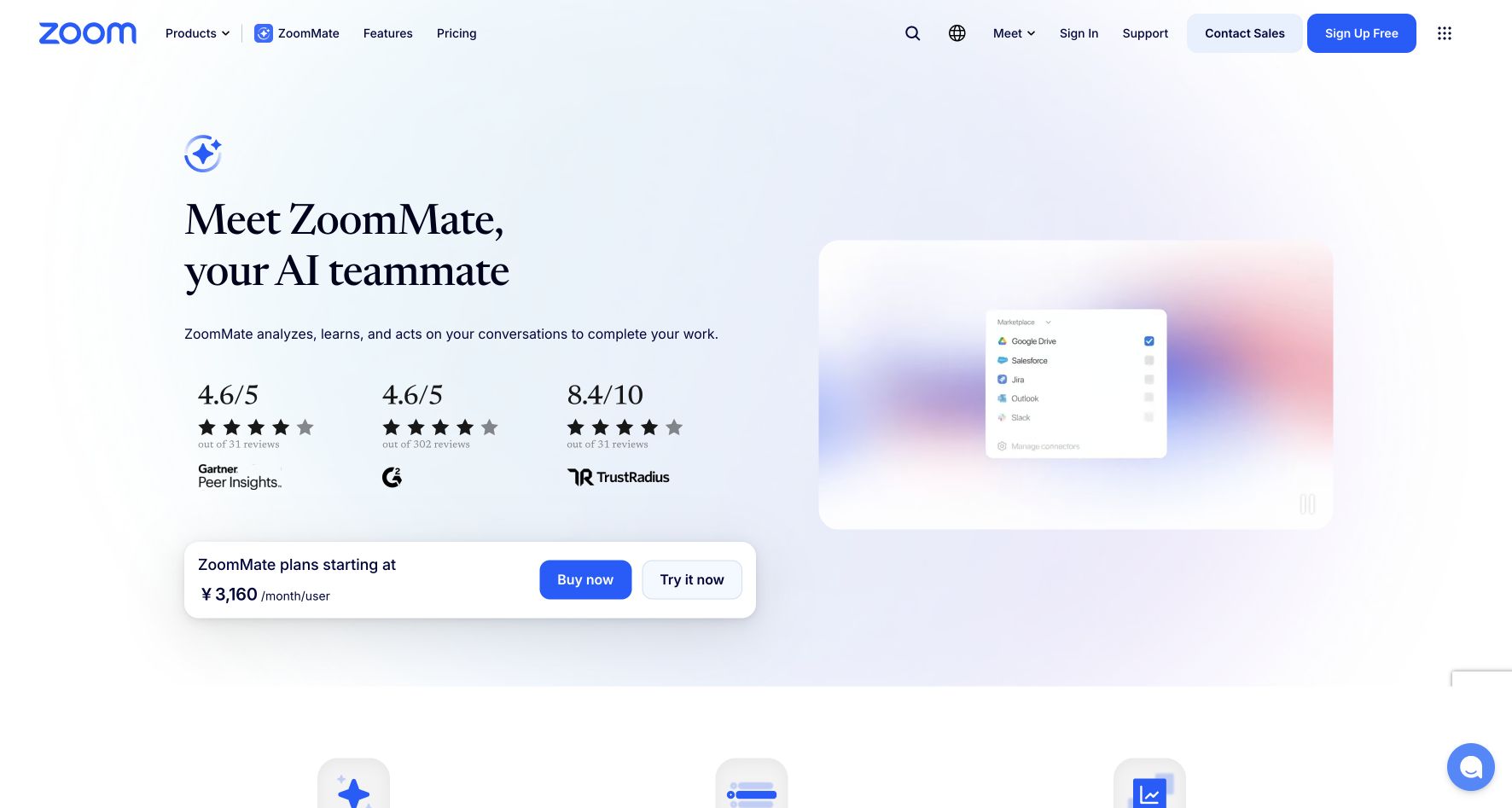
for conversations that stay in Zoom
Zoom offers Voice Translator alongside its separate translated-caption feature. Current support documentation lists five speech-translation languages, including Japanese and English. It is worth checking when your customers already prefer Zoom.
Our take: A useful first test when customers already meet in Zoom. Verify translation access on both sides of the actual call.
Pricing: Global ZoomMate pricing is US$20/user/month, or US$16.67/user/month with annual billing. Voice Translator is included with 2,200 monthly AI credits per user, shared with other AI features. The checked sources do not publish its credits-per-minute rate, so this is not a fixed voice-minute bundle. Tax and regional checkout totals may vary. Official plans.
Watch the workflow: This short official overview shows Voice Translator in a Zoom meeting, including the active translation indicator.

Pros
- Participants choose their speaking and listening languages within Zoom.
- You can evaluate translation without moving the conversation to another meeting service.
Cons
- Voice Translator requires qualifying Live Translation or ZoomMate access. ZoomMate’s AI credits are shared with other features, so its balance is not a guaranteed number of voice minutes.
- The documented requirement is Windows or macOS desktop version 7.0.0 or later. Long uninterrupted speech may wait for a pause before translated playback.
Ask who needs the entitlement and how the other person will hear the translation. Official setup and requirements
Dedicated translation across meeting apps
4. DeepL Voice
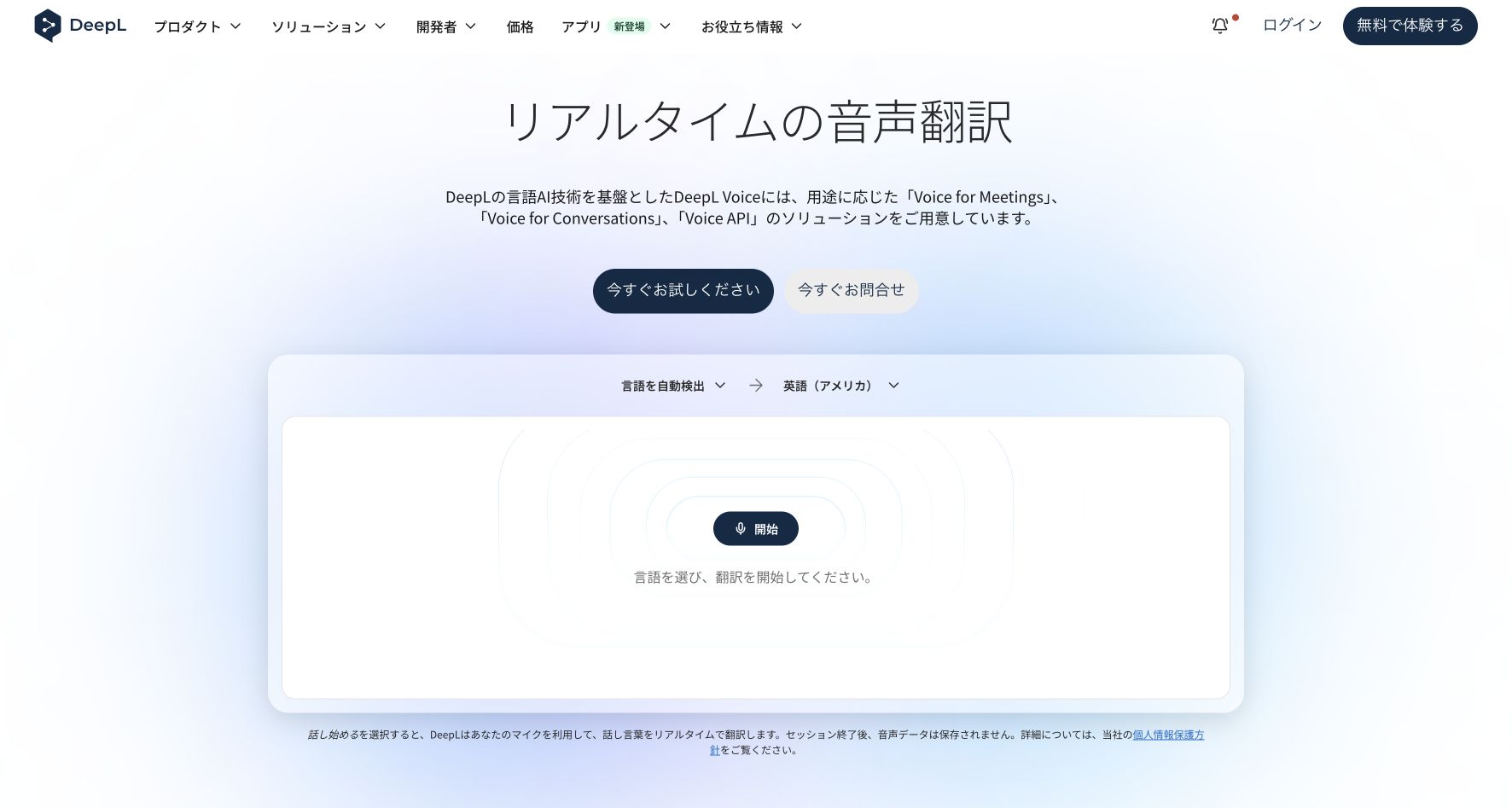
for companies comparing online and in-person workflows
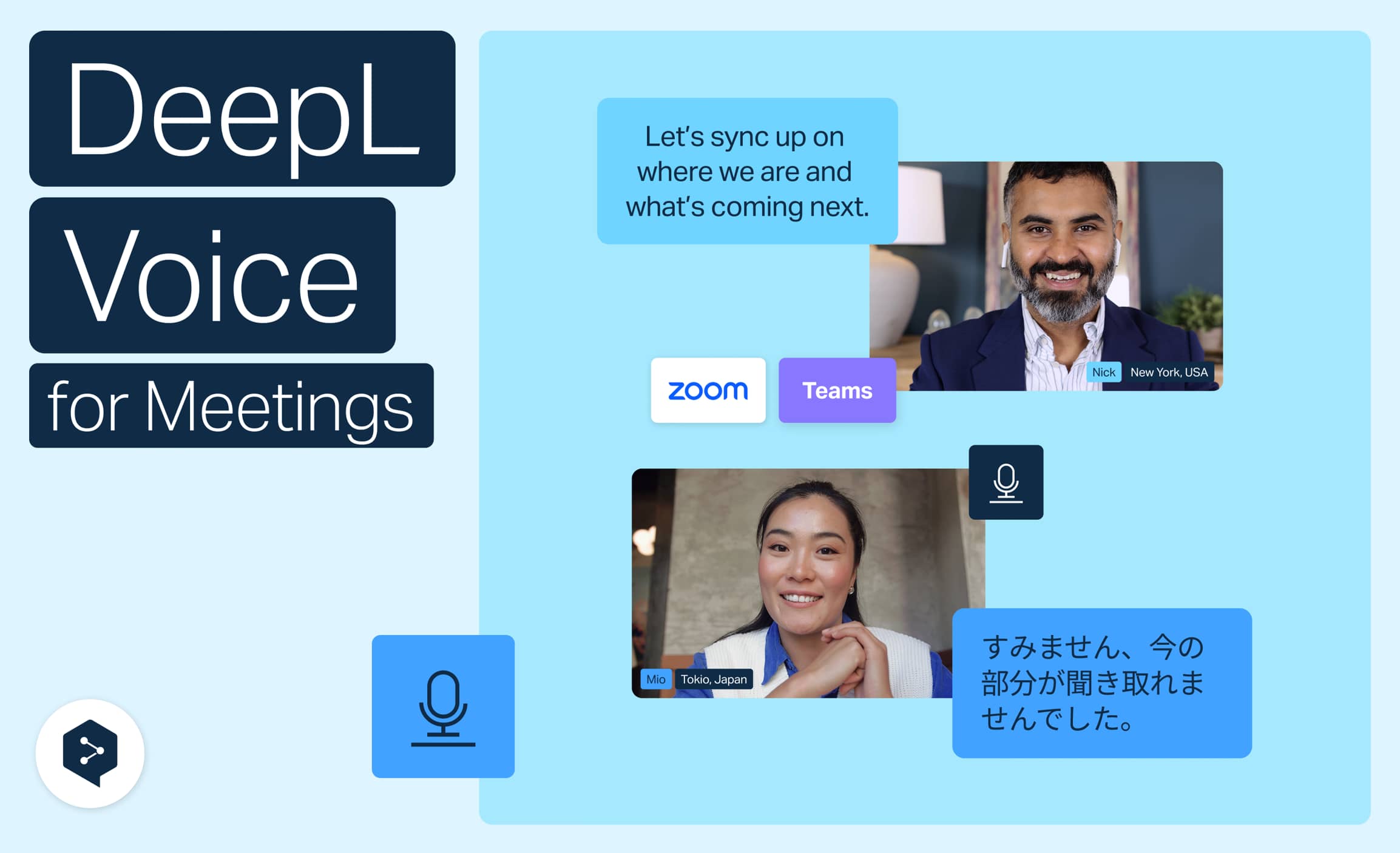
DeepL Voice covers online meetings and in-person conversations. Its meeting service supports Teams, Zoom and Google Meet, with Japanese captions and spoken translation documented. Online spoken output uses the DeepL Voice desktop app.
Our take: Worth evaluating for a company using several meeting platforms, provided the intended plan includes the spoken workflow your participants need.
Pricing: Japan Voice Starter costs ¥2,200/user/month, or ¥1,900/month with annual billing, with 300 minutes/user/month. Voice Business is ¥6,200/user/month or ¥5,280/user/month with annual billing, with 600 minutes/user/month and pooled usage. Displayed Japan prices include VAT. Starter offers a 14-day trial; its exact trial-minute allowance is unspecified. Official Voice plans. Eligible paid Translator plans separately include 30 Voice minutes/user/month .
Watch the workflow: This hands-on tutorial shows connecting a meeting, choosing languages and following live translated captions in DeepL’s browser interface.
Pros
- Companies can evaluate one translation provider across several meeting platforms.
- Caption participants can join without their own DeepL account or license in the documented sharing setup.
Cons
- Online spoken output requires the DeepL Voice desktop app and eligible access for each listener; the browser caption link alone does not provide spoken playback.
- Starter includes 300 minutes per user each month; Business adds pooled usage. Budget for the number of licensed listeners and the length of recurring meetings.
Count caption readers and audio listeners separately when discussing a plan. Product overview · Language support · License requirements
5. Palabra
for dedicated spoken translation across meeting apps
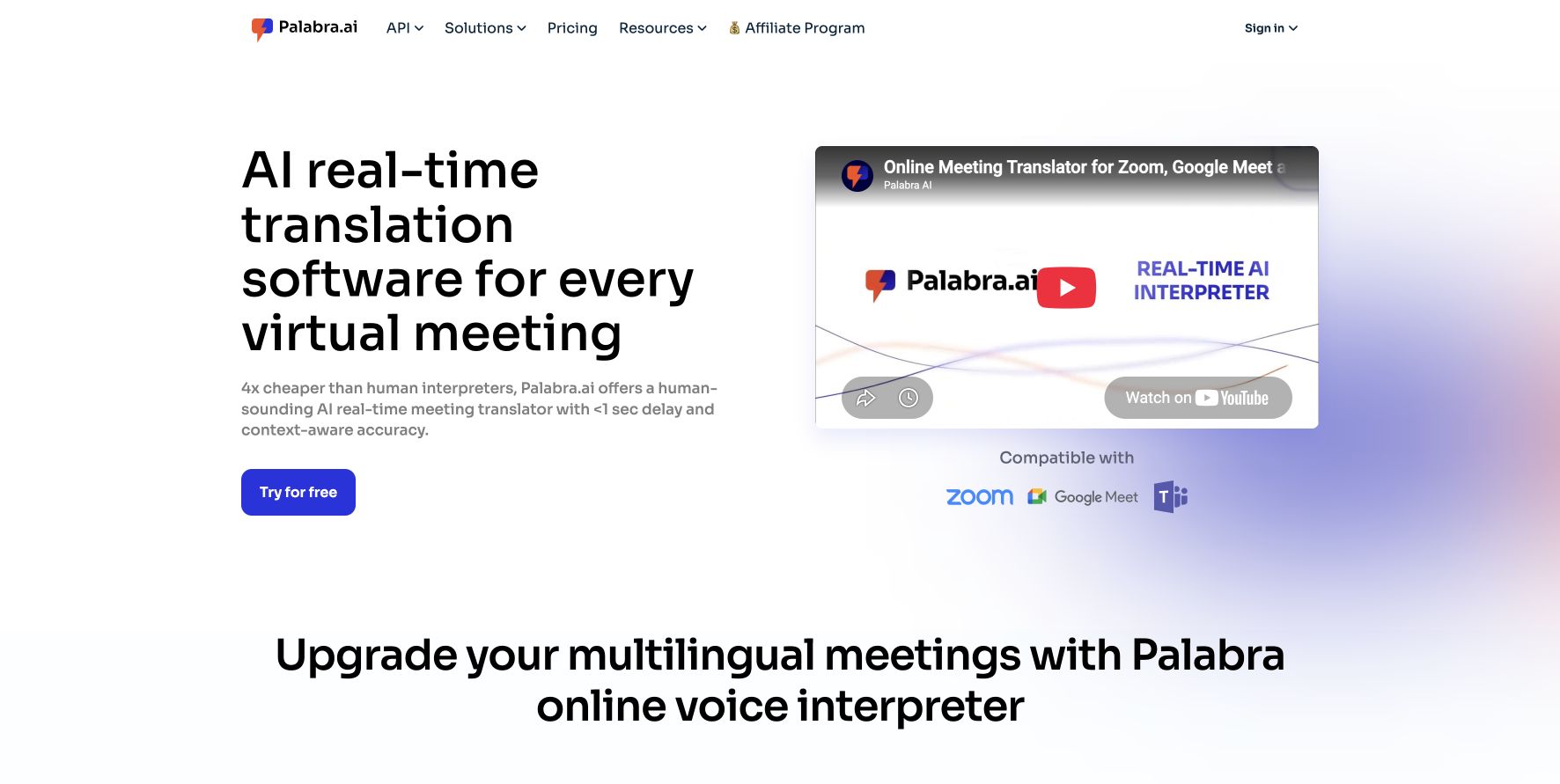
Palabra offers a two-way conversation mode for Zoom, Teams and Google Meet, with Japanese among its supported voice languages. Its documented flow starts with a meeting link and the languages and voices you want to use.
Our take: A candidate for dedicated spoken conversation across meeting apps. Trial the customer’s joining steps and the return audio before committing.
Pricing: Meetings Starter costs US$60 monthly, or US$45/month equivalent with annual billing (US$540/year), and includes 3 meeting hours/month. The seven-day trial has limited credits; an exact trial-minute allowance is not published. Other modes consume the shared pool differently; tax treatment is unconfirmed. Plan documentation.
Watch the workflow: This edited product walkthrough introduces conversation and presentation modes across meeting apps.

Pros
- Conversation and presentation modes are distinguished, making the intended speaking pattern clear.
- Meeting plans publish included hours, with a trial for checking your workflow.
Cons
- Confirm participant access and meeting-host restrictions before inviting a customer. The public overview does not resolve every guest or audio-control condition.
- Calls, events and streams consume the shared usage pool differently. The API's per-minute price is a separate purchase route.
Start with the meeting plan and check both participants’ audio. Meeting workflow and Japanese support · Plans and usage rules
6. JotMe
for people whose customers use different meeting apps
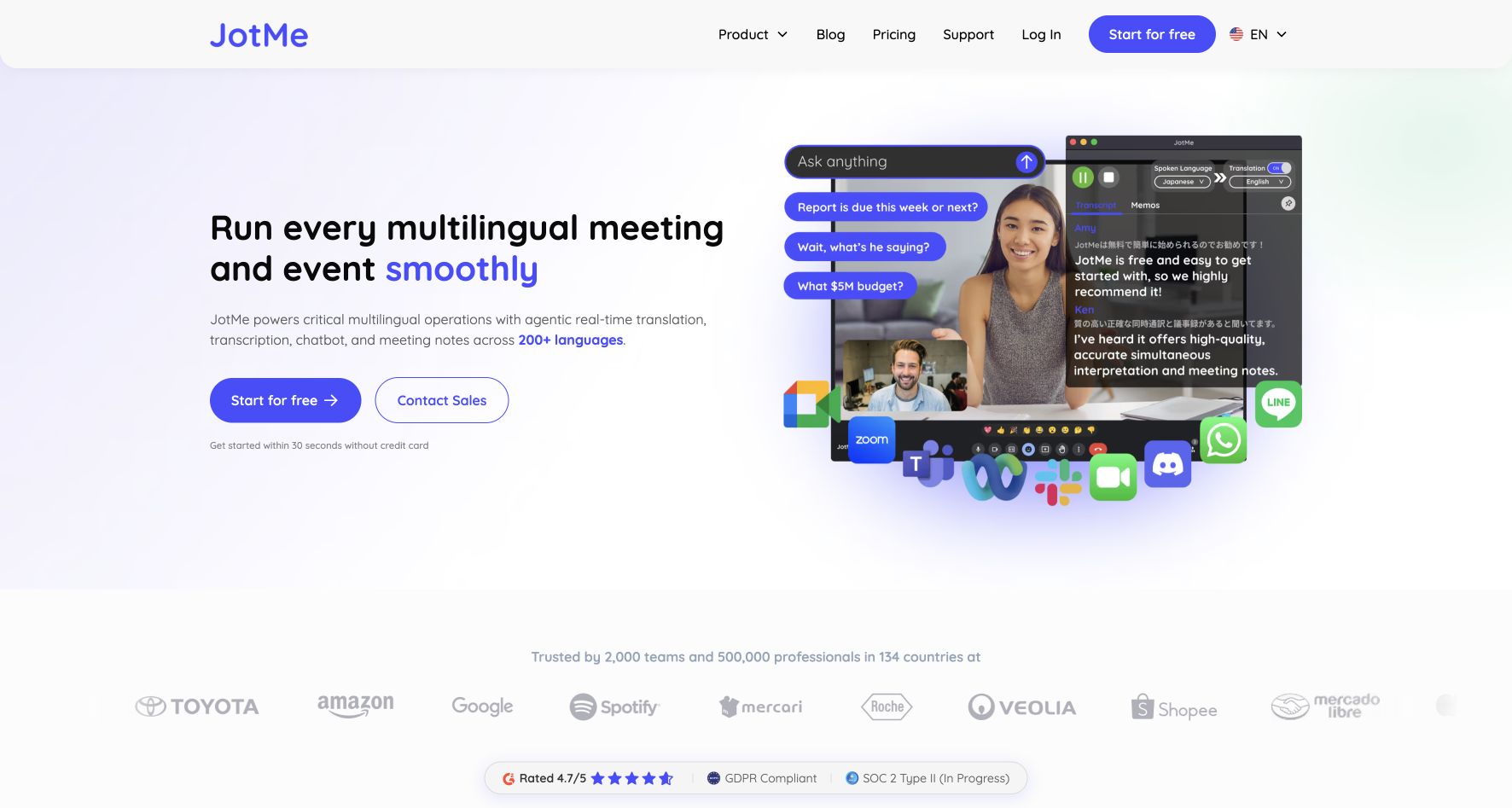
JotMe captures microphone and computer audio alongside Zoom, Teams or Google Meet. Its Fast Audio mode documents one-way and two-way speech translation, in addition to captions. Japanese spoken output is documented; test your exact pair and audio route before committing.
Our take: Suits an individual willing to configure audio for different customer meeting apps. Compare usable voice minutes, not just the advertised allowance.
Pricing: Free includes 20 basic-caption-equivalent translation minutes/month. Pro is US$20 monthly or US$120 annually for 200 equivalent minutes/month. Premium, the documented option for funding browser guests, is US$30 monthly or US$180 annually for 500. Fast Audio consumes 5×; shared voice consumes 5× per recipient from the host’s allowance. Tax treatment is unconfirmed. Plans.
Watch the workflow: The official tutorial shows Japanese-to-English Fast Audio setup and sharing translated speech alongside Google Meet.

Pros
- It can work without adding a bot to the meeting's participant list.
- You can choose captions or spoken translation according to the conversation.
Cons
- Sending translated speech into a meeting requires audio routing, such as a virtual audio device. Test the complete route with headphones before the call.
- Fast Audio consumes allowance at five times the Basic caption rate. A 200-minute allowance does not provide 200 elapsed minutes of spoken translation.
Check Fast Audio access on your plan, then test outgoing speech and actual usage consumption. Japanese spoken-output announcement · Meeting workflow · Speech setup · Usage rules
Phone calls and in-person conversations
7. Google Translate
a free starting point for in-person conversation
Google Translate’s Live Translate offers different modes for listening to an explanation and replying in a conversation. It is available on Android and iOS; check the phone’s audio output and feature requirements as well as the headphones.
Our take: Start with an introduction or schedule discussion on a visit. It may be enough when the conversation is short and face-to-face.
Pricing: The app is free. Phone and connectivity costs are separate. Consumer-app access does not establish company administration or contractual features. Google Translate.
Live Translate: listening or a two-way conversation?
Live Translate is the overall feature; choose Listening to follow speech, or Conversation to exchange replies. Two-way means translating in both directions, such as Japanese to English and English to Japanese. “Live bidirectional mode” is not a separate mode name in the current help.
- Listening: Follow a talk or explanation in your language through connected headphones or by holding the phone’s earpiece to your ear.
- Conversation: Take turns speaking. The app detects language changes and plays translations through the speaker or connected headphones.
- Text only: Read the translations without spoken output.
- Custom settings: Choose text, speaker or connected-headphone output.
See Google’s Android help and iPhone/iPad help . Face-to-face mode is a split-screen view for reading both languages, not a promise to interpret two overlapping speakers.
How a Japanese–English exchange works
For a schedule discussion, open Live Translate at the bottom of the app, select Japanese and English, then choose Conversation. Your Japanese question becomes English for your visitor; their English reply becomes Japanese for you. With one shared phone, speaker output lets both people hear the translations.
Google also describes a headphone arrangement: hear the other person’s translation in your headphones and play your translated reply to them through the phone. Check the output settings on your actual device rather than assuming headphone pairing selects this arrangement. Google’s explanation of continuous listening and two-way conversation
Take turns even when translation works in both directions. Continuous translated speech does not establish reliable interpretation of overlapping voices; current app help still instructs speakers to alternate.
Recent changes and device limits
Official information checked September 19, 2026:
- March 27, 2026: Google’s Japan announcement brought headphone live translation to Android and iOS in Japan, with more than 70 languages. Japan launch
- June 9, 2026: Gemini 3.5 Live Translate began rolling out to the Android and iOS apps. Google describes continuous speech translation that preserves vocal expression instead of waiting for each complete turn. This is a vendor description, not a zero-delay guarantee or our measured speed/accuracy result. Model and app update
- September 4, 2026: iOS added listening through the phone’s earpiece; Android added translation while another app is open or the screen is locked. The announcement still described iOS background support as forthcoming. Google community manager announcement
Offline live translation has separate limits. Android help currently restricts its language downloads to Pixel 9, 10 and 11, with specified pairs including Japanese–English. Downloading ordinary text-translation languages does not make voice translation offline on every phone. Offline requirements
The iOS help retains an older note saying Listening is unavailable without headphones, despite its updated instructions and the September announcement. If the option is unavailable, update the app and check it with headphones connected.
These instructions concern the Google Translate app. Google Meet speech translation, Pixel phone-call translation and conversations with Gemini Live have separate requirements. Starting phone translation does not automatically send its output to a PC meeting.
Watch the workflow: Google’s iPhone demonstration shows Japanese-to-English listening with headphones during a restaurant exchange.

Pros
- You can start with a free app on a phone you already have.
- Listening and turn-taking conversation modes address different needs, with spoken translations available.
Cons
- A face-to-face translation mode on your phone does not automatically send translated speech into a PC meeting.
- Features vary by app, OS and language. Check separately for any sharing controls or meeting records your company needs.
Japan launch details · Live translation modes
8. Apple Live Translation
for people already using compatible Apple devices
Type: built-in software. This entry covers the iPhone’s Phone/FaceTime features. For an earbud purchase, see AirPods 5 ; buying earbuds does not replace the compatible-iPhone requirement.
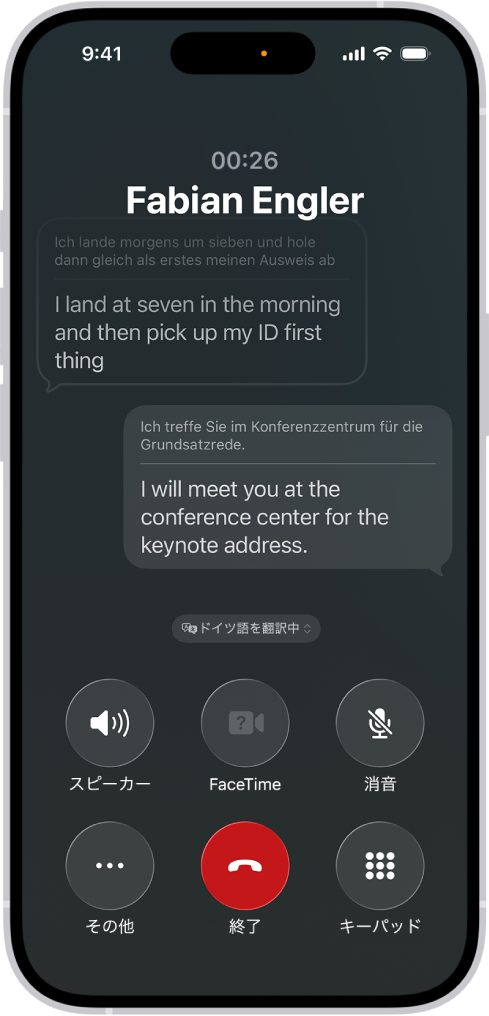
Apple supports Japanese live translation in supported Phone calls and AirPods conversations. These are different workflows: Phone provides spoken translation, while the iPhone guide describes translated captions in FaceTime.
Our take: Try the relevant built-in feature if you already have compatible Apple devices. The Phone and in-person AirPods workflows have different reply controls.
Pricing: No separate translation subscription is shown in the cited guides. Budget for compatible Apple hardware and, for earbud listening, supported AirPods. Calling and data charges remain separate.
Watch the workflow: Apple’s WWDC25 keynote demonstrates a phone call translated between English and German. The link opens at 29:03. This is a launch demonstration; check current language and device support separately.

Pros
- Existing compatible-device owners can evaluate call translation within the Phone app.
- In-person AirPods translation processes downloaded language models on the iPhone.
Cons
- Live features require compatible Apple Intelligence hardware and software. AirPods use adds supported earbud models, current firmware and the Translate app.
- If your counterpart lacks compatible AirPods, you show the translated reply or press Play on the iPhone. Your earbuds alone do not create an automatic audio channel for both people.
Check Japanese availability for the specific feature before buying hardware. Language availability · Phone and FaceTime distinction · AirPods setup
9. CoeFont Interpreter
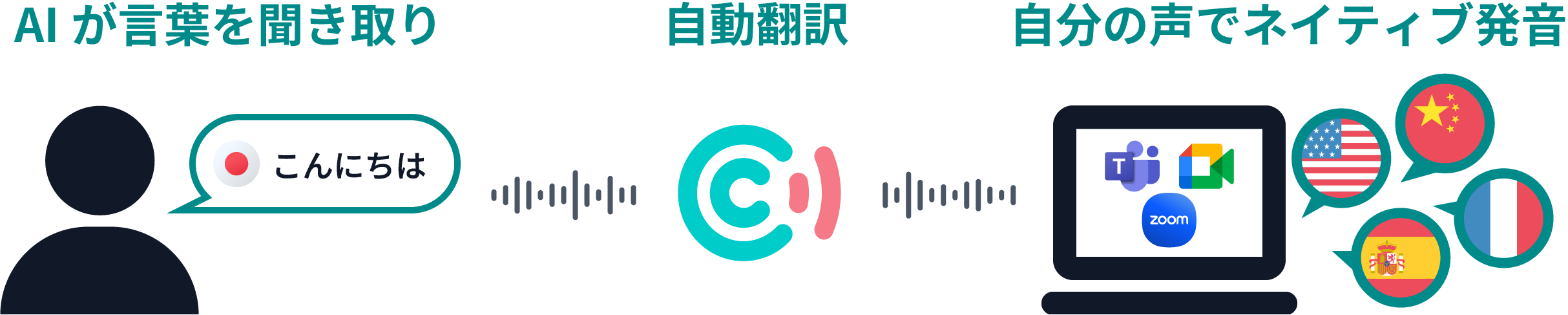
CoeFont targets business conversations that need spoken interpretation and a saved conversation history. Its desktop app works alongside Zoom, Teams and Google Meet; a mobile app handles in-person use. Terminology registration, SSO and a Teams plugin are listed under Enterprise. Product and business plans
The Japanese Plus listing is ¥55,000/month including tax, with up to 8 interpretation hours and 5 users. This is separate from the mobile app’s free basic features. The Android listing does not specify the free time allowance or all in-app prices; check those in the app. The yen price is the Japanese listing, not a conversion from the English page’s dollar price. Android features and pricing notes
Pros
- Adds interpreted audio and conversation records alongside existing meeting software.
Cons
- Mobile and business allowances differ. Confirm audio routing, how hours are consumed and the plan required for your terminology dictionary.
10. Kotoba: interpreter app and Meeting Bot
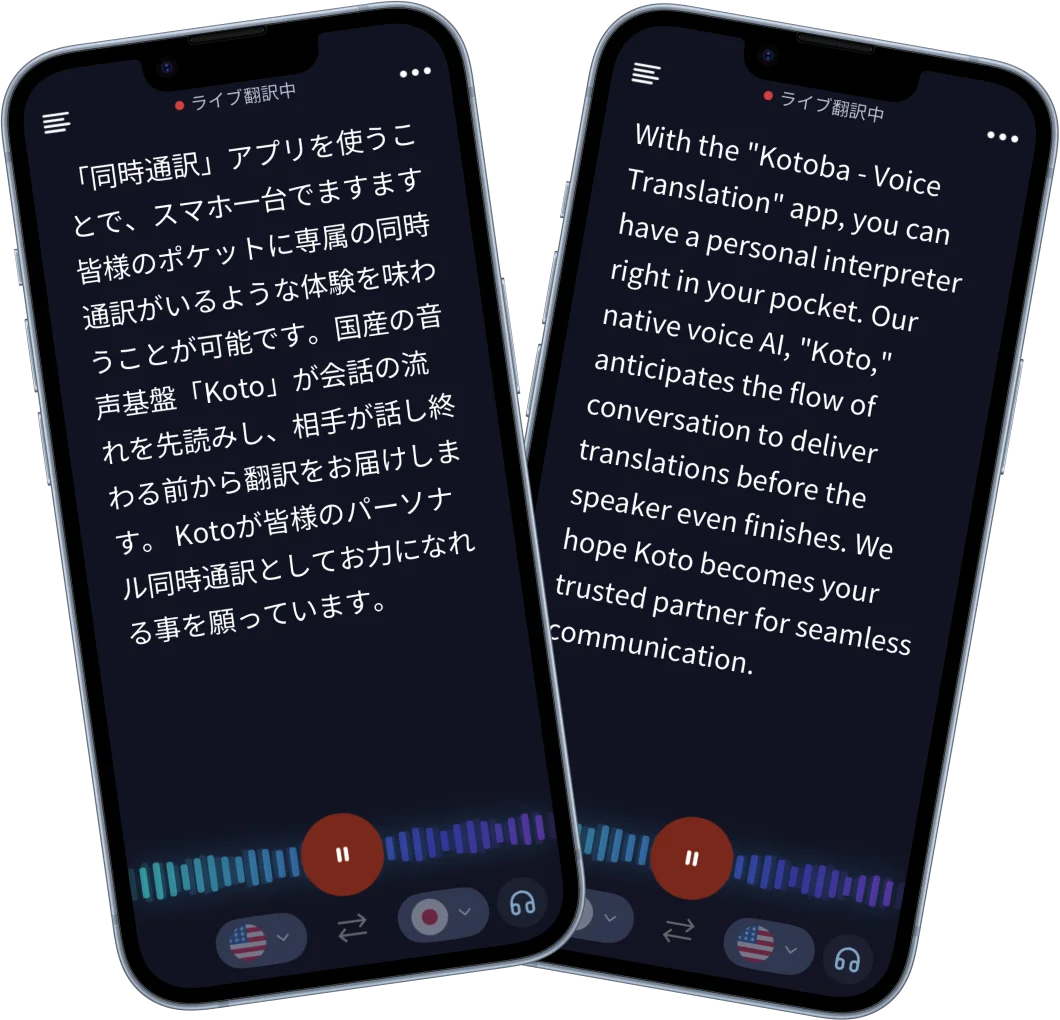
Kotoba Technologies develops voice AI; the relevant end-user product is its interpreter app . On iOS and Android it supports 21 input and 13 output languages, with subtitles and translated audio. Predictive translation applies only to subtitle mode. The advertised prediction and latency figures vary with language, environment and speaking style; they are not measurements from this comparison.
Free includes 5 hours/month. Unlimited is listed at US$99/month, with US$999.99/year also offered on iOS. Japan’s Enterprise app license is ¥15,000/device/month, with tax treatment to confirm. Meeting Bot for Meet, Zoom and Teams belongs to quoted Enterprise Volume, not Free, Unlimited or standard Enterprise. It supports two-way Japanese, English, Chinese and Korean translation, viewed through a shared URL. Plans and FAQ
Pros
- A five-hour monthly free allowance lets you assess live subtitles and audio in your own conversations.
Cons
- Input and output language coverage differ, and Meeting Bot requires a separate plan decision.
11. TransGull
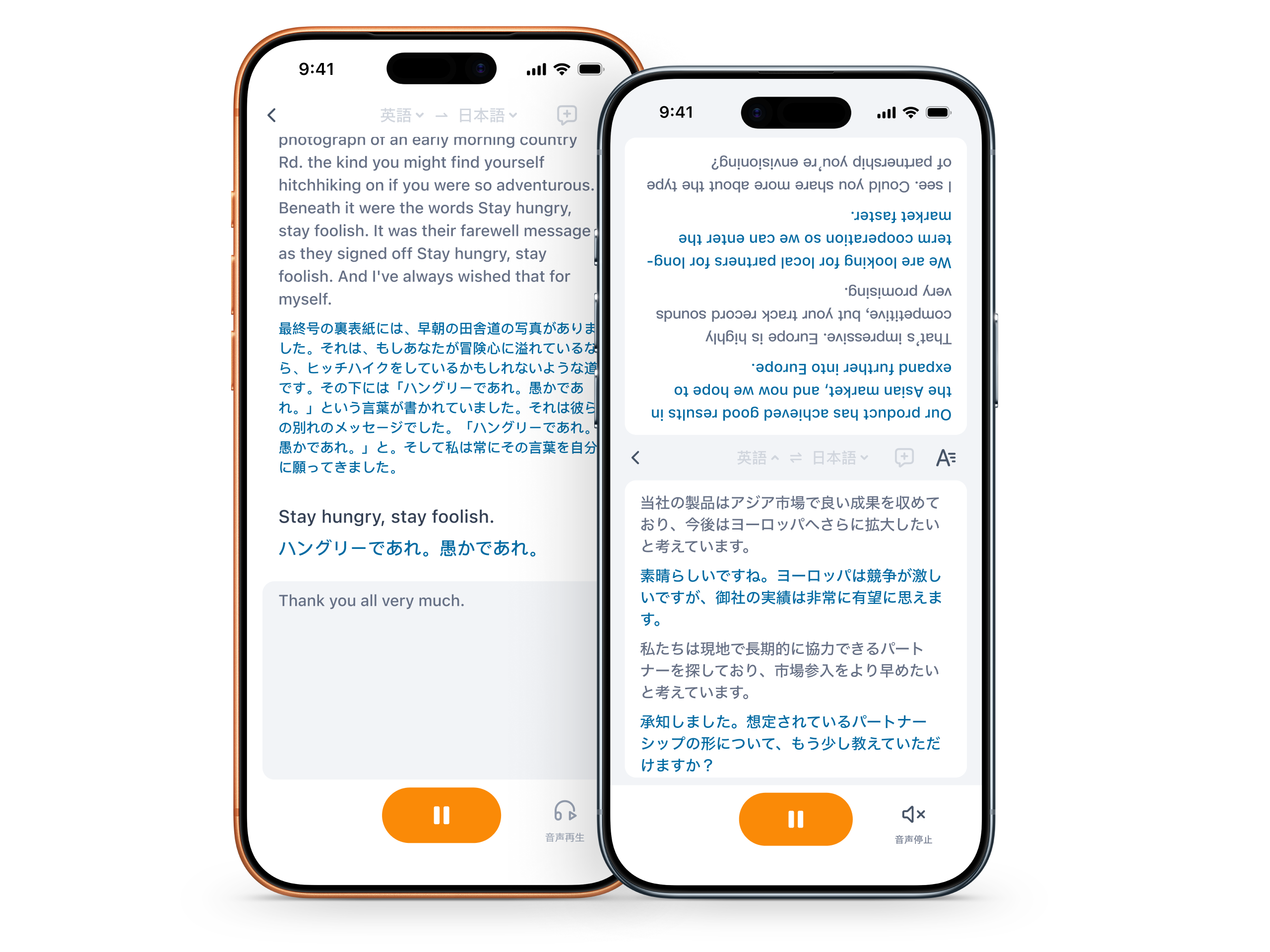
TransGull distinguishes ordinary conversation translation, one-way simultaneous listening and two-way simultaneous interpretation. It offers subtitles and interpreted audio through headphones, plus video/audio-file and phone-call translation. Product · Requested Android listing
Conversation, image and selection translation share 30,000 free characters/day. Simultaneous interpretation is separately metered: 720 credits/hour one-way or 900 two-way. Billing continues during silence while recognition is running. Purchased Shell credits do not expire; subscription Potato credits reset monthly. Check currency prices and included credits in the app. Phone translation also incurs telephone-line charges. Allowances and consumption rules
Pros
- Separate listening and two-way modes cover different conversations, with additional video and phone workflows.
Cons
- The daily character allowance is not a free live-interpretation allowance. Silence and phone-line charges can affect cost.
12. On-yaku (Rozetta)
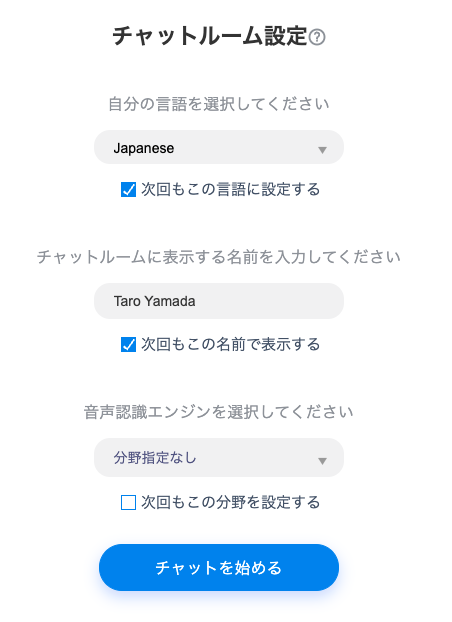
On-yaku is aimed at organizations that want speech transcribed and translated text shared during meetings. It works alongside Teams and Zoom, with subject-area selection, terminology registration and overlay captions. Its FAQ states support for more than 100 languages. The claim about distinguishing simultaneous speakers relies on input from separate devices, not guaranteed separation of overlapping voices at one microphone.
The page documents live transcription and text translation. If translated speech must reach a remote caller, ask how that output is provided. Published examples are ¥75,000/month for one department or ¥135,000/month for multiple departments, on 12-month contracts. These are not verified minimum or per-user prices. Request the actual user/time allowance, tax treatment and trial terms. Official features, price examples and trial
Pros
- Participants can read shared translations with terminology support and use the transcript for meeting records.
Cons
- Published prices are contract examples; spoken output and time allowances need confirmation for your workflow.
13. Instant Translate (Erudite)
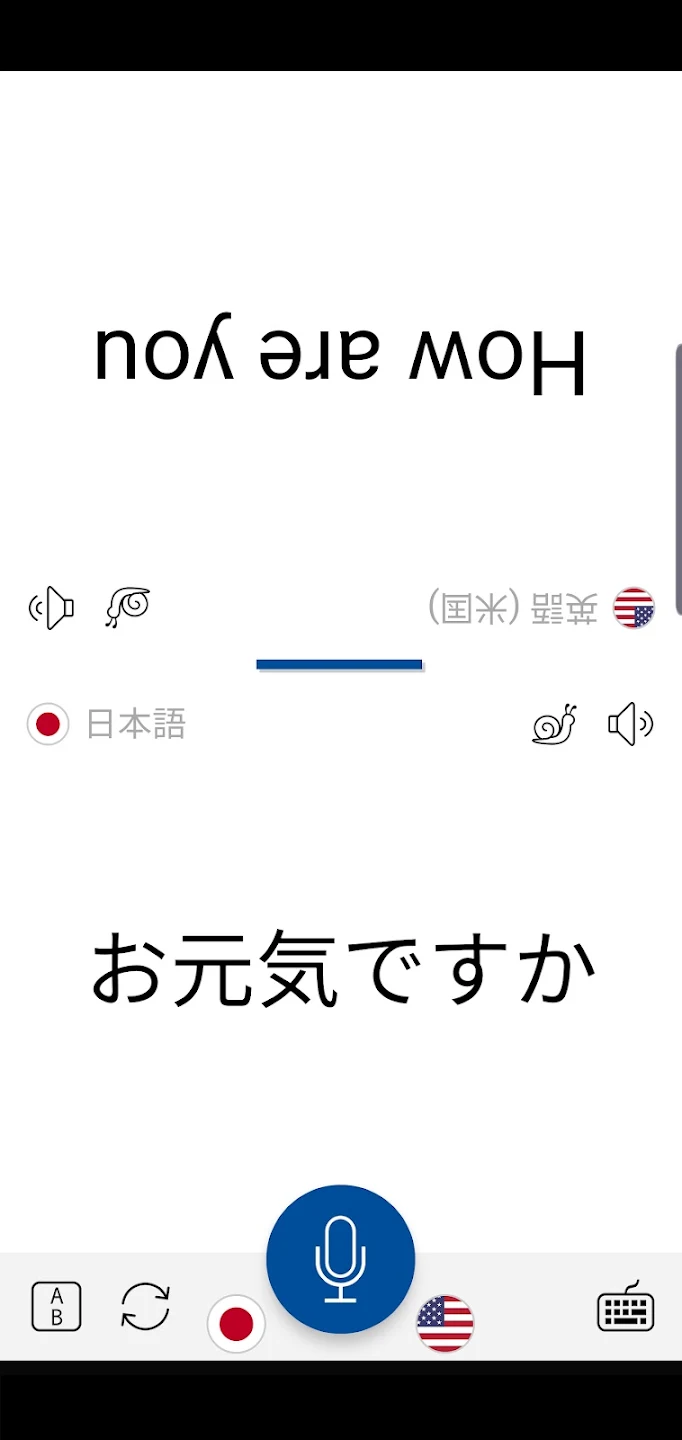
Erudite’s Android app is a candidate for short travel conversations. It combines voice, text and image translation with a split-screen face-to-face layout and slower playback of translated phrases. Google Play advertises 70 languages and 40 accents, but this does not establish identical speech input/output coverage across every language. Check your required pair.
It is free to start, with ads and in-app purchases. The public listing did not establish Japanese paid prices, ongoing voice-minute allowances or offline conditions. Check the in-app purchase screen before buying. Meeting bots, shared organizational minutes and sending translated audio to a telephone caller were also not established by this listing. Official Erudite Google Play listing
Pros
- Split-screen conversation and slower playback support short exchanges and listening again.
Cons
- Ads and purchases apply; long meetings and call-translation requirements need separate verification.
14. VoiceTra (NICT): travel and business trials
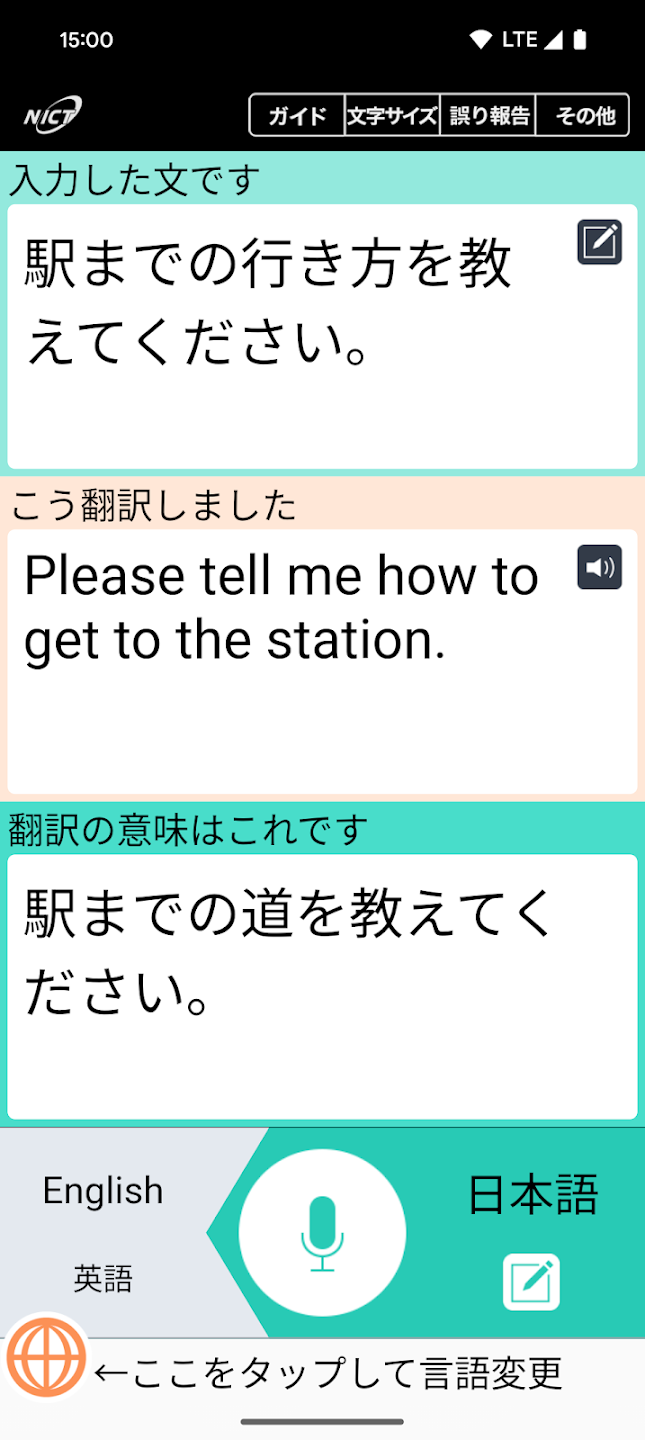
VoiceTra is NICT’s free research app for iOS/Android phones and tablets. Google Play lists 33 languages; speech-input and audio-playback coverage vary by language. It requires internet access and lets two people switch translation direction on one device. Back-translation helps you check the intended meaning. Android listing · Features and language coverage
NICT permits experimental workplace use but prohibits direct profit-making purposes. Service duration and effects on business are not guaranteed, and records are used to improve the technology. Review these conditions before treating it as infrastructure for long meetings or an ongoing commercial service. It is included here for travel and trials. Business-use FAQ · Usage conditions
Pros
- Free short travel conversations with a back-translation to help check meaning.
Cons
- Internet-dependent research service with direct commercial-use restrictions and research use of records.
5 translation devices: handhelds and phone-connected earbuds
POCKETALK S2, Vasco Q1 and iFLYTEK are dedicated handhelds; W4 Pro and AirPods 5 work with a phone. Phone-free and internet-free are separate conditions. Hardware prices below are Japanese official-store listings in JPY.
15. POCKETALK S2
a dedicated device for business visits
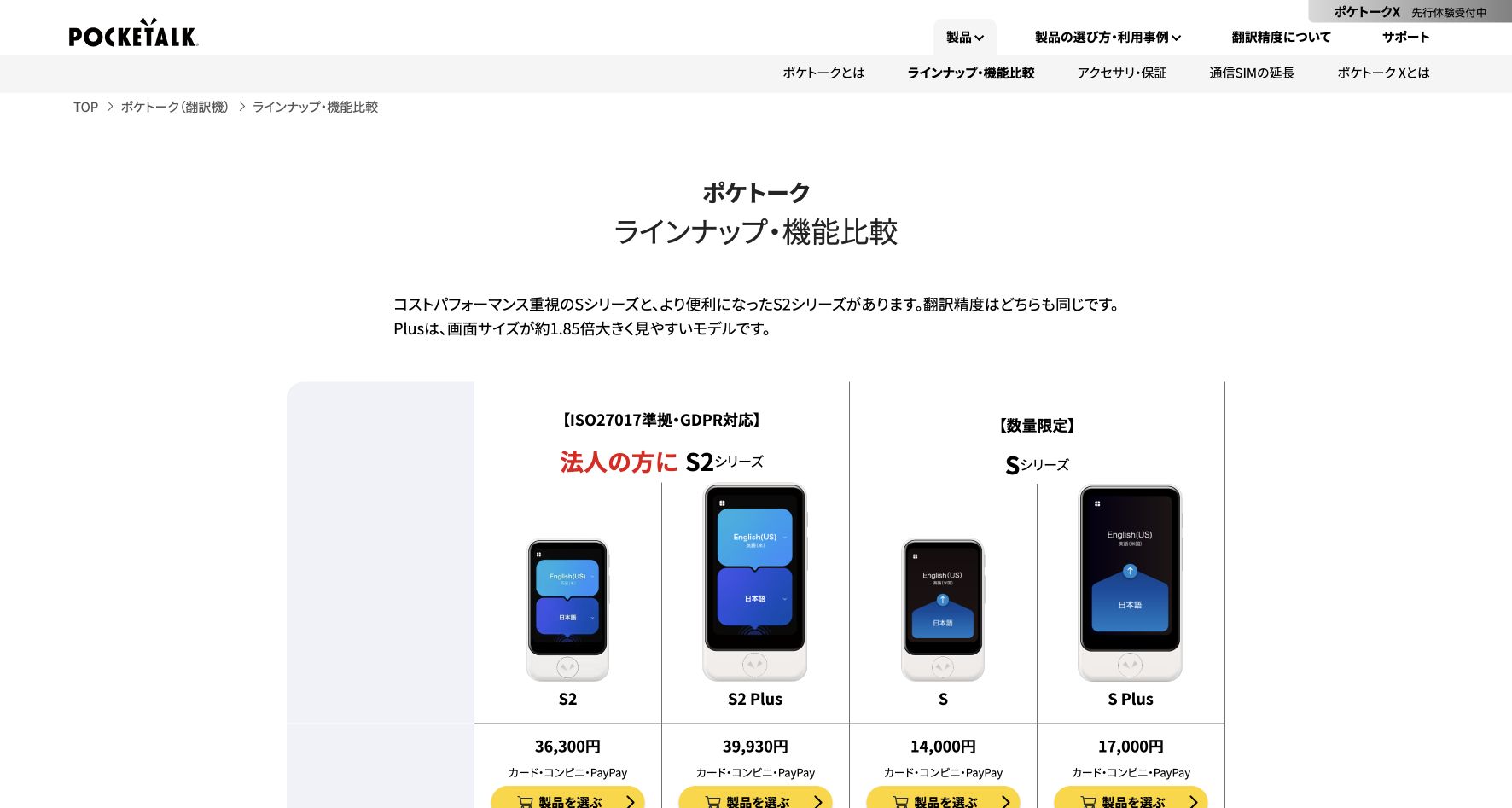
Hardware and languages: A standalone 75 g device with a 2.8-inch display. The official S2 specification lists 91 languages with voice and text, one text-only language, and 56 camera-translation languages. Its included SIM covers more than 170 countries/regions. These are coverage figures, not accuracy scores. S2 specifications .
POCKETALK S2 returns spoken and written translations through a dedicated handheld device. It suits turn-taking conversations on a customer or supplier visit, without configuring meeting software or handing over your personal phone.
Our take: A practical candidate for a device shared among staff on visits. Choose it for that operating convenience rather than an assumed accuracy advantage.
Pricing: S2 costs ¥36,300 per device including tax and two years of connectivity. A separate rental starts at ¥2,420/month with a six-month minimum paid in advance. Check device count, destination coverage and connectivity renewal costs. Model prices.
Watch the workflow: Linked from the S2-series support page, this brief tutorial shows a Japanese-to-English spoken request. The clip itself does not identify the hardware model.

Pros
- Select two languages, hold the button and speak.
- A model with two years of connectivity is available for company travel or shared-device use.
Cons
- Cloud translation requires a connection. Check coverage, signal and the included SIM service's expiry.
- Its primary workflow is face-to-face conversation using a device, rather than translating a multi-person PC meeting.
POCKETALK’s phone app and Sentio browser service are separate products with different prices, language support and connectivity terms. Device workflow · Model prices
16. Timekettle W4 Pro
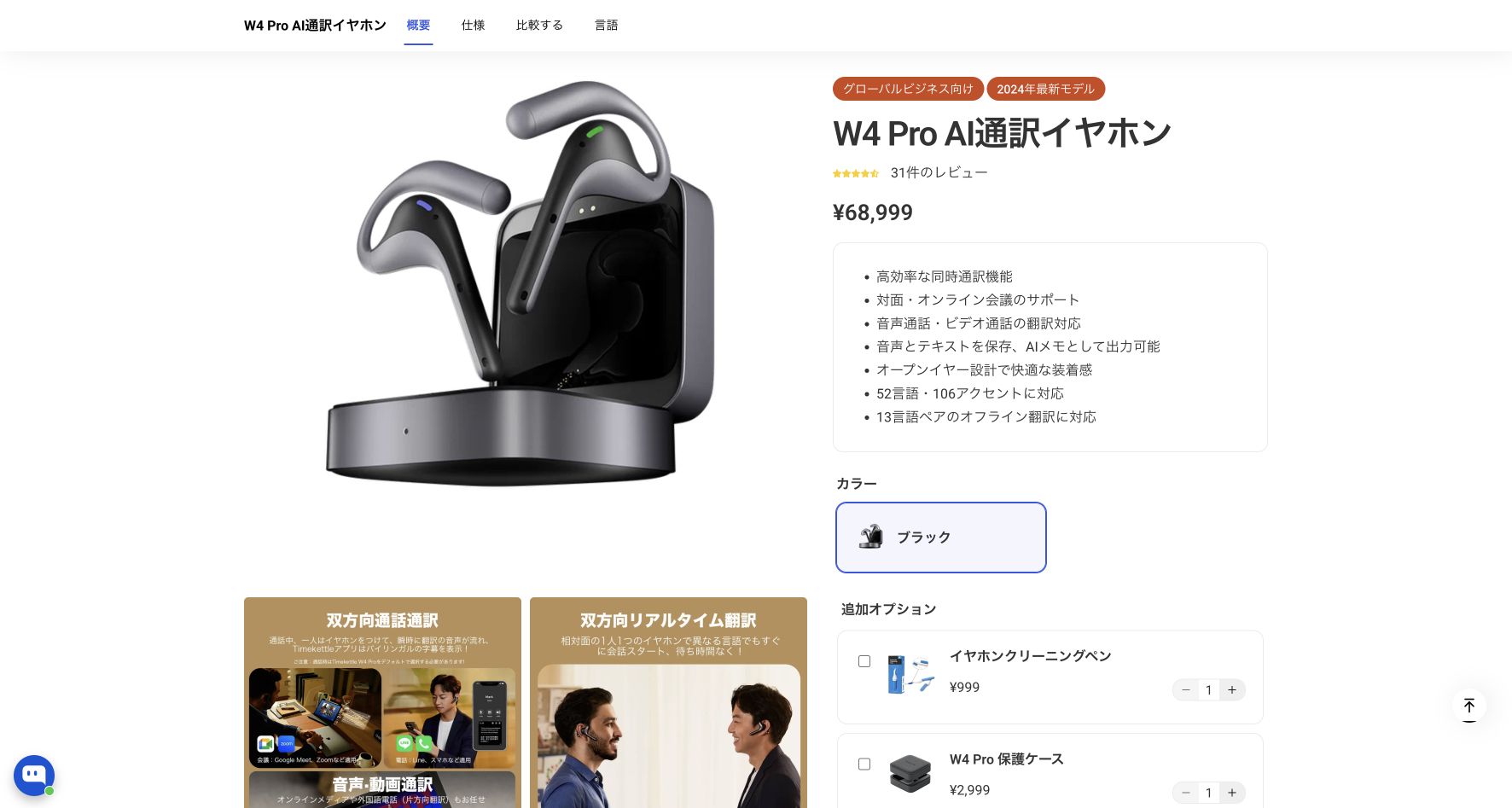
for earbud conversations and mobile calls
Hardware and languages: Phone-connected earbuds with the Timekettle app. The Japan store lists 52 online languages and 106 accents, including Japanese. Its 13 offline language pairs include English↔Japanese and Chinese↔Japanese; this is not offline support for every combination of the 52 languages. Download the required packs before travel. Online call/media modes still need internet. W4 Pro specifications and FAQ .
Timekettle’s W4 Pro combines in-person earbud translation with documented two-way phone and virtual-meeting translation. The vendor describes both sides receiving translated audio during calls, with no extra translation device required for the remote participant.
Our take: Consider it when earbuds fit both your visits and calling routine. Test the exact phone and calling app before buying for a team.
Pricing: The Japanese official store displayed ¥68,999 per device on September 17, 2026. A compatible phone and its data plan are separate. Confirm the checkout total, tax and current W4 Pro terms; regional stores differ. Japan store .
Watch the workflow: The official tutorial shows call audio setup on an iPhone with W4 Pro. Its example uses English and Spanish.

Pros
- One product covers face-to-face conversations and supported calling workflows.
- Japanese and English are listed, and the call documentation addresses the remote participant's audio rather than only local captions.
Cons
- You need the earbuds, a compatible phone and the Timekettle app. Test the exact calling app and both audio directions before relying on it for a customer call.
- Online call modes need internet. W4, W4 Pro, W4 Plus and X1 have different functions and terms; specifications cannot be carried across models.
Hardware convenience is a reason to evaluate it, not evidence of better accuracy. Two-way call workflow · W4 Pro product and language details
17. AirPods 5
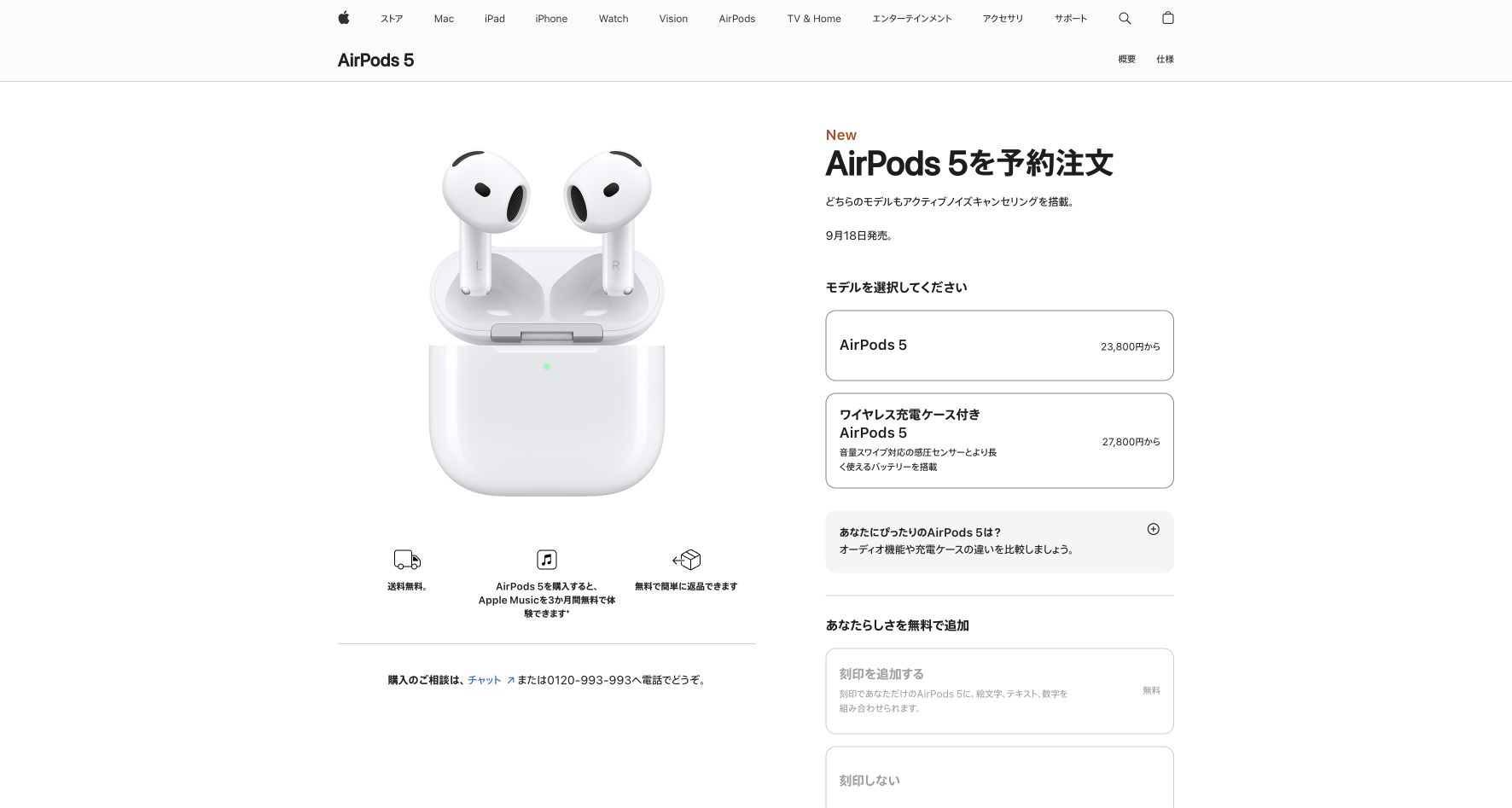
a candidate for compatible-iPhone owners
Type: phone-connected hardware. Both AirPods 5 models support Live Translation. Apple announced them on September 9, 2026, with release on September 18; they were still on preorder at the September 17 specification check. This is a specification-based candidate, not our hands-on review. Apple announcement .
Requirements and languages: Use an Apple Intelligence–enabled iPhone with iOS 26 or later, the Translate app and current AirPods firmware. Download both languages first; processing then runs on the iPhone. Japanese, English, Korean and Mandarin are among the supported languages. The earbuds do not translate independently or provide this Apple feature on Android. Setup requirements · Japan model comparison .
Pricing and best fit: Japan prices are ¥23,800, or ¥27,800 with the wireless charging case; a compatible iPhone is extra. Consider them for short visits when you already own that phone. There is no separate translation subscription shown.
Pros
- Both models add translation listening to everyday earbuds.
- Downloaded language models are processed on the iPhone.
Cons
- An Apple Intelligence–compatible iPhone is required; earbuds alone are insufficient.
- If the other person lacks compatible AirPods, show the reply or press Play on the iPhone speaker. Older AirPods reviews do not establish AirPods 5 performance.
18. Vasco Translator Q1
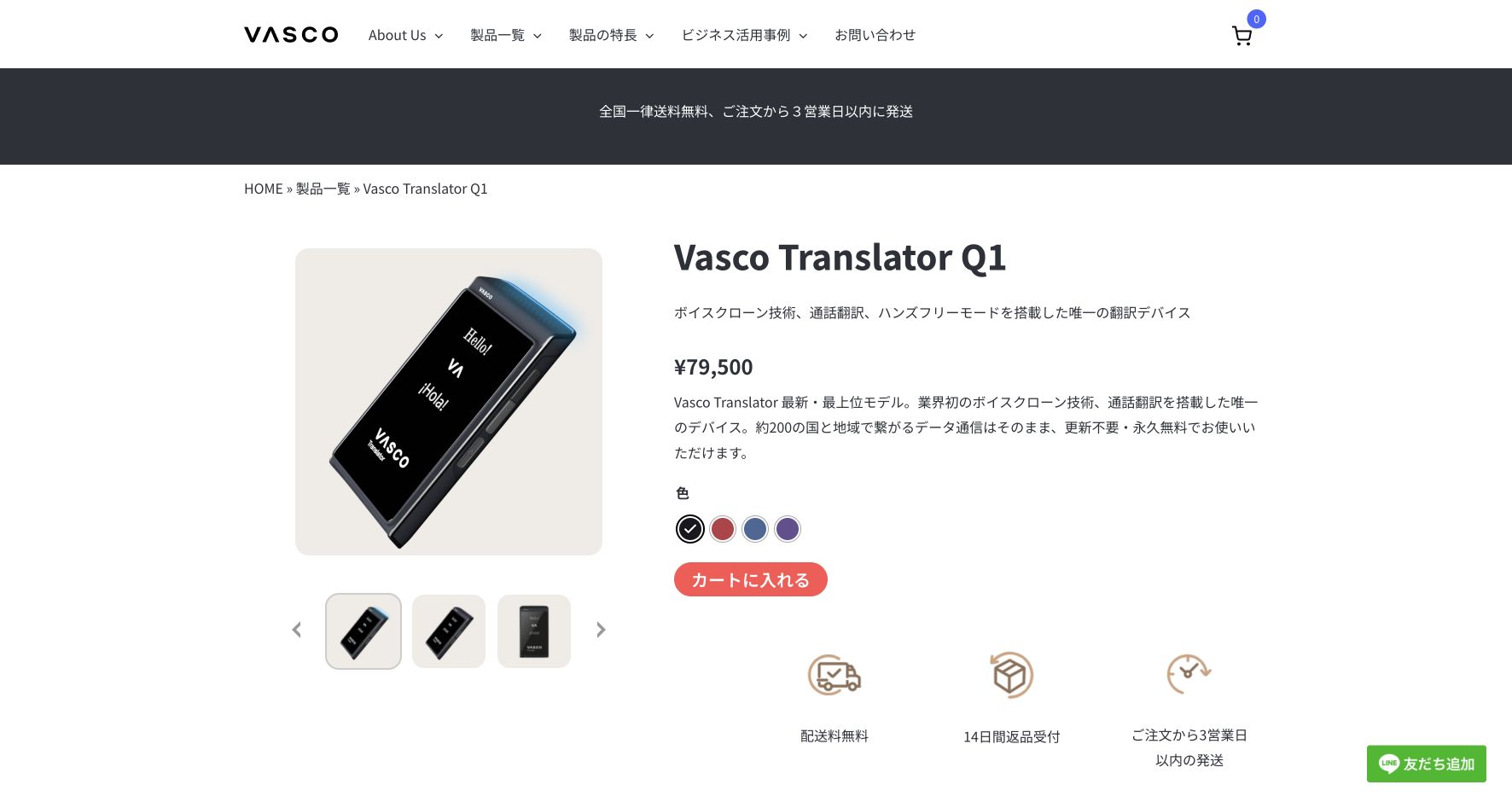
a standalone device for frequent travel
Type: standalone handheld hardware. Q1 combines an integrated SIM, Wi-Fi and hands-free auto mode. The Japan product page lists 86 voice-translation languages, 113 camera languages and 54 languages for the optional My Voice voice-cloning feature. These are different feature counts. It weighs 147 g and has a 3.54-inch screen.
Pricing and best fit: The Japan store displayed ¥79,500. Translation data in around 200 countries/regions is included for the device’s lifetime under the vendor’s terms. That makes it a candidate for frequent travel where avoiding SIM renewals matters. It does not mean universal signal coverage or free phone calls: call translation includes 10 free minutes, then ¥900 per 10 minutes through customer support. Japan product, specifications and call charges .
Connectivity: Plan to use the integrated SIM or Wi-Fi. We did not establish Japanese offline-translation availability from the cited Japan documentation; do not buy it on that assumption.
Pros
- A separate device avoids tying up a personal phone during face-to-face exchanges.
- Lifetime translation data removes periodic SIM renewal within the documented coverage.
Cons
- Additional call credits cost extra on top of the device.
- Coverage and signal still matter. Manufacturer language counts and speed claims are not controlled Japanese accuracy results.
19. iFLYTEK Dual-Screen AI Translator
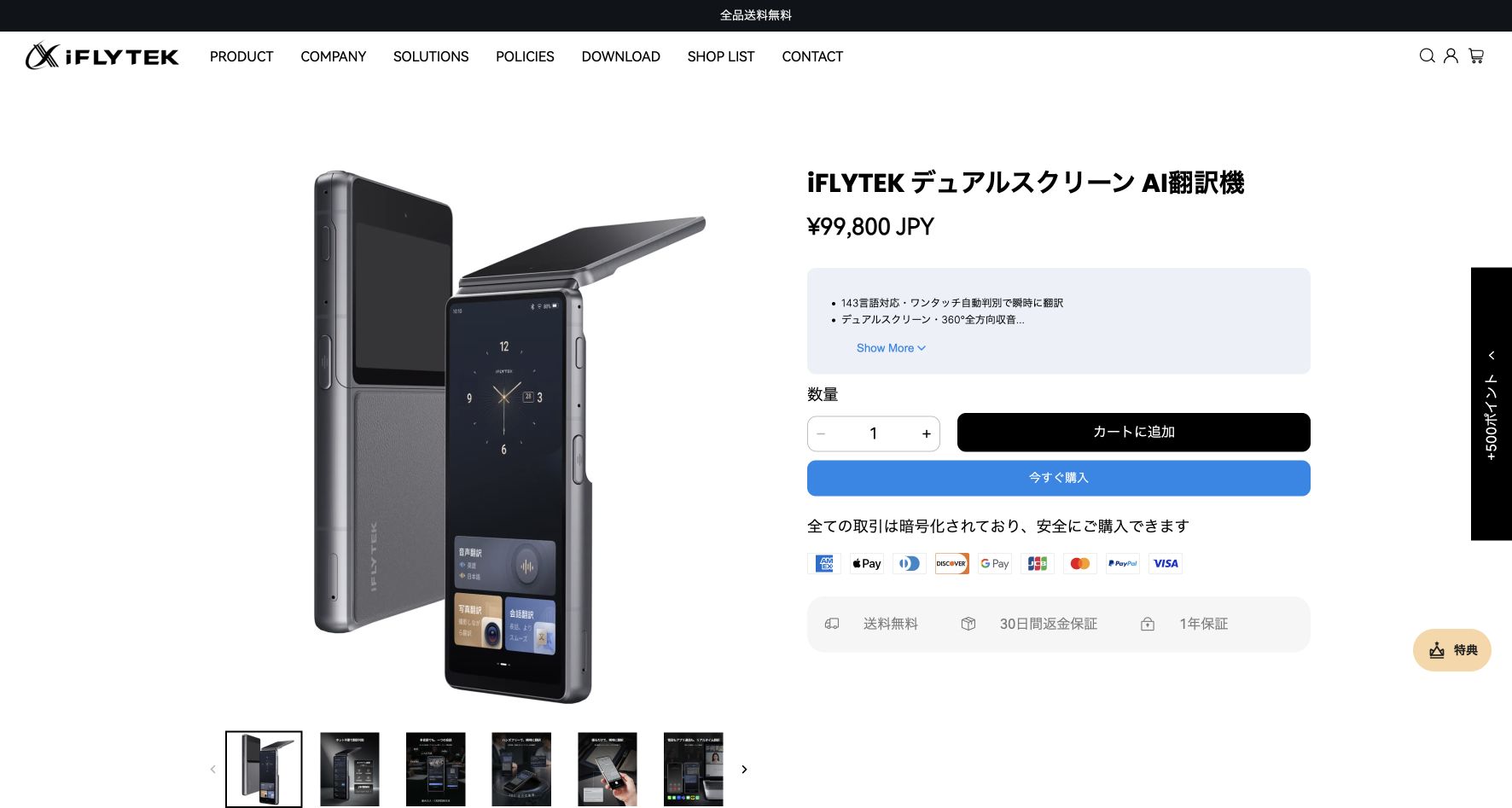
A separate screen for each person in a face-to-face conversation. The current Japan model has a 5.48-inch main display and 2.78-inch guest display. Internationally called Dual-Screen AI Translator 2.0, it is separate from the AINOTE writing tablets and VOITER recorders.
Check the mode, not just the headline language count. Online voice translation lists 143 entries including dialects and accents; automatic language recognition covers 35. Conversation and listening interpretation cover 21, including Japanese and English. Conversation offers adjustable waiting time and an option to interrupt playback. Offline voice translation is limited to 17 pairs, including Japanese↔English.
Connectivity and price: The Japanese store lists ¥99,800, including two years of global data from activation in over 140 countries and regions. Check renewal terms and the tax-inclusive checkout total. The Windows/Mac translation assistant can display subtitles for computer audio or a microphone via USB, but also requires internet access on the translator. These are manufacturer specifications, not our measured accuracy or speed results. Current modes and specifications · 2.0 launch
Pros
- Both people can read separate screens without passing around a personal phone.
- Selected pairs including Japanese and English work offline.
Cons
- 143 online entries, 21 conversation languages and 17 offline pairs are different coverage lists.
- High upfront cost; confirm the data renewal terms after the included two years.
Detailed price comparison
Price checks: Original software: September 10, 2026; six additional tools: September 20. Google Translate and iFLYTEK: September 19; other four devices: September 17. Hardware prices are Japanese store listings in JPY.
Compare the plan that covers your conversation: a software subscription, a paid meeting add-on and a hardware purchase have different costs. Annual prices below require annual billing or commitment; introductory discounts are excluded. Japan prices are used where verified; otherwise, labeled global prices apply. Currencies are shown as published, without conversion.
| Tool / plan | Monthly or purchase price | Annual option | Included usage | Extra costs and billing details |
|---|---|---|---|---|
| VoicePing Individual / Small | Individual ¥3,163/month; Small ¥6,325/month | Individual: monthly only. Small: ¥4,125/month equivalent (¥49,500/year) | 450 minutes/month; Individual one account, Small up to 15 accounts sharing the allowance | Tax included. Active transcription uses the workspace allowance. Choose listener capacity and event terms for your session. |
| Teams Interpreter + Copilot Business | Copilot ¥3,778 + Business Basic ¥1,259 = ¥5,037 per user/month | Copilot ¥3,148 + Basic ¥1,049 = ¥4,197 per user/month (¥50,364/year) | 20 interpretation hours per licensed user/month; further use subject to capacity | Tax excluded. Basic is one eligible base-plan example with Teams; existing eligible subscribers may only need the Copilot add-on. Each listener needs eligibility. |
| Zoom Voice Translator via ZoomMate | US$20 per user/month — global USD | US$16.67 per user/month, billed annually | 2,200 AI credits per user/month, shared across AI features including Voice Translator | Shared account credit pool; extra credits or overages may cost more. A voice-minute conversion was not established. Check participant access and regional tax/checkout. |
| DeepL Voice Starter / Business | Starter ¥2,200; Business ¥6,200 per user/month | Starter ¥1,900; Business ¥5,280 per user/month equivalent | Starter 300 minutes per user/month; Business 600, with pooled usage. Eligible paid Translator plans separately include 30 | Japan prices include VAT. Online audio uses the manager’s allowance; each listener needs eligible access and the desktop app. Starter trial: 14 days; minutes unspecified. |
| Palabra Meetings Starter | US$60/month | US$45/month equivalent (US$540/year) | 3 meeting hours/month | Other product modes consume the shared balance at different rates. Tax treatment unconfirmed. The seven-day trial has limited credits; it is not an ongoing free Meetings plan. |
| JotMe Pro / Premium | Pro US$20/user/month; Premium US$30/user/month | Pro US$120/year; Premium US$180/year | Pro 200; Premium 500 basic-caption-equivalent minutes/month | Fast Audio uses 5×. Premium can fund shared browser guests; shared voice consumes 5× per recipient from the host. Tax treatment unconfirmed. |
| Google Translate | Free app | No translation subscription | No monthly minute cap published in the checked consumer-app guide | Phone, connectivity and any headphones are separate. Google Cloud API and Google Meet prices do not apply to this app. |
| Apple Live Translation | Included with compatible Apple hardware | No separate translation subscription shown | No monthly minute cap published in the checked guides | Compatible Apple Intelligence iPhone required; supported AirPods are extra for the AirPods workflow. Carrier calling/data charges remain. |
| CoeFont Interpreter | Plus: ¥55,000/month incl. tax in Japan | Annual terms require confirmation | Plus: up to 8 hours and 5 users; mobile basics free | Enterprise by quotation; mobile purchases have separate conditions |
| Kotoba: interpreter app and Meeting Bot | Unlimited: US$99/month | iOS: US$999.99/year | Unlimited: unlimited interpretation; Free: 5 hours/month. Bot requires a separate plan | Japan Enterprise: ¥15,000/device/month; Volume quoted. Confirm taxes/store pricing |
| TransGull | Live: 720 / 900 credits per hour | Subscription prices: check app | 30,000 characters/day shared across conversation/image/selection; live separate | Purchased credits do not expire; subscription credits reset monthly. Call-line costs extra |
| On-yaku (Rozetta) | Example: ¥75,000/month on a 12-month contract | Published examples require 12 months | Trial offered; duration, users and hours require confirmation | Multi-department example: ¥135,000/month. Minimum, taxes and allowances quoted |
| Instant Translate (Erudite) | Free to start; ads and in-app purchases | Not verified on public listing | Voice allowance and paid prices: check app | Offline operation, meeting integration and outgoing call audio not established |
| VoiceTra (NICT): travel and business trials | Free; data charges extra | No monthly or annual service fee | Direct profit-making use prohibited; no ongoing business guarantee | Internet required; research-app usage conditions apply |
Read the allowance in its actual unit. For example, JotMe Pro’s 200 equivalent minutes divided by the 5× Fast Audio rate provide 40 minutes for one unshared stream, before any other consumption. Shared recipients use more of the host’s balance. This is a plan calculation, not a measured call-duration result. JotMe usage rules .
Free use and trials: VoicePing’s 90 monthly minutes and JotMe’s 20 metered translation minutes are ongoing free allowances. DeepL Voice Starter offers a 14-day trial with trial minutes unspecified. Palabra’s seven-day trial is credit-limited, with possible paid conversion under its terms. Google and Apple do not publish a monthly minute quota in the cited guides; that is not an unlimited-use guarantee. POCKETALK offers a separate 10-day corporate loan , subject to its application terms.
What published tests and reviews show
Published tests reveal differences in meaning, delay and conversation flow. The results below use different languages, versions and methods, so they help you choose what to trial rather than establish one accuracy ranking.
Translation benchmarks
| Product and evidence | Published result | How to use it in your decision |
|---|---|---|
| DeepL Voice — commissioned human study. Slator, March 2026 | 96.4/100 on Zoom; 96.3/100 on Teams for translated captions. 28 linguists, 14 directions including Japanese↔English, with roughly 12-minute business podcasts per source language. | These are weighted quality scores. DeepL commissioned the study and used terminology customization; native platform captions used defaults. Useful caption evidence, but it does not measure Teams Interpreter or Zoom Voice Translator spoken output. |
| VoicePing MT v0.1 — publisher-run model test. July 2026 benchmark | 87.2/100 overall, compared with DeepL’s 89.4, on 100 English→Japanese text samples. A GPT-5.5 judge scored the translations without a trusted Japanese reference. | A transparent text-model baseline, with VoicePing behind DeepL in this run. It does not measure VoicePing 3.0 meeting accuracy, noise handling or spoken-reply delay. These scores are not percentages of correctly translated speech. |
Hands-on reviews: delay and meaning in real use
| Tool and review | Reported finding | Buyer takeaway and limits |
|---|---|---|
| Teams Interpreter — AEON Smart Technology, August 2025 | An engineer reported about 5–10 seconds to hear Chinese→Japanese interpretation during a technical meeting. Technical terms sometimes failed, but listening was less tiring than reading captions alongside shared screens. | Relevant to Japanese workplace use: allow time for translated replies and test your terminology. One practitioner’s estimate on an older version, without instrumented timing or an accuracy score. |
| Apple AirPods Live Translation — Which?, July 2026 and PHILE WEB, November 2025 | Which? used four bilingual speakers across Italian, Spanish, German and French, in quiet and noisy settings. Speech was generally understandable, with name and meaning errors. PHILE WEB’s separate Japanese↔English trial found that longer Japanese statements could fragment and change meaning. | More convincing for short exchanges than uninterrupted presentations in these tests. Neither review provides an accuracy percentage; the Japanese test used iOS 26.1-era software and evaluates AirPods, not Phone-call translation. |
| Google Translate headphone beta — Lifehacker via Yahoo, December 2025 | English output began about 4 seconds after a Portuguese news video started, using a Pixel 8 Pro and AirPods Max. | A useful listening example, with no Japanese dialogue test or accuracy verification by a fluent speaker. This beta-era startup observation does not establish current conversation latency. |
| Timekettle W4 Pro — Notebookcheck, December 2024 | An English/German media test reported 7–10 seconds of translated-audio delay; text appeared sooner. Direct phone-media capture worked better than picking up laptop audio through a microphone. | Test the exact capture mode you will use. This manufacturer-supplied review unit and dated software snapshot do not establish today’s Japanese call performance. The page’s later update does not prove a retest. |
For Zoom Voice Translator, JotMe Fast Audio and POCKETALK S2, this research did not establish a controlled Japanese spoken-translation score. Palabra has published synthesis-component timings , but those exclude recognition and translation. Product demos and language counts cannot fill these measurement gaps.
Hardware evidence limit: AirPods reviews published before September 2026 are not AirPods 5 tests. We did not establish a controlled Japanese spoken-translation comparison of the five translation devices.
Frequently asked questions
Can I use free real-time voice translation for work?
Can Google Meet translate Japanese into spoken audio?
Does “real time” mean two people can speak at once?
Does offline support mean I can translate without internet abroad?
Can VoiceTra be used at work?
Final conclusion
VoicePing is our top pick for recurring multilingual business meetings, combining live translation with useful follow-up records. Teams and Zoom suit businesses already using those platforms, while phone apps and dedicated devices fit shorter in-person exchanges. Choose the option that supports your language pair, works in your meeting setup and fits your budget.
For hardware, choose POCKETALK S2 for a lightweight shared handheld, W4 Pro for phone-connected conversation/call workflows, AirPods 5 for compatible-iPhone owners, or Vasco Q1 when lifetime translation data matters. Check the exact language pair and reply method before purchase.
Consider iFLYTEK when both people need a screen. In Google Translate, choose Listening or Conversation according to who needs to hear the translation.