In this article
Capture an English meeting, check names and decisions, and turn a transcript into useful minutes. Includes a review checklist and a practical action-item template.
An English meeting transcript helps you revisit what was said. Useful meeting minutes go a step further: they separate decisions from suggestions, identify who agreed to do what, and preserve a way to check the original conversation. This matters when participants speak different varieties of English or use English as a shared second language.
Start with the meeting you need to document, choose an appropriate capture method, then review the output before distributing it. This guide provides a workflow and a reusable template. For a comparison of products and current plan restrictions, see our multilingual meeting assistant comparison .
Publisher disclosure: VoicePing publishes this guide and provides meeting transcription and translation products. The example below is fictional and demonstrates an editorial workflow; it is not a customer result or an accuracy benchmark.
Choose the capture method before the meeting
| Situation | Practical starting point | Confirm before you begin |
|---|---|---|
| A meeting on Teams, Zoom or Google Meet | Check your meeting platform’s recording/transcript features, or use VoicePing Meeting Bot if its workflow fits | Host permission, bot admission, recording policy and participant access to captions |
| You already have an audio or video recording | Use audio and video transcription | Supported file, processing access, remaining minutes and storage |
| You need to find a decision from a past meeting | Review the existing transcript in Meeting Logs | Access permissions, the relevant meeting and whether the original evidence is still available |
| Participants need another language during the conversation | Evaluate live voice translation options | Spoken languages, caption versus audio output, devices and who needs access |
An uploaded file is for an existing recording. It does not replace the live meeting setup. Likewise, a summary is not proof that every participant approved its interpretation.
Prepare names, terms and recording expectations
Share the agenda and the spelling of names, products and projects beforehand. Agree on the language used in the meeting and whether translated output is needed. Explain the recording and sharing arrangements to participants and follow your organization’s requirements.
Run a short rehearsal on the equipment you will actually use. Include a quiet speaker, an unfamiliar name and a number with units. A clear microphone and orderly turn-taking make the recording easier for people to check as well as for software to transcribe.
If the room has several people sharing a microphone, test how well the resulting record distinguishes speakers. Do not assume a speaker label proves identity. Keep an attendance list and ask people to state their name when necessary.
Capture the conversation without losing the discussion
Let the capture tool handle the draft transcript while a designated note-taker records the agenda transitions and decisions that need confirmation. Mark unclear passages rather than guessing what was said.
Before moving to the next topic, read back significant decisions: the action, the owner, the date and any condition. Ask the named owner to confirm. This is particularly useful when phrases such as “we could,” “we should” and “we will” might otherwise become the same action item in a summary.
In VoicePing’s Meeting Bot workflow, the host admits the bot and participants view captions in a separate browser screen. Review the current Meeting Bot page for setup details. Platform permissions and your workspace settings still apply.
Review the transcript before writing the minutes
Check the passages that affect an action or decision first. Prioritize:
- Names, company names and technical terms.
- Numbers, currencies, units, dates and time zones.
- Negation and conditions, such as “do not deploy” or “only after approval.”
- Speaker attribution and whether an owner explicitly accepted a task.
- Unresolved questions and disagreements that should remain visible.
Replay the source where it is available. If a passage cannot be resolved, label it as unconfirmed and ask the relevant participant. Correcting a transcript improves the record; it does not retroactively create agreement.
For multilingual distribution, review the source-language decision before checking its translation. Keep names, amounts and dates consistent between versions. Have a qualified reviewer assess material technical or regulated statements.
Use a minutes template that separates decisions from proposals
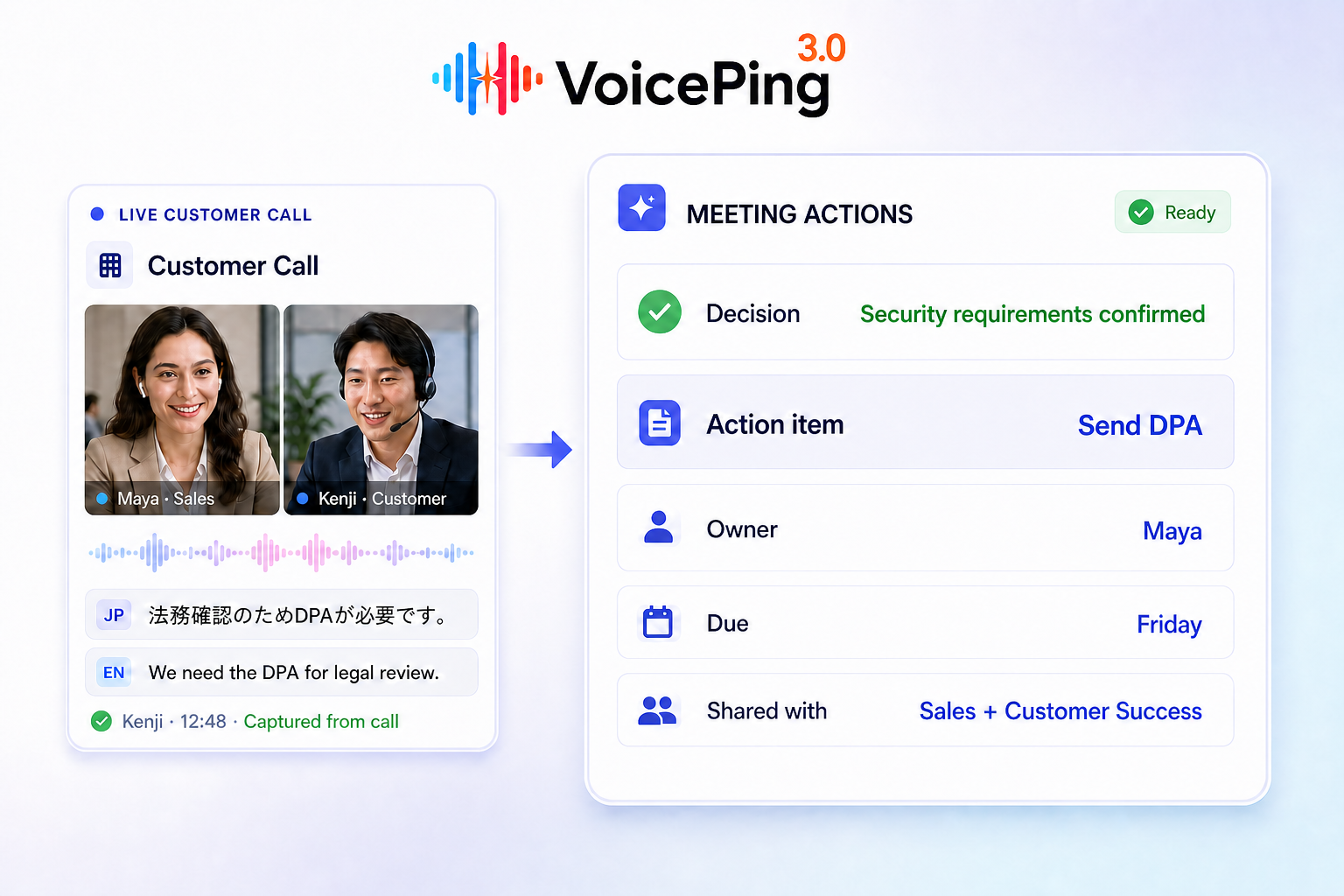
The following fictional example shows the difference between an agreed action and an item still awaiting an answer.
| Field | Example |
|---|---|
| Meeting | Supplier onboarding review |
| Date and time zone | 10 September 2026, 10:00 JST |
| Purpose | Decide whether the supplier is ready for a pilot |
| Confirmed decision | Run a pilot after the security checklist is approved |
| Action and owner | Mina will send the completed checklist to the reviewer |
| Due date | 14 September 2026, 17:00 JST |
| Unresolved question | The support coverage window still needs confirmation |
| Source reference | Meeting record, agenda item “Pilot readiness”; add the actual timestamp when available |
| Review status | Draft; waiting for the action owner to confirm the due date |
Do not convert “Mina might be able to send it next week” into the confirmed action above. Preserve the uncertainty until it is resolved. If your AI summary suggests an action that nobody agreed to, move it to a proposal or remove it.
Share the reviewed record and manage access
Give recipients the short decision summary and a link to the supporting meeting record where appropriate. Verify who can open that link, whether guests need access, and whether the transcript contains information that should be restricted.
Saved transcripts, recordings, exports and downstream copies can have different lifecycles. Check your plan, contract and current documentation before relying on a retention period. For VoicePing, consult the meeting-record manual and privacy policy ; confirm any requirement that those sources do not resolve for your workspace. Export necessary records through an approved process before their applicable expiry.
Evaluate the workflow on a representative meeting
Compare the time needed to review the draft, not just the speed of generating it. Record how many important names, decisions and actions required correction. Note whether people could find the supporting passage and whether the intended recipients could access the result.
Use a meeting with your actual languages, speakers and terminology. A vendor’s benchmark can explain a test result, but it cannot guarantee the same outcome in your room. Choose the workflow that produces a usable, reviewable record under your team’s conditions.